# Home
Welcome to United Lands!
### Welcome to United Lands, a unique Towny Earth server!
United Lands is an Earth-Based Towny Server, with Wars, Geopolitics, Trade, and much more! We take pride in our custom features, community, and the history of the server leading up to this point!
If you're interested in learning anything about the server, want to join our community, or just want to get inspiration, this site is for you!
### Important Links
***
NOT AN OFFICIAL MINECRAFT SERVICE. NOT APPROVED BY OR ASSOCIATED WITH MOJANG OR MICROSOFT
# Rules
Read our rules below!
## Introduction
Before we start, please understand the following:
{% hint style="danger" %}
By playing United Lands and engaging in our community you **must** accept the rules. By using our services you agree to them and will be held to the standards outlined below.
All affiliated communities must follow these rules, including third-party servers for organisations, towns, and nations.
{% endhint %}
{% hint style="success" %}
If you require further support don't hesitate to contact us on our [Discord](https://discord.gg/unitedlands).
{% endhint %}
***
## Punishment Structure
We separate punishments into two categories: Behavioural and Verbal. These are designed around what you do that is rule-breaking. If the way you act breaks rules, then you receive a ban. Whereas, if the way you talk breaks rules, you receive a mute.
This structure takes into account all previous history. By using one unified escalation it avoids players breaking many rules once or twice to avoid harsher penalties.
{% hint style="info" %}
**Please note:** These structures are guidelines and do not have to be followed exactly. Staff have final say on decisions and take into account much more context to give appropriate punishments. Use this as a reference.
Some specific offences may carry a punishment not aligned with the general structure as they are more serious than others, **these will be clearly marked under the relevant rule**.
Punishments do not usually carry over to the other platform (Minecraft-Discord), however this is up to Staff. If you continue being disruptive then we may apply the punishment to both.
{% endhint %}
🚫Behavioural Punishments
1st offence: Warning.
2nd offence: Temporary ban.
3rd offence: Extended temporary ban.
4th offence: Permanent ban.
🔇 Verbal Punishments
1st offence: Warning
2nd offence: Temporary mute.
3rd offence: Extended temporary mute.
4th offence: Permanent mute.
***
## Rules
### 1. Use Common Sense
**The golden rule**.
Just because something isn't listed or vague doesn't mean it's not enforceable. It is important to apply common sense to all your decisions. If you have to wonder if something is allowed, it probably isn't.
Some channels on the Discord have their own rules. Always check the pins before posting!
If you are unsure if you are breaking a rule or doing something that isn't allowed please don't hesitate to ask on our [Discord](https://discord.gg/unitedlands).
‼️ Purpose
We punish based on the purpose of the rule rather than the letter. This means rules exist to promote or prevent certain activities, it is impossible to account for every situation.
* If you are skirting the rules and breaking the purpose of the rule rather than the letter, you will be punished. "Well technically..." is not a defence.
* If you are new and give off the impression you are only here to break rules, you will be punished harshly.
* If your actions appear to be intentionally disruptive, even if not technically rule breaking, they will be punished.
* If you are breaking rules in a specific way as to only get limited punishments, you will receive an increased punishment.
* If you assist someone in breaking any of these rules or purposely ignore them you will be punished in the same way they were.
* If you find bugs or loopholes and don't report, you will be punished for exploiting them, even if not used.
👮 Staff Arbitration
Staff will **always** have the final say on punishments and rule interpretation. We have guidelines to help enforcement consistency and player understanding, but context is always key.
Every situation is different and will be treated differently, punishments will be proportional and nuanced based on many factors, with the guidelines just being one tool at our disposal.
Sometimes violations are severe and can skip a couple steps, this is perfectly normal. If bad enough, first offence toxicity may result in a third offence punishment.
😢 Appeals
In most circumstances you will be able to appeal. Do not conflate the right to appeal to a right to overturn the decision. Appeals are used to discuss improper enforcement of rules or provide missing context or evidence that may change the situation.
We will not accept someone else using your account as an appeal reason. Your account is your responsibility and you must ensure it's secure at all times.
Ignorance of our rules is not an excuse. If you didn't know it was a rule that is your own fault.
If you admit fault or mistake early on in an appeal we usually decrease the punishment duration as a gesture of goodwill.
***
### 2. No Toxicity
Toxicity includes any behaviour that creates a hostile, negative, or uncomfortable environment for other players, it can be perpetuated by how you act and what you say. This is a place to relax and have fun - failing to remain respectful creates a negative server experience for everyone. Remember the person on the other side of the screen.
Good faith and light-hearted banter will always be allowed, but once a player expresses concern you must stop and apologise immediately.
See below for some specific examples of toxicity:
🙊Disrespectful Language and Bullying
Disrespectful language can include but is not limited to hate based on:
* Race or ethnicity.
* Sexual orientation.
* Gender or gender identity.
* Political orientation.
* Disabilities.
🙉 Swearing and Slurs
**While swearing in general is allowed**, please be mindful to not be excessive with it or use it to target other players. The more extreme the use of language is, the harsher the punishment.
Slurs are forbidden in all circumstances. Even if you belong to the same group as the slur.
🙈 Harassment
Harassment is any targeted behaviour meant to annoy, threaten, intimidate, or upset another player. It can include but is not limited to:
* Real-life threats.
* Even if it is meant to be a joke.
* Suicide jokes (Targeted at others or yourself).
* Both jokes and threats are treated the same. These can be targeted at yourself or others.
* Sharing personal information.
* Disclosing non-sensitive information without consent is forbidden.
* Sharing sensitive private information even with consent is also forbidden. This is commonly known as 'doxxing', even partial info will be treated as such.
☣️ Other Toxic Behaviour
Below is a non-exhaustive list of activities that are also forbidden that don't fit into the main categories above:
* Spam, both in the form of excessive chats and excessive use of capital letters.
* Illegible or annoying cosmetics. These can be nicknames, chat gradients, item names, etc.
* Excessive or unnecessary pinging of other players or staff.
{% hint style="warning" %}
Toxicity carries both behavioural and verbal punishments.
Usage of slurs will result in a permanent mute.
Doxxing another user will result in a permanent ban.
{% endhint %}
***
### 3. No NSFW
This is a Minecraft server, **minors can and will play here**. Inappropriate discussions or messages in global or any public channel is unacceptable even if you are a minor yourself.
Private channels are a little more relaxed in terms of content moderation but if someone is made uncomfortable or a report is created it will be treated as though it happened in public.
🔞 Examples
* Implicit or explicit sexual behaviour or language.
* Inappropriately named items, entities, and organisations.
* Inappropriate skins or builds.
* Posting graphic material.
{% hint style="info" %}
NSFW stands for Not Safe For Work. It is a common phrase used to denote language or conduct that would be inappropriate in work or school. If you're unsure on if your behaviour is NSFW, consider if you'd do/say it in front of your boss or teacher.
{% endhint %}
{% hint style="warning" %}
NSFW carries verbal punishments.
**Grooming or other inappropriate conduct with minors will result in a permanent, unappealable ban in addition to the authorities being contacted.**
{% endhint %}
***
### 4. No Cheating
A hack or cheat constitutes anything that may give an unfair advantage over other players. These are disallowed to keep gameplay fair and rewarding for everyone. If a modification is not mentioned here, assume it is banned.
If you are unsure of the legality of a mod, resource pack, or shader pack please ask before enabling it, you will not be punished for checking. To propose an amendment or clarification to this list please contact Staff. Both can be done via our [Discord](https://discord.gg/unitedlands).
🙅 Prohibited Modifications and Activities
* Any unverified mods.
* Those not included in the 'allowed' list.
* Hacked or cracked clients.
* Scripts, macros, and auto-clickers.
* Bug exploits.
* Both from Minecraft and United Lands.
* Accessing or utilising above the Nether roof in any way.
* Duplication glitches.
* PvP advantages.
* Opponent stat displays.
* Such as enemy health and damage indicators.
* X-ray mods and resource packs.
* Schematica/Litematica printer.
* Automatic tool and weapon swapping.
* AFK bypasses.
* No fog mods.
🙆 Allowed Modifications
* Minimaps and waypoint mods that *only* display surface terrain - no cave mode.
* NotEnoughItems/JustEnoughItems or other similar recipe viewer mods.
* Optifine or other optimisation mods.
* Bobby and other chunk caching mods.
* Fullbright.
* Schematica/Litematica holograms and easy place.
* Cosmetic resource packs and shaders.
* Personal stat displays.
* Inventory sorters.
* Though avoid anything too intrusive as it triggers the anticheat.
* Shulker peekers.
* Replay mods.
* First person perspectives only/
✔️ Allowed Clients
* Vanilla
* Lunar.
* Badlion.
* Sodium.
* Forge.
* Fabric.
* Feather.
{% hint style="danger" %}
Players are required to report all bugs or exploits to the Staff team on [Discord](https://discord.gg/unitedlands).
If you engage with or hide any bugs or exploits after their initial discovery you will be punished.
{% endhint %}
{% hint style="warning" %}
Cheating carries behavioural punishments.
Using prohibtied modifications will carry temporary bans for first offences as well.
Engaging with or hiding duplication exploits will result in a permanent ban.
{% endhint %}
***
### 5. No Griefing or Stealing
**Any buildings made in unclaimed land on Earth or in the resource worlds are able to be raided.** Make sure to claim your land using [Towny ](/gameplay-mechanics/towny)and [lock ](/gameplay-mechanics/towny/locks)your valuables.
All actions are logged: Griefing and stealing are both easily detectable and easily reversible.
🔥 Griefing
Griefing is the intentional destruction and defacing of structures or terrain. You may not grief:
* Somene else's claims.
* Your own claims.
* Around the border of claims.
💎 Stealing
You may not take or use items that do not belong to you.
* Taking items from joint custody property to move to your own storage.
* Breaking the terms of items loaned or gifted.
* Selling a pickaxe given to you to help mine is not allowed.
* Taking items from town or nations' unlocked storage.
* Unless specifically denoted as public use.
* Stealing pets or other non-item property is also forbidden.
🏰 Claim Blocking
Claim blocking is a method of claiming land in a toxic manner to annoy other towns or deny methods of expansion. These cover both regular and outpost claims.
* Fully or completely encircling towns.
* Creating 'walls' of claims.
Towns may still border each other if it makes sense to do so and/or have permission.
{% hint style="warning" %}
Griefing and stealing carry behavioural punishments.
{% endhint %}
***
### 6. No Political Arguments
This is a geopolitical server so politics is unavoidable: Discussing it is not punishable, but arguing is. We respect everyone's right to open discussion, you are free to discuss real-life events or similar in a **calm and respectful manner**.
Politics is an important part of every day life. We encourage everyone to be more conscious about the wider world and how it impacts them, it is very good to be aware of politics and we hope engaging with our server will improve your real-world knowledge.
🏛️ Real Politics
Just remember:
* Unproductive and bad-faith arguing is forbidden.
* Avoid bringing up sensitive topics just to stir controversy or provoke reaction.
* Respect people's opinion (within reason), we are a very diverse server and that also means many different political and social outlooks!
🖥️ Game Politics
These are a bit more relaxed, geopolitics and lite-roleplay is encouraged so you are free to have political disagreements, just remember to follow our general toxicity guidelines. Keep it light-hearted and fun even if you are pretending to have serious debates.
🔇 When to Stop
Please do keep in mind that not everyone enjoys these conversations and may make some uncomfortable. If you are told to stop by anyone you **must** do so, however you are free to take the discussion to a private area with consenting individuals. This applies to both real and in-game politics.
{% hint style="warning" %}
Arguing carries verbal punishments.
{% endhint %}
***
### 7. No Advertising
We run a strict no advertisement policy, any unsolicited ads will be met with harsh punishment. Examples of what can be advertised include, but are not limited to: Other servers, services, or products. We are all here to play United Lands and trying to detract from that is a poor reflection upon your own community.
🏪 Advertising Others
Advertising not allowed under any circumstances.
This covers:
* Explicit ads: Making direct endorsements of other services.
* Implicit ads: Indirect calls that hint to endorsement of other services.
* Direct messages and third party servers: United Lands affiliated servers and members of them are subject to our advertising rules.
This does not cover:
* Mentioning a server by name: We understand and acknowledge the existence of other servers. It is advised to keep discussions about other servers in private, however.
* Specific exceptions: The following servers are exempt of our advertising rules and can be discussed freely. However, calls to leave United Lands in party or entirely in favour of these servers will still be enforced.
* Legacy PvP combat practicing.
* Hypixel minigames.
* All partnered servers and services.
🏬 Advertising Us
Our policy also covers advertising **us**. We are a respectful community and endorsing us in places where it is not welcome is not a proper reflection of us and hurts our image.
You are always encouraged to spread the word and get more people involved in our server, but ensure it only happens in appropriate places.
Violating this will carry the same consequences as advertising other services.
{% hint style="warning" %}
Advertising will result in a permanent mute or ban.
{% endhint %}
***
### 8. No Alts or Botting
No **unregistered** alternate accounts are allowed. Each individual account must have a unique and separate owner.
We log one **primary account** and up to multiple **secondary accounts** per location. A primary account is the first account that logged into the server. Please read the info boxes below to learn about registering secondary crossplay or same address accounts.
👥 Crossplay Accounts
A crossplay account is an account that belongs to you and is on a different edition of Minecraft than your primary account.
* A Java account owner can register one Bedrock account; the inverse is also true. You cannot register two of the same account editions.
* Learn how to register a crossplay account [here](/crossplay-account).
🏡 Same Address Accounts
Multiple people in the same house or address can play United Lands, but Staff **must** be alerted through [Discord](https://discord.gg/unitedlands) or they might be banned accidentally. Please register a same address account if:
* You have multiple people playing from the same location permanently or temporarily.
🤖 Bot Accounts
The use of bot accounts is prohibited under any circumstances.
* Operating your own or another account using any form of automation, in part or in full, is not allowed.
* You cannot use scripts, macros, or artificial intelligence.
{% hint style="warning" %}
Using alts or bots carry a behavioural punishment.
The non-primary account will be permanently banned.
{% endhint %}
***
### 9. No Extremist Ideology
Due to the nature of the server players may be inclined to emulate specific nations or ideologies that existed in history. This is not a space for glorifying or promoting such ideologies. Players may parody or lightly reference certain regimes in a considerate and respectful manner.
We believe extremism to refer to ideologies that promote violence, hate, oppression, or discrimination based on identity, ethnicity, or political belief.
This is a sensitive subject and very difficult to define accurately the border between what is acceptable and what is not. As long as you keep your conduct respectful and understanding we will be lenient in guiding you to an appropriate behaviour.
ℹ️ Examples
Due to the blurry boundaries and differing opinions, here are some examples to help make the line clearer.
* Soviet or Communist style governments are allowed, however gulags and other labour camps are not.
* Nationalism is allowed but racism is not.
* Entirely fictional totalitarian regimes are fine, provided they follow all other rules.
* Theocracies and other religious orders are okay, but they cannot discriminate against real groups of people.
❌ Prohibited
These examples are disallowed in all contexts.
* Nazism and Fascism.
* Terrorist organisations.
* Slavery.
{% hint style="warning" %}
Extremism carries behavioural punishments.
Certain situations may result in an immediate permanent ban.
{% endhint %}
***
### 10. English in Public
Foreign languages are extremely hard to moderate so to ensure effective enforcement of our rules we unfortunately cannot allow other languages in public channels.
You can speak whatever language you wish in private channels or direct messages, but are still subject to all our other rules.
{% hint style="warning" %}
Foreign language use in public carry verbal punishments.
{% endhint %}
***
### 11. No Scamming
Scamming players is not allowed, this means you **must stay true to your word when making agreements**. This includes but is not limited to:
* Purposely being dishonest or leaving out details.
* Selling renamed items in an attempt to make them look like real valuable items.
* Offering services and not delivering, or only partial delivery.
* Altering or backing out of a deal without mutual consent.
* One-sided or predatory deals, even if signed willingly.
🌍 Geopolitical Incidents
As a geopolitical server, we try to encourage dynamic political gameplay and limited Staff intervention. This is why sometimes we may categorise something as a geopolitical incident rather than a scam. If this happens, the infraction is not considered a rule break and instead passes authority over to the community to rectify it.
Be aware, these happen still as a result of scamming, do not count on it escalating to a geopolitical incident.
Examples of actions that might (but not always) cause an incident:
* Breaking a nation-level agreement (trade, finance, military disputes, border deals).
* Refusing to pay reparations from previous conflict or agreement.
* Sabotaging or not fulfilling obligations of joint projects.
Results of incidents:
* A territorial war against the violating party to rectify the issue, even if territorial wars are disabled. These wars will always be proportional to the infraction and never punitive.
📚 Evidence
When making agreements please ensure valid proof is obtained. This can include, but is not limited to:
* In-game chat screenshots.
* Signed books.
* Discord chat screenshots.
* These can only be used as supporting evidence as we have limited verification of their authenticity.
Please be aware that verbal-only agreements are almost impossible to verify, even if you have a recording! We are unable to match voices to identities therefore they can only be used as supporting evidence.
ℹ️ Examples
* Obvious joke items not attempted to pass off as genuine are acceptable. For example:
* ✔️ Renamed water bottles called 'Holy Water' sold for 3 Gold.
* ❌ Tripwire hooks renamed to Vote Keys and sold for a similar amount to real keys.
* Selling a structure or town and then destroying it before the other party can claim.
{% hint style="warning" %}
Scamming carries behavioural punishments or start geopolitical incidents.
Certain financial scams may result in balance adjustments or wipes.
Agreements might be nullified.
{% endhint %}
***
### 12. No Unfair PvP
On United Lands, combat is both allowed and encouraged. However, there are certain restrictions in place to keep fights fair and engaging. Please see below for how not to act during conflict:
⚰️ Grave Tampering and Blocking
You are required to allow players access to their grave after you kill them. You may not block their grave or kill a player before they have had a chance to recover their items and leave. Though you cannot actively stop a player retrieving their items you have no obligation to help them get them back.
You may also not make any efforts to increase the difficulty of retrieving items: Closing doors, gates or walling areas off to create a 'technically accessible' grave with only one entrance or pathway to collection. Areas surrounding graves must be left as they were, within reason, until it has been retrieved.
Grave blocking is still not legal during war as inventories should drop directly on the ground upon death.
This rule does not apply under the following circumstances:
* There was provable agreement beforehand that the winner will keep the loser's items.
* The player's grave is unlocked.
* The losing player is not peaceful whilst retrieving their items and leaving.
🛡️ Bypassing PvP Protections
PvP protections exist to shield those who do not want a fight from attacks. You cannot breach individual or area protections in any form. This includes, but is not limited to:
* Setting them on fire.
* Using explosives.
* Exposing them to lava.
* Pushing them off a ledge.
* Dropping an anvil on them.
* Any form of spawn trapping. Including but not limited to teleports, town warps and player warps.
* Changing an area's PvP status without warning.
* Outlawing someone and immediately attacking before giving time to leave.
* Camping public warps, even if PvP is enabled there.
* Killing players who have just teleported into an area, either as the request sender or receiver.
If a fight is to happen, there must be warning and time given to leave. This does not apply to existing outlaws and war enemies.
🏃 Combat Logging
Any form of combat logging is prohibited, it is your responsibility to ensure your area PvP toggles are correct.
In addition, you may not use **ender pearl stasis chambers** (or similar mechanisms), as they are able to be used for combat logging.
If you disconnect due to lag or other involuntary reasons, with proof, you may be forgiven and the punishment revoked. If this happens please contact Staff on [Discord](https://discord.gg/unitedlands).
Punishments:
* 1st offence: Warning.
* 2nd offence: Warning and killed.
* 3rd offence: Temporary ban and killed.
* 4th offence: Permanent ban and killed.
{% hint style="warning" %}
Fighting unfairly will carry behavioural punishments.
Combat logging has its own punishment escalation which can be seen in the expandable box above.
{% endhint %}
***
## Guidelines
Below are some additional policies that must be followed that are not associated with a particular rule. They cover more general topics and provide detail on how to approach certain aspects of playing the server.
{% hint style="warning" %}
Although not technically rules, guidelines must be followed and will be enforced with punishment.
{% endhint %}
***
### Earth Rules
We have implemented many systems to promote the longevity of our Earth map, this is to ensure that we do not have to reset it at any point while simultaneously keeping it fun to play on. The closer people follow the rules the longer we can keep our map! Below are some prohibited actives.
{% hint style="info" %}
These rules do not apply to the Resource Worlds, you are encouraged to use these for large scale resource gathering operations. They can be accessed through `/warps`.
{% endhint %}
⛏️ Exploitative Mining
To keep our map fresh for new players for years to come, **exploitative mining is not allowed.** You can only mine in town land you intend to keep. Claiming, mining, and unclaiming is not allowed.
We are aware that unclaiming land is a natural part of a town's lifecycle, therefore we do not punish if you unclaim land you truly used. Colonies are allowed and encouraged, but the land must be totally used and built on, not just a hole in the ground!
If you know of anyone engaging in this behaviour, please open a report on our [Discord](https://discord.gg/unitedlands).
🐍 Snake Claiming and Outpost Misuse
Snake Claiming
Snake claims are long, thin claims that usually connect two far away claims or outline an area. This behaviour makes our map look ugly, and more importantly denies other players fair use of the map. Outlining with claims is allowed sometimes under the assumption it will be filled out within a reasonable amount of time.
Outpost Misuse
For similar reasons as above, any land a town owns that is not connected to the main spawn **must** include an outpost plot. The exception to this are close-knit island chains or archipelagos, then there only needs to be one outpost or home plot per.
Issues like these are taken on a case-by-case basis so please contact Staff on [Discord](https://discord.gg/unitedlands) if you're unsure on the legality of your claims.
🔥Terrain Griefing
Additional activities you can not do on Earth, as they permanently damage the map, include but are not limited to:
* Creating forest fires. These very quickly spread out of control.
* Flooding areas, unless for a specific build (within reason).
* Lava casting, **even for building**.
* Quarrying, unless for a specific build (within reason).
{% hint style="warning" %}
Breaking Earth Rules carry behavioural punishments.
{% endhint %}
***
### Redstone and Automation Rules
This is a very broad subject so we will do our best to cover every type of machine or farm. If you still need further clarification please ask Staff on [Discord ](https://discord.gg/unitedlands)before constructing your machine.
Do not leave your machines running if you are AFK or not in the area for extended amounts of time.
❌ Prohibited Machines and Farms
* Machines built with the intention of causing lag.
* Machines that are made to bypass vanilla game mechanics, such as bedrock breakers.
* 0-tick farms or duping mechanisms.
* AFK player machines such as auto-fishers.
* Setups to bypass the AFK mechanic are not allowed, even if they don't use redstone, including AFK pools or macros and scripts.
* Fast pulsing redstone clocks. Including doubled observers that act like fast clocks
* Farms that utilise excessive entity cramming.
* Chunk loaders of any type.
* Large hopper-based automatic item sorting. Please instead use our custom [network-based](/gameplay-mechanics/misc.-mechanics#auto-sorters) storage systems.
✔️ Allowed Machines and Farms
* Semi-automatic farms. This means it must either automatically plant **or** harvest, it cannot do both.
* This includes cactus and sugarcane farms as the player did the original planting of the crop.
* Mob grinders that use minimal redstone.
* Automatic smelting and item sorting systems.
* Most farms that don't use redstone are allowed, provided they also follow the guidelines. These include Iron Golem farms and Villager breeders.
* Flying machines, as long as they have a set end point and don't travel infinitely. They must also have a switch to activate and cannot run continuously.
🛢️Storage and Overflow
If your farm deals with items, you need to have an appropriate storage and overflow system to ensure entity lag does not effect the wider server. Your machines must:
* Have an area where items are sent to storage.
* Have an area where items are burned.
* This is only necessary if you don't intend on collecting all items from a machine.
* Have an area where overflow is burned.
* This is only necessary if your collection is not efficient enough to keep up with the machine generation.
{% hint style="warning" %}
Breaking machine and automation rules will carry behavioural punishments.
Any machines that are found to be causing an unnatural or unnecessary amount of lag, even if compliant, will be deactivated.
{% endhint %}
***
### War Rules
Even during armed conflict, there are some rules and guidelines necessary to follow to ensure a fun and fair environment for all. Please review these rules carefully to avoid any misunderstandings or potential penalties being applied.
Be advised, **interfering in a war you are not officially involved in is against the rules**. To be considered officially in a war, you have to be an active participant or active mercenary.
* Note that this only covers combat, you may still supply a side with information, resources, money, etc. if not actively involved.
⚔️ Normal Rule Breaks
If you break any regular rules to try to gain an advantage in the war, you will be met with a war penalty in addition to a regular punishment.
🔒 War Penalties
A war penalty can be any of the following:
* Overturning a war result.
* Removal of lives.
* Removal of town or nation health, permanent or temporary.
* Returning of items or funds.
* Increasing or cancelling a cooldown.
{% hint style="warning" %}
Breaking war rules carry behavioural punishments and war penalties.
{% endhint %}
***
### Activity Rules
In order to keep the server in good health, inactive players and towns may be modified or removed to make way for active users who wish to make use of the space.
While we make every effort to remain out of players business and avoid subjective judgements; we also don't want our server to become a ghost town with dead settlements occupying land current people wish to use.
Inactive land may be requested through our [ticket system](https://discord.gg/unitedlands) to be given to active players, where the exact terms can be discussed on a case-by-case basis.
Approved removals or transfers will grant you the land as-is, with the exception of any wealth Staff have set aside that belongs to the original owner. In most cases only the land and structures are inherited.
Below are some general guidelines we follow so you know what to expect.
🕑 3-Month Inactivity
Any town, nation, build, is subject to a 3-month inactivity grace period (**unless otherwise notified via a ticket**) where it will remain as-is. After this time, players can request its removal or acquisition to make space for new projects.
This can **only** be done if the land will actually be used for something immediately. Inactive towns in areas where they aren't bothering people can remain indefinitely.
**This 3-month timer is subject to actual activity**, there is no time requirement to be considered active - all we ask is that you engage with the server in a meaningful way through building, fighting, or any other form of progression.
:bangbang:**Simply logging on every 3 months to reset the timer will not count.** :bangbang:
🏙️Towns and Nations
All towns, nations, or builds are subject to this rule, including abandoned towns within active nations - however the new town may be required to join the previous nation.
In cases where mayors are inactive but residents are, priority will be given to the people who live there over new claimants - so the leadership may be transferred to residents before outsiders.
💰Wealth
Most major wealth might be transferred to the inactive player's personal balance or put in their inventory.
Large, centralised, storage rooms may be placed under protections and moved away, so if you ever come back some of your wealth will still be accessible.
However, this is not guaranteed and subject to how much we can reasonably keep safe.
{% hint style="warning" %}
Staff will have final say over all matters, but we will do our utmost to ensure a fair outcome for all, prioritising a smooth transition and minimal disruption and loss of progress wherever possible.
{% endhint %}
# FAQ
This is a page that can answer users frequently asked questions and concerns.
🌍 What is this server?
United Lands is a geopolitical simulation server, set on a 1:500 scale map of the Earth. We have many unique features such as war, economy, custom items, and dungeons.
❓ What should I do?
Since we are a geopolitical server, it's generally recommended to either start or settle in a town and start interacting with the wider world. Information on Towny can be found in our dedicated [guide](/gameplay-mechanics/towny).
**Before playing, make sure you read our** [**Rules**](/rules)**.** Once you're happy, take a look around spawn and do some of our interactive tutorials to get a baseline understanding of our core mechanics.
Then it's time to venture out! Leave spawn with `/warp` and go to somewhere on Earth or the resource worlds.
💰 How do I earn money?
We have several ways for players to earn money, but the main method is by [trading](/economy/traders). Find NPC settlements across the Earth map and sell them desired items for cash. Make sure to equip a job while you work to gain experience for [job skills](/economy/jobs).
🏠 How do I claim land?
Our primary method of land protection is [Towny](/gameplay-mechanics/towny), so to claim land you'll need to start a town. First gather 8,000G and then go to the place you want to settle. Run the command `/t new [Town Name]`. Once your town is founded you must deposit any extra money you have with `/t deposit [Amount]` to ensure it doesn't go bankrupt. You can add residents with `/t add [Username]` and claim more land with `/t claim`.
**For players new to multiplayer Minecraft or Towny, it's recommended to first join a town instead of founding one, they're a lot of work to manage!**
⛏️ Why can't I mine below y45 on Earth?
In short, it is to ensure the longevity of the Earth map and prevent a reset for as long as possible.
Earth is a custom map with custom ore generation, it is far, far, far more densely packed than that of a vanilla map and as such can cause major problems for a server's economy.
To prevent this we have implemented a simple rule. If your town does not own the land, it cannot mine it, keeping the map fresh for new players for many years.
🎨 How do I enable the server resource pack?
If you didn't get prompted upon first login or chose not to enable it here you can see how to turn it on manually.
* First, go to your "Server Listings" in the "Multiplayer" tab on the main menu.
* Click on United Lands and then select "Edit" in the bottom left corner.
* In the editor, change your "Server Resource Pack" to "Enabled" or "Prompt".
* Enabled will automatically download the resource packs when you join a lobby
* Prompt will ask you before the download begins.
* Click "Done" to save your settings.
# Bedrock Joining
## Introduction
United Lands is open to everyone who plays Minecraft, both Java and Bedrock accounts can join the server. In this tutorial we will explain how to connect to the server using a Bedrock account as it's unfortunately not as straighforward as a regular Java join. We are aware of some issues that we cannot solve due to the nature of Bedrock so we cannot fix them until Mojang themselves do. These include but are not limited to:
* When warping, the GUI will not close until you've teleported.
* Gradients not working due to Hex values being unsupported.
* GUI's look really weird as glass panes and player heads look different than they do in Java.
* Invisible item frames are visible as they do not currently exist in Bedrock edition.
* Higher ping.
* Custom items not showing custom textures.
* Unable to click links in chat.
* Weird text wrapping of automated messages.
**You can join using any Bedrock account but not all platforms are supported. We can only provide support for systems that we have tested ourselves.**
### Windows 10 and Mobile
Go to the servers menu and add a new server. Enter `play.unitedlands.net` as the server address and `19132` as the port.
### PlayStation 4, Xbox One and Switch
The first step depends on what device you own:
**iOS**: Make sure both your phone and console are on the same network. Download `Bedrock Together` and enter the IP and Port and select `Run`. From there United Lands should now appear at the bottom of your Friends tab on the console as a LAN server.
**Android**: Make sure both your phone and console are on the same network. Download `MC Server Connector` and enter the IP and Port. Select `Start Server` and watch through the entire advert. United Lands should now appear at the bottom of your Friends tab on the console as a LAN server.
**PC**: Download and set up `Phantom` on your PC, then join from the Friends tab. Phantom is a command line application so it works through your command prompt (Windows) or terminal (macOS / Linux). Once you have the command line open, navigate to where you keep Phantom, in this example it is in the Downloads folder. Run the command `cd Downloads` to access it. from there you can type `phantom-[your OS] play.unitedlands.net:19132` - if done correctly you'll see a series of pings going between Phantom and the server. From here you can connect to the server using your Friends tab.
# Crossplay Account
Learn how to register a crossplay account.
Due to our Java/Bedrock cross-play feature onto the server there is one exception to the rule: **Java players may register one alternate Bedrock account, or vice versa**. Click [here ](/bedrock-joining)to learn more about joining our server via Bedrock.
This means you can use a Bedrock mobile account to play on the server if you're unable to reach your PC to play on Java edition. You can play on one account or the other, but not both at the same time.
Your secondary account must never be online at the same time as your main (except for being invited to the town, or swapping items - Staff must be notified of this). Failing these conditions may mean your secondary account becomes unregistered and banned. It must also be a member of the same town as your primary account (or a town within your primary account's nation). It cannot run its own town.
Some further information:
* If your main or alt account is banned - both are. Connecting to the server during a ban will result in a punishment extension and sometimes a revocation of your alt account registration.
* Your *primary* account will be assigned to whatever account you joined the server with first. Your *secondary* account is assigned to the cross-play account you register. If you wish to swap which is which please contact staff.
Please open a ticket on Discord if:
* You have multiple different people playing from the same IP, both temporarily and permanently.
* You wish to register a cross-play account.
# Towny
## Towny
Towny is the plugin we use that allows players to make and join towns and nations, it is the only way to claim land. Land claims are incredibly important as it provides protection from any potential griefing to your builds, but it also means you are able to mine as deep as you want your borders. You can view your town stats and status with `/t`.
If you are unfamiliar with Towny mechanics, joining a pre-existing town may be useful so you can get to know how it all works before potentially creating your own one. This can be done with `/t new [Name]`, make sure you are stood where you want your town to be. Most towns advertise on our Discord in **#adverts** so having a look at that channel will make joining a new town far easier. To invite players use the command `/t add [Name]`, invites can be accepted by simply running the command `/accept` or clicking the prompt in chat. If you are going to create a town, please travel a fair amount away from the continental spawns. To claim land use `/t claim`, you can automatically claim every chunk you walk into using `/res toggle townclaim` - just remember to turn it back off. You can return to your own at any time with `/t spawn`, or visit another public town with `/t spawn [Name]`.
***
### Outposts
Towns can create outposts, these act like normal town blocks but they can be as far away from the Town centre as you want. These outposts are able to be claimed once you reach a certain population, your first one is at 2 residents. Claiming an outpost costs 800G and once you claim it with `/t claim outpost` you can then claim land around it like normal. To go to any claimed outpost do `/t outpost`. If you have more than one outpost please put the number of the outpost at the end of the command.
***
### Camps
It may be a while before you're ready to start a town, so joining one is recommended at the start. However, we don't want to force people into joining anyone if that's not what they want to do. If you plan on staying solo the entire time you can use the *Towny Campfire* you start with to create a temporary 24 hour 1 chunk protection. This works exactly like a town claim bar a few differences:
* It expires after 24 hours.
* It's limited to 1 chunk.
* Only players you've added as a friend, `/res friend add [username]` can interact with the camp.
* The campfire owner can found a town upon the camp chunk.
***
#### Nations
Nations are formed by a number of towns binding together, they cost 80,000G to create. Their upkeep calculated the same way as a town's, but it takes into account the land and population of the entire nation. These are expensive and can cost a lot if not managed well enough, so we suggest making sure you and your town are absolutely ready before forming a nation. Nations are a good investment as they give each town within it a discount on their upkeep, a free outpost and a special map colour. Each town's discount is different as it's dependent on how much they contribute to the nation member, so larger towns are better off.
Nation banks are separate from Town banks. This is where their upkeep is paid from, they must be deposited into regularly much like a Town bank if you wish to keep your nation intact. You can deposit money into the nation bank from any bank or home plot with `/n deposit [Amount]`
***
### Chat
Towny allows the use of several chat channels, on our server we have broken it up into the following:
* Global chat, accessible with `/gc`. This channel is for everyone and the main one people communicate in.
* Local chat, accessible with `/lc`. This channel can be heard by anyone within 100 blocks of your location.
* Town chat, accessible with `/tc`. This channel is private and can only be accessed and read by people in the same town as you.
* Nation chat, accessible with `/nc`. This channel is similar to Town chat but includes members from every town in your nation.
* Alliance chat, accessible with `/ac`. This channel is private and can only be accessed by residents in your nation and your nations allies.
We respect people's privacy on this server, communications done through private channels are largely unmoderated and you are free to discuss more sensitive or controversial topics *provided everyone is comfortable*. Any reports we receive about discussions done in private on the server will be treated as if they were had in global chat, you must still follow our server rules at all times.
***
### Ranks and Titles
Within a town you can be granted various ranks that come with specific permissions. Being granted a rank is a high privilege and you should try your best to fill the role adequately. Below is a list of ranks and the permissions they come with. Ranks can be given to residents with the command `/t rank add [Username] [Rank]`.
* **Co-Mayor**: Can do everything the Mayor can except disband the town.
* **Assistant**: Can manage land, add and kick residents, build anywhere and manage the towns jails.
* **Landlord:** Can manage [quarters](/gameplay-mechanics/towny/quarters).
* **Builder**: Can build anywhere in the town regardless of plot permissions.
* **Banker**: Can deposit and withdraw money as well as seeing the town's financial history.
* **Guard**: Can manage jail plots as well as assigning and arresting outlaws.
* **Noble** Exempt from taxes.
You can assign customised town and nation titles to members of your settlement. These have no gameplay impact and provide some simple aesthetic and informational flavour.
You can assign these titles via `/[t | n] set title [Username] [Title]`. These titles can be given special colours, either via regular Minecraft colour codes (`&[code]`) or a specific hex colour (`<#[hex]>`). Nation titles override town titles.
{% hint style="info" %}
If you have any suggestions regarding ranks, such as new ranks or changes to existing ones, feel free to ask on our [Discord](https://discord.unitedlands.org)!
{% endhint %}
***
### Outlaws and Jailing
The outlaw system has been put in place to combat against toxic or annoying players. Outlaws can be made using `/t outlaw [Add/Remove] [Username]`. Anyone can be an outlaw, they do not have to be in a town or nation. If the outlaw was a member of the town they will be kicked. Towns that have themselves set to *open* (anyone can join using the `/t join` command) can use the outlaw system to prevent these players from joining their town freely. Players cannot spawn to towns which consider them outlaws. Players that enter into a town where they are considered to be an outlaw will see a warning message informing them and their PvP automatically turned on. If a player is online and they are made into an Outlaw they will see a message in chat.
A town member can view their town's outlaw list using `/t outlawlist`. Anyone can view any town's outlaw list using `/t outlawlist [Town]`
Outlaws can be *jailed* if they die in the town where they are considered one. The player that's done the killing must have the appropriate rank within the town - currently only co-mayors, mayors, and guards can jail outlaws. It also requires the town to own at least one jail plot.
Jails can be set up within a town to house war enemies, outlaws, or residents that break town laws. To create a jail you must first mark out the desired *jail chunks* with `/plot set jail`. The main jail spawn can be moved around with `/t set jail`. From there you can designate cells within the chunk with `/plot jailcell [Add/Remove]`. One player can be assigned one cell, so your jail capacity is determined by how many cells there are. A primary cell is the main cell players are assigned to if none are specified, and can be made with `/t set primaryjail`
There are several ways a player can be arrested. Town residents can be jailed easily by running the command `/t jail [Username]`, this automatically teleports them to a jail cell. War enemies and outlaws can be arrested by being killed inside town borders, where they are then respawned in jail. You can specify a jail and cell to send a player to by running the command `/jail [Username] 1 [Jail Number] [Cell Number]`.Players can be released early by running the command \`/t unjail \[Username].
Being jailed is only temporary, at most it will last 1 hour which is the maximum sentence length. There are, however methods of escape. Usage of ender pearls and chorus fruits within jail is permitted, as well as more conventional means of escape - such as open doors or holes in walls. If a player manages to leave town borders they are officially freed. Another way to leave jail is to pay the bail. The price differs depending on your rank within the server. Normal residents pay 4,000 Gold while Mayors pay 8,000 Gold and Nation leaders pay 16,000 Gold. Bail can be paid `/res jail paybail`. While in prison, you are unable to do certain actions such as `/t leave` or any teleportation commands.
Abusing jail mechanics are **punishable**. Ensure you have a valid reason before arresting someone.
# Locks
How to protect your items from being stolen.
## Introduction
Locks are a common way to protect your items are an important part of living with other people. On United Lands, locks can only be created inside [towns](/gameplay-mechanics/towny) so make sure to join or create one if you plan on leaving stuff behind. There are many different lock types to fit different situations, so use the command list below to find the ones that work for you.
## Commands
### Protection Creation
These commands can create different types of protections for specific purposes.
* `/lock public` : Create a public protection, anyone can use it but only the owner is able to modify the lock properties.
* `/lock private` : Create a private protection, only you or anyone specified can access the locked container. Adding a username is optional, leaving it blank will lock to only you.
* `/bolt modify add normal password [Password]` : Password-protect a container. Anyone who knows the password can unlock it. The container will remain unlocked to the user until next login.
* `/lock deposit` : Anyone can put items inside the protection, but they cannot be taken back out.
* `/lock display` : Anyone can view the protection's contents, but cannot modify them.
* `/bolt trust add [Username]` : The player that you include in this command will always be added to all future protections created automatically.
### Protection Management
These commands can modify or manage existing protections for a more specialised use.
* `/bolt edit add [Username]` : Add a player to an existing protection.
* `/bolt unlock` : Remove a protection from a block entirely.
* `/bolt password [password]` : Input a password to a protected block.
* `/bolt info` : Display information about the selected block.
### Protection Modes
Per player modes for easy mass changes.
* `/bolt mode persist` : Persistent mode will let you perform your last action on several blocks without needing to re-type the command.
* `/bolt mode nolock` : Disable automatic protection creation.
* `/bolt mode nospam` : Disable protection notification messages.
# Upkeep
How upkeep is calculated.
Introduction
Upkeep on United Lands is different from every other server! We have a hand crafted algorithm that considers many more factors than just size. This allows for a more dynamic town borders and a deeper gameplay experience.
### Maintaining Upkeep
As is known, towns cost 8,000G to found and it requires an additional amount of money every real-life day (taken at 12:00 UTC). To ensure there is money in the town bank for upkeep to be taken out of, deposit money with `/t deposit [Amount]`, you can later withdraw that money with `/t withdraw [Amount]` - these commands can be done in either a home or bank plot.
You can see your upkeep in the `/t` screen. The time until the next upkeep can be checked with `/towny time`.
Non-discounted upkeep is shown with a strikethrough, your real upkeep is highlighted in yellow.
### Failing Upkeep
If a town fails to pay it's upkeep it is put in a **ruined state**. In this state it cannot function like a normal town, but still exists. Any resident can reclaim the town for 8,000G and return it to normal. If a town is not reclaimed after 72 hours it is deleted.
{% hint style="warning" %}
Ruined towns are able to be raided, and locks do not work inside them.
{% endhint %}
For every chunk of land claimed with `/t claim` **16G** is added to your upkeep per day, it costs 48G to claim 1 chunk. For every **25 chunks** your town owns the total upkeep is *increased* by **20%**. To offset this, the total upkeep is *decreased* by **20%** for every **2 residents** in the town. This means towns with a good land to resident balance will be able to expand a lot quicker and cheaper than towns that don't.
### Calculating Upkeep
Below is a **simplified** version of how upkeep is calculated. You can use this as a reference point to understand where we get our numbers from.
For every chunk of land claimed with `/t claim`, 6G is added to your upkeep per day, it costs 48G to claim one chunk. For every 25 chunks your town owns the total upkeep is increased by an additional 10%. For every 2 residents in the town overall upkeep is decreased by 40%. Therefore, it is best to keep a good land and resident ratio to be able to expand faster and cheaper than others.
# These variables are the same for both town and nation upkeep calculations.
upkeepVariables:
  # The base upkeep price per plot in which all calculations are based off.
  baseUpkeepPrice: 6
  # The amount of claims that the upkeep percentage increases at.
  riseAt: 25
  # The amount that the upkeep decreases it (residents). If set to 2, then every 2 residents the upkeep will decrease by 0.04 or as configured above
  fallAt: 2
  # The percentage that the upkeep increases by when a town reaches the plot amount in riseAt.
  riseStep: 0.10
  # The percentage that the upkeep decreases by everytime a town reaches the required amount of residents in fallAt.
  fallStep: 0.40

# Multipliers are added at the end of a town calculations and will decrease the final upkeep by the designated amount dependant on power status and/or territorial war toggles.
Multipliers:
  # Multipliers that effect town upkeep, all in percents.
  town:
    # Towns with only a power status.
    major: 0.3
    minor: 0.6
    # Towns with a power status and territorial wars enabled.
    majorTerritorialWar: 0.1
    minorTerritorialWar: 0.4
    # Towns with only territorial wars enabled.
    territorialWar: 0.8
  # Multipliers that effect nation upkeep, all in percents.
  nation:
    major: 0.3
    minor: 0.6

# Extremely simplified version of the upkeep calculations
upkeepCalculations:
  # Town calculation
  town:
  - (((upkeep per claim) * (town claim count - town bonus claims)) * (rise mod / fall mod) - (nation discount)) * (modifiers)
  # Nation calculation
  nation:
  - (1 / number of towns) * ((base nation upkeep) * (rise mod / fall mod)) * (nation claim count) * (modifiers)
# Quarters
Break away from the Towny grid.
Introduction
Most Towny servers are limited by chunk-by-chunk divisions, leading to a lot of grid like rigidity in towns. The quarters system aims to solve this problem by allowing the creation of 3D areas within towns independent of the plot system. It is **not** a replacement however, both systems operate at the same time.
Quarters aims to make a town feel much more alive. With multiple players being able to fit into a small area a town will feel much more lively and active, and it is much easier for mayors to get their residents engaged.
{% hint style="info" %}
Quarters are additive to a plot's perms, they will not take away from anyone who already has permissions in the plot whether that is from ownership, a rank, or otherwise. But they will give perms within its selection to people who otherwise would not have permission in the plot.
{% endhint %}
***
## Creating a Quarter
The most intuitive way to create a quarter is to use the wand item, this is by default flint. You can receive a free wand with the command `/q wand`.
You can alternatively use `/q pos one` and `/q pos two`. These commands take optional arguments of x, y and z that are relative to your position, for example `/q pos one 0 5 0` will set your first selection 5 blocks above your feet. This is handy if you want your selection to include areas that are not easily clickable.
Click on the two opposing corners of where you want to create a new quarter with you wand, left for corner one, right for corner two. Ensure the positions you select form an area that is entirely within a singular town with no wilderness inside it's bounds. Your selection should be highlighted with a series of particles, adjust your selection if it is not correct. The final area that the quarter will affect includes the particles themselves.
Once you have the area you want to turn into a quarter selected, type `/q selection add`, this will add that cuboid to your currently selected cuboids and the particle outline will change to reflect this. Alternatively, if you want to make a quarter with only one cuboid you can just write `/q create` to skip the adding. Keep in mind that cuboids within your selection are not allowed to overlap, but they are allowed to be disconnected from each other.
A skyscraper segmented by quarters.
***
## Quarter Types
Apartment
This is the default quarter type, it can have an owner and the owner can set trusted users. The owner, anyone they have trusted, anyone with perms through the quarter, and anyone with perms in the underlying Towny plot have permission to alter this quarter type. All other quarter types have this behaviour and are additive to this functionality.
Inn
The inn quarter type allows players to use beds inside it to set their spawn, use `/q toggle embassy` to extend this to players who are not residents of the quarter's town.
Station
The station type allows players to place, destroy and use boats and minecarts within the quarter. By default this only applies to residents of the town the quarter is in but much like the inn type, this functionality can be extended to all players by setting the quarter as an embassy using `/q toggle embassy`.
***
## Commands
### Resident Commands
Commands useable by anyone in a town.
* `/quarters` or `/q`
* `/quarters claim` : Claim a quarter as your own.
* `/quarters edit` : Edit the cuboids within a pre-existing quarter.
* `/quarters fame` : View the most famous quarters' user.
* `/quarters here` : View info about the quarter you are standing in.
* `/quarters pos [One/Two] [(Optional) X Y Z]` : Make a selection without the quarters' wand. Use the argument one or two to use your current position or alternatively input specific coordinate.
* `/quarters selection` : Manage your selection.
* `/quarters selection add` : Add a cuboid to your selection.
* `/quarters selection clear` : Clear your selection.
* `/quarters selection copy` Copy your selection to the clipboard.
* `/quarters selection paste` : Paste your selection from the clipboard.
* `/quarters selection remove` : Remove the cuboid you are standing in from the selection.
* `/quarters set` : Set certain flags for the quarter you are standing in.
* `/quarters set anchor` : Set the 'anchor' of the quarter, this is used for internal distance measurements and can be seen as the 'home'.
* `/quarters set colour` : Change the colour of the quarter.
* `/quarters set entrynotification` : Toggle if entry notifications are displayed.
* `/quarters set name` : Change the name of a quarter.
* `/quarters set particlesize` : When used outside of a quarter it will change the default quarter particle size. When used inside of one it'll change that quarter's particle size for everyone.
* `/quarters set perm` : Used to change the permissions shown on `/quarters here`.
* `/quarters toggle` : Toggle certain flags for the quarter you are standing in.
* `/quarters toggle constantoutlines` : Toggle whether quarters' outlines are always shown.
* `/quarters toggle entry blinking` : Toggle quarters' blinking their particles when you enter it.
* `/quarters toggle entrynotifications` : Toggle receiving notifications when you enter a quarter.
* `/quarters trust` : Manage who is trusted in a quarter.
* `/quarters trust add [Username]` : Add someone who is trusted in a quarter. This will let them build, destroy, switch, and use items in that quarter.
* `/quarters trust clear` : Remove all trusted players from a quarter.
* `/quarters trust remove [Username]` : Remove a player from being trusted in a quarter.
* `/quarters unclaim` : Unclaim a quarter that you own.
* `/quarters wand` : Receive a wand tool to make quarter selections easier.
### Landlord Commands
Commands useable by [town staff](/gameplay-mechanics/towny#ranks-and-titles) that have permission to manager quarters. These are Mayors, Co-mayors, and Landlords.
* `/quarters` or `/q`
* `/quarters create` : Create a quarter based on your current selection.
* `/quarters delete` : Delete the quarter you are standing in.
* `/quarters delete all` : Delete all quarters in your town.
* `/quarters delete plot` : Delete all the quarters in the plot/chunk you are standing in.
* `/quarters edit` Edit the cuboids within a pre-existing quarter.
* `/quarters edit addselection` : Add the cuboids selected with `/q selection add` to the quarter you are standing in.
* `/quarters edit remove` : Remove the cuboid you are currently standing in from its quarter.
* `/quarters evict` : Evict the owner from their quarter.
* `/quarters sell [Price]` : Sell the quarter you are standing in for the specified price.
* `/quarters set` Set certain flags for the quarter you are standing in.
* `/quarters set defaultsellprice` : Change the default sell price for quarters in your town, used when no price is set with `/quarters sell`.
* `/quarters set owner` : Set the owner of a quarter without them needing to claim it.
* `/quarters set type` : Set the quarters' type.
* `/quarters toggle` : Toggle certain flags for the quarter you are standing in.
* `/quarters toggle embassy` : Toggles whether the quarter can be claimed by users that are not a part of the town.
# Misc. Mechanics
Here you can view some info on basic server mechanics that aren't large enough for their own dedicated page.
## Mining Restrictions
Due to the realistic ore distribution in the Earth map and its scale, Earth is very densely packed with ores (including ancient debris!). Distribution being even higher in certain areas. To avoid inflation, draining of ores, and suffocating players, we have introduced a restriction mechanic.
**You cannot mine underground in unclaimed land, but above ground there are no restrictions.**
### Above ground
Here, you are able to build whatever you want! We want to encourage infrastructure such as railroads, canals and landmarks in order to make the Earth map more interesting and realistic. **IMPORTANT**: if you have not claimed the land you are building on, your build will be susceptible to griefing, stealing etc. so please be wary of this.
### Below ground
If you are mining in unclaimed land, you will be restricted to only mining above y-45. However, if you claim the land, you can mine as far down as you want! This encourages strategic placement of land claims/outposts and could even result in some dynamic conflict, made easy with our war mechanic.
***
## Resource, Nether, End
These worlds will reset every month so therefore there will not be restrictions on where you can mine. Our reasoning for the Earth world restrictions is based around the sheer density of ores, but the Resource World, Nether and End will be kept fully vanilla and true to original Minecraft.
***
## Silk Spawners
With this upgrade you are now able to break owned spawners that you receive from voting and events. It is purchasable from the `/upgrade` menu for 500,000G.
The only spawners that should work are as follows:
* Passive: Pig, cow, chicken, sheep.
* Hostile: Zombie, skeleton, spider.
While you may be able to find and pick up other spawners across the map, only the above will be able to work upon being placed.
Commands:
* `/spawnerlocation` - List all placed spawners and their coordinates.
* `/spawnertrust` - Managed your trusted list for spawner management. Trusted players can break your owned spawners.
***
## Player Warps
Looking to create the next economic hub or hangout spot? The player warp upgrade allows players to create publicly accessible warps through the `/pwarp` or `/warp` menus. Each player can have up to 3 warps for 3 separate locations. If you're looking for a specific type of warp, you can filter by shops, towns, farms, social, and other types. You can set a price players need to pay to teleport to your warp (up to 1,000G) but 25% of this price is taken as a tax.
The `/pwarp` menu is ordered by average ratings, so make sure to have a quality warp if you want people to visit!
Commands:
* `/pwarp` - Open the player warp menu.
* `/pwarp rate [Warp Name] [1-5]` - Rate a warp (1 is worst, 5 is best).
* `/pwarp favourite [Warp Name]` - Favourite a warp.
* `/pwarp [Warp Name]` - Teleport to a specific player warp.
* `/pwarp set [Warp Name]` - Create a warp with the specified name.
* `/pwarp cost set [Warp Name] [Amount]` - Set a cost for players travelling to your warp (up to 1000G).
* `/pwarp category set/remove/list [Warp Name] [Category]` - Assign, remove, or filter warps by category.
* `/pwarp cost remove [Warp Name]` - Remove the cost associated with your warp.
* `/pwarp rename [Old Warp Name] [New Warp Name]` - Rename a warp.
* `/pwarp remove [Warp Name]` - Delete a warp with that name.
* `/pwarp desc set [Warp Name] [Description]` - Set a description for your warp.
* `/pwarp desc remove [Warp Name]` - Remove a warp's description.
* `/pwarp icon set [Warp Name]` - Set the specified warp's icon for the menu.
* `/pwarp icon remove [Warp Name]` - Remove a specified warp's icon.
***
## Colours
Our server supports the use of colour in many areas, though it is most useful when selecting a [nickname ](https://shop.unitedlands.org)or [gradient chat](https://shop.unitedlands.org). We support three types of colour codes:
* Long hexadecimal: `{#964b00}` - this makes text brown.
* Short hexadecimal: `{#60c}` - this makes text purple.
* Common named: `{#Fucshia_Pink}` - this makes text fuchsia pink.
You are not stuck to one colour though, with *gradient variables* you can transition smoothly from one colour to another easily.
* Start node: `>`
* Middle node: `<>` (You can use as many middle nodes as you need)
* End node: `<`
For example, `{#red>}Some random text {#green<>}which changes{#blue<}` will look like this:
Example of a gradiented message.
To find which colours you can use, run the command `/colorpicker` and find one you like. *Left-clicking* a colour on the menu will automatically insert it's long hex code into chat.
{% hint style="info" %}
For nicknames, use [RGB Birdflop](https://www.birdflop.com/resources/rgb/) with the `&x&r&r&g&g&b&b` colour format and use the output.
{% endhint %}
***
## Silent Entities
> Can anyone hear that?
On the Earth world, you can use nametags and anvils to silence entities. These will cause them to not make any noise.
To silence a mob, rename them with a nametag `silent`. To silence entities such as minecarts or chests, rename the item itself `silent` in an anvil. Naming them to anything else will undo the effects.
***
## Mob Limiter
Due to the server's larger size compared to most, we've had to introduce some lag limiting mechanics to keep the server running smoothly even during the busiest of times. On United Lands, **certain mob and mob groups are limited by amount per area.**
**In a 3x3 chunk area centred around players, no more than 40 of a specific mob or mob group can exist**. Please see the lists and groups below to learn which mobs are limited. If an entity is not listed then it is not subject constraints.
{% hint style="info" %}
The limits are by entity type, not total. So 40 zombies and 40 squids an exist in the same area but not 41 zombies and 40 squids, the additional zombie will be removed.
{% endhint %}
💀 Monster Entity Group
These entities are counted together as one group and no more than 40 total can exist in an area.
* Zombies
* Skeletons
* Slimes
* Creepers
* Guardians
🐷 Animal Entity Group
These entities are counted as a group and no more than 40 total can exist in an area.
* Pigs
* Cows
* Horses
* Rabbits
* Sheep
* Chickens
* Camels
* Bees
* Frogs
* Turtles
🐱 Individual Entities
These entities are counted **individually** and up to 40 of each can exist in an area.
* Villagers
* Ocelots
* Slime
* Magma Cubes
* Snow Golems
* Sulfur Cubes.
***
## Auto-Sorters
As opposed to traditional **hopper-based** methods of sorting large inventories, we have a custom solution that is massively more optimised and intuitive. Our system uses only chests and wireless transfers of items. There are three types in a network:
* **Sorter** - Input chests, dump items in here for sorting.
* **Target** - Output chests, sorted items will end up here depending on filters. Filters can be made by simply dropping an item in the chest, then a sorter will find matches and send them over. You can also define filters by looking at the chest and using `/storage filter` to select which blocks should end up in it. There is no limit to the amount of sortable items a chest can handle.
* **Overflow** - Any items that do not have a target chest or if they are full will go here.
The set-up is very intuitive, simply have (at least) three chests, then when **looking** at them designate each with the command `/storage create [sorterchest | targetchest |overflowchest]` . If in range of each other, expandable with upgrades, they will automatically connect to the same network. To activate the system and begin sorting, look at the sorter chest and run the command `/storage start`.
{% hint style="info" %}
If an overflow chest is full, the network will stop sorting until it is emptied and you use the start command again.
Shulkers placed in sorter chests will automatically be emptied and sorted, then the empty item will be sent to an available chest.
{% endhint %}
### Upgrades
The number of allowed storage chests are limited, but can be expanded with **upgrades**, use the `/upgrades` menu to increase this amount using in-game money.
0️⃣ Tier 0
* 8 block network range.
* 8 target chests.
* 1 sorter chest.
* 1 overflow chest.
* 0G cost.
1️⃣ Tier 1
* 16 block network range.
* 25 target chests.
* 1 sorter chest.
* 2 overflow chests.
* 100,000G cost.
2️⃣ Tier 2
* 32 block network range.
* 100 target chests.
* 2 sorter chests.
* 3 overflow chests.
* 250,000G cost.
3️⃣ Tier 3
* 64 block network range.
* 1,000 target chests.
* 2 sorter chests.
* 4 overflow chests.
* 500,000G cost.
4️⃣ Tier 4
* 128 block network range.
* 2,500 target chests.
* 3 sorter chests.
* 5 overflow chests.
* 1,000,000G cost.
### Commands
* `/storage create [sorterchest | targetchest | overflowchest]` Add a chest of the specified function to a storage network.
* `/storage remove` Remove a chest from a network.
* `/storage toggledisplay` Toggle a particle display on or off. Displays show you which chests are assigned to a network and what function they provide.
* `/storage [start | stop]` Enable or disable your sorting networks.
* `/storage info` Prints information about the chest being looked at.
* `/storage filter` Opens the filter GUI. Browse blocks or search for specific ones to add them to this chest's filter list. The sorter will only put the selected blocks into this chest. This will work even if there are no item of the selected types already in it.
* `/storage targetitem [add | remove] [ID]` Manually add or remove an item filter using a [block ID](https://jd.papermc.io/paper/1.21.5/org/bukkit/Material.html) (instead of the GUI).
* `/storage targetitem clear` Manually remove all item filters from a chest (instead of the GUI)
Storage network with displays enabled. Green particles for sorters, blue for targets, and white for overflows.
{% hint style="warning" %}
Setting a filter using the target item command will disable sorting by chest contents, and only refer to the list.
{% endhint %}
# Traders
The main way of making money on United Lands
## Introduction
The economy on United Lands is split up into two main categories: NPC-driven and player-driven. Both are equally important to the server and you can make a living using only one, but a mixture of both is recommended.
Traders are NPC towns located around the map which buy or sell certain items.
***
### Trader Locations
Use the table below to quickly see every major trading town and information about them.
| Name | Bought Goods | Sold Goods | Access |
| -------------------------------------------------- | ------------------------------------------------------------------------------------------- | ------------------------------------ | ------------------------------------ |
| :ear\_of\_rice: **Spawn Docks** | Crops, fruit, vegetables, raw meat, raw fish, masterwork fish. | N/A | `/warp` trader menu under "Food". |
| :shallow\_pan\_of\_food: **Spawn Bazaar** | Prepared food dishes, desserts, ingredients, drinks. | Temperate custom seeds and saplings. | `/warp` trader menu under "Food". |
| :gem: **Chunjie Trade Port** | Raw minerals, normal and masterwork ingots, gems. | Exotic plants, pottery sherds. | `/warp` trader menu under "Ores". |
| :bow\_and\_arrow: **The Mother Tree Hunters Camp** | Passive and hostile mob drops, dungeon and mob trophies, PvP equipment. | N/A | `/warp` trader menu under "Mobs". |
| :hammer\_pick: **Site P** | Stone and terrain based blocks. | N/A | `/warp` trader menu under "Terrain". |
| :palm\_tree: **Port Antiguos** | Wood, saplings, charcoal, ancient tool rods. | Tropical seeds and saplings. | `/warp` trader menu under "Wood". |
| :mage: **The Alchemist's Tower** | Custom and vanilla potions, regular, strong, and splash variants, masterwork and fish oils. | N/A | `/warp` trader menu under "Potions". |
***
### Tutorial
We offer a comprehensive trading tutorial in-game at spawn, but if you need a quick reference, see below:
{% stepper %}
{% step %}
### Going to a Trade Point
First, use the table above or a warp menu to find the traders you want. Go to markets that want what you have a lot of.
{% endstep %}
{% step %}
### Picking up an Order
Approach a lectern and right-click. Here you will see a few key bits of information:
* **Requested Items**: What the trader wants, from a minimum to a maximum amount you can turn in.
* **Time Limit**: How long you have to fulfil this order.
* **Penalty**: If you fail to return the requested items in the time limit, how much money and reputation you will lose.
Once you're happy with the order, accept it from the menu **and keep the book.**
{% endstep %}
{% step %}
### Gather Your Items
Here's the easy part: Go and collect what the trader wants, you can turn in the order once you meet the minimum amount of items required - but turning in excess will give more money. So try to bring as much as you can.
{% endstep %}
{% step %}
### Return to the Trader
Once you have everything you want to sell, return to the trader you picked up the order from. Have all the items you wish to sell in your inventory ready, and **right-click the chest next to the lectern** whilst holding the trade order book to deposit the materials.
{% endstep %}
{% endstepper %}
Outside of the main mechanics, below are a few more key bits of information you should know:
📊 Trader Requirements
Every major trade market will have traders with no requirements, but most ask you meet some minimum levels before they consider you a worthy trade partner:
* [Job Leve](/economy/jobs)l: Increase your job level by performing actions related to this job. Higher level trades usually require a higher job level.
* Reputation: Some traders need to like you more before giving you important trade deals. Continue trading with them, or perform other friendly actions, to increase their opinion of you. Check your reputation with `/opinion`.
⚖️ Bartering
Some traders prefer bartering over buying, meaning they want to trade items for items rather than money. They work like regular traders, but instead of money, you will receive the item(s) seen in the trade order as payment.
❤️ Reputation Bonuses
Traders who like you will pay more for your services, because you're trustworthy.
Opinion bonuses start at +50 reputation, and can grow up to +50% extra money at reputation level +100.
# Chest Shops
Buy and sell items easily to other players.
## Introduction
Chest shops allow users to set up marketplaces in their towns to buy and sell goods without needing to manually facilitate a trade. This is an advanced feature that allows for dynamic gameplay with shop customisation and profit sharing. Use the guides below to become a marketplace mogul.
{% hint style="info" %}
Chest shops can only be created in land you have permission to build in. Either as a resident, trustee, [quarter holder](/gameplay-mechanics/towny/quarters), or embassy owner.
{% endhint %}
## Creating and Managing a Shop
Starting your first chest shop is easy. Follow the steps below to create a store:
{% stepper %}
{% step %}
### **Selecting an Item and Price**
**Left-click** a chest or barrel and enter a price.
Enter the price in chat.
Your shop has been created.
{% endstep %}
{% step %}
### Stocking
Open the chest or barrel then stock it with the required items.
| Your shop's inventory. | A stocked chest shop. |
| -------------------------------------------------------------------------------------------------------------------------------------------------------------------------------------------------------------------------------------------------------- | -------------------------------------------------------------------------------------------------------------------------------------------------------------------------------------------------------------------------------------------------------- |
| | |
| {% endstep %} | |
{% step %}
### Deleting a Shop
Done trading and want to close? To delete a shop, open the control panel by **right-clicking** and select `[REMOVE SHOP]` in chat.
| Shop control panel. |
| -------------------------------------------------------------------------------------------------------------------------------------------------------------------------------------------------------------------------------------------------------- |
| |
| {% endstep %} |
| {% endstepper %} |
***
## Protections
Chest shops are only protected under Towny. If they are no longer in claimed land they will be deleted. Chest shops can also cease functioning for many reasons, including:
* Manually deleting it.
* Leaving the town they are located in.
* Losing trust or embassy rights in the town they are located in.
* A town going bankrupt or ruined.
* A mayor or nation leader clearing the plot.
* A town unclaiming the land they're in.
{% hint style="info" %}
Town mayor and nation leaders can manage chest shops in the lands they rule over. However, they still must follow our usual rules on property and stealing.
{% endhint %}
***
### Other Features
Use the expandable list below for some more advanced optional shop management features to further optimise your markets.
🛒 Chest Shop Menu
By **left-clicking** a shop you can view some information about the shop. Here you can access the `[Item Preview]` button, allowing you to see exactly what item is being sold.

🏬Chest Shop Control Panel
By **right-clicking** an owned shop you can manage certain aspects of it. Click the hoverables on each line to interact with it. Here is where you can change the price of the shop or toggle it from buying to selling, among other things.

💰 Shop Benefits
Benefits feature allow you split your shop profits with other players.
Looking at a chest shop, execute the command `/qs benefit add [Username] [Percentage]%`. Any percentage not assigned to another player will be assigned to the shop owner.
To remove a player from profit sharing, look at the relevant shop and run the command `/qs benefit remove [Username]`.
You can check who currently benefits from a shop with `/qs benefit query`.
**Shop benefits can only be assigned to online players.**
📛 Shop Naming
You can rename an owned shop by looking at it and running `/qs rename [Name]`. That shop will then use the assigned name during lookups and logs for easier management.
💎 Item Previews
To avoid potentially misleading sales you can select the `[PREVIEW]` option in a shop menu to see the exact item you are purchasing.

📜 Shop History
The shop history allows players to check the history of transactions in one or more stores.
To see the transaction history of a specific shop, open their control panel and click the `[HISTORY]` button in chat.

Using a command, you can check multiple store's history with `/qs history [Owned/Accessible/Global]`. 🔍 Searching
Looking for a specific item? Use `/qs find [Item Name]` to check the server for all stores selling that item.
🌳 Sign Materials
If you want to further customise your shop or have it better match your shop's aesthetic, you can change the sign material with `/qs sign [Material]`.


⚖️ Shop Stacks
Want to sell or buy in bulk? Create a 'stacked' shop. To do this, simply create a shop like normal but hold multiple items in your hand when creating and setting a price.
For example, when creating a shop holding 64 stone with a price of 10G, it will sell a whole stack of stone for 10G.
To change the amount of items traded in your stacked shop, use command `/qs size [Stack Size]`.
 💸 Price Suggestions
Not sure what to set your price to? Look at a shop and run the command `/qs suggestprice`. It will take data from all relevant shops and calculate a suggested price. **For this feature to work there must be at least 3 shops with the same item and type (buy or sell) on the server.**
***
# Jobs
Find everything you need about jobs and job skills here!
## Introduction
The jobs system is one of the main pillars of economy on United Lands. With these jobs, you can earn an experience by performing tasks depending on what career you have chosen. Not only does the job you work determine where you can [trade](/economy/traders) but it also affects what abilities and skills you can unlock down the line. You can freely change between jobs whenever you like using commands or the panel.
By working each job and performing relevant actions, you can earn **jobs experience**, this in turn, increases your overall level within that job. Each job can be levelled up to a maximum of **25**. Whenever you level up you receive a **job skill** *point* that can be used to buy new skills and abilities.
***
### Job List
There are currently **7** available jobs to join:
* :evergreen\_tree: [**Woodcutter**](/economy/jobs/woodcutter)**:** Cut down trees and replant saplings.
* :mage: [**Brewer**](/economy/jobs/brewer)**:** Brew potions.
* :fishing\_pole\_and\_fish: [**Fisherman**](/economy/jobs/fisherman)**:** Catch and cook fish.
* :pick: [**Miner**](/powers/minor-powers)**:** Mine ores and gems.
* :crossed\_swords: [Hunter](/economy/jobs/hunter): Kill hostile and passive mobs.
* [**Digger**](/economy/jobs/digger)**:** Dig at the earth with your shovel.
* :ear\_of\_rice: [**Farmer**](/economy/jobs/farmer)**:** Plant and harvest crops, breed animals.
***
### Joining and Leaving a Job
You can join or leave a job using two methods: Typing commands into chat or using our custom GUIs.
To join a job with a command, simply type `/jobs join [Job Name]`into chat. Inversely, to leave, type `/jobs leave [Job Name]`. If you are currently employed in multiple jobs, you can use the command `/jobs leaveall` to quit them all at once.
Leaving a job costs nothing, however you will lose access to your active job perks. You are free to join and leave any job at any time. Having multiple jobs will decrease your global exp gain by 10% each. You can check your current job stats with `/jobs stats` and info about it with `/jobs info`. To be able to work more than one job at a time you need to purchase the in-game perk at `/perks`.
**Examples**: `/jobs join Miner` | `/jobs leave Farmer`
To join a job using the panels, you can access the browsing menu either through `/menu` and clicking the *Jobs* button, or open it directly with `/jobs browse`. From there, select which job you'd like to join and then click the corresponding button. You will then be taken to the *Jobs Info* menu where you can then press the *Join/Leave* button. If you already know which job you'd like to go for then you can open the info panel directly with `/jobs info [Job Name]`
***
### Jobs Info Menu
The info menu stores some useful information, here you can:
* Join or leave a the job.
* Access the skill tree.
* See stats such as your current level, your available points and how many people are working the job globally.
***
### Skill Trees
Each job has their own unique skills and abilities that can be unlocked and levelled up using *job skill points*. These offer a wide variety of gameplay changes from equipment, to passive buffs, to even new recipes! Once a skill is unlocked it's active forever, or until you reset your points.
Each job has a point cost and a monetary cost. Job points can be earned by levelling up and the monetary cost can be paid with Gold. The price of a skill will always be 1,000G per every point required. So, a skill that requires 3 points to unlock will also cost 3,000G.
{% hint style="info" %}
To see the job's skill tree in detail, [visit their dedicated page](#introduction).
{% endhint %}
✨ Passive Skills
These skills are **always** active and grant you positive buffs without any extra effort from you, even without the job equipped.
* Example: Find treasure more often when fishing.
🎯 Active Skills
These skills are more powerful than their passive counterparts and can be toggled when needed for a duration. In exchange, they require a cooldown time to recharge. Upgrade the skill to improve the timer and cooldown.
Activated by **shift right-clicking** whilst holding a relevant tool, sometimes they consume resources in the inventory.
* **Example**: Create tunnels instantly.
⚒️ Recipes
These skills unlock new recipes for the player to use. **Recipes unlock automatically and do not need to be bough for money or points.**
* **Example:** New furniture.
🧰 Kit
These skills bring a new utility item or block for the player to use.
* **Example:** New potions.
🛡️ Masterwork Skills
Maximum level skills that create components necessary for [Masterwork](/custom-content/masterwork) gear.
The tree follows a set path, to unlock stronger, more powerful abilities you must first have at least one level in the previous skill.
Locked path.
Unlocked path.
Hovering over the book will display some stats, such as the player's level in that job, as well as the current and spent job points in that tree. Clicking on this button will allow you to unassign all the points you have spent and reassign them to different skills for **10,000G**.
{% hint style="info" %}
Bedrock players can use `/jobs points [Job Name]` to see their available points.
{% endhint %}
At the end of every tree is a special **masterwork skill**. These skills can only be unlocked once you've reached level **25** in that job and cost a lot of points. These skills allow you to craft portions of the [**masterwork gear**](/custom-content/masterwork) **set** - the most powerful on the server.
***
# Brewer
Brewer job and skills details.
## Introduction
Brewers use their alchemical prowess and arcane knowledge to brew magical potions. These can be positive, negative, or utilitarian in nature. Apply these special effects in your normal gameplay to enhance your performance and get an edge over your competition. Improve your skills as a Brewer to gradually unlock more custom potions, as well as other buffs to your elixirs.
***
### Making Money as a Brewer
Potions are an invaluable resource, with much demand. You can sell your mass produced potions to mages at the Alchemist's Tower [trade post](/economy/traders), or find players who need them - PvP related effects are always in demand.
***
### Skills
🧪 Exposure Therapy (Passive)
When hit with a negative effect potion by someone else, there is a chance for it to not work.
* Level 1: 10% chance.
* Level 2: 20% chance.
* Level 3: 30% chance.
🏥 Assisted Healing (Passive)
Increases the amount of health you get when using an instant health potion.
* Level 1: 4 extra health per use.
* Level 2: 6 extra health per use.
⚗️ Modified Hardware (Passive)
Speed up brewing times on registered brewing stands. To register a brewing stand, right click on it while employed as a Brewer. These reset when logging off.
* Level 1: 10% faster.
* Level 2: 20% faster.
* Level 3: 30% faster.
1️⃣ Crafting Level 1
* [Custom potions](/custom-content/potions#brewer-custom-potions) level one: Hunger, Withering, Luck, Glowing.
* Unlocked at level 10.
2️⃣ Crafting Level 2
* [Custom potions](/custom-content/potions#brewer-custom-potions) level two: Fatigue, Nausea, Bad Omen, Milk.
* Unlocked at level 15.
3️⃣ Crafting Level 3
* [Custom potions ](/custom-content/potions#brewer-custom-potions)level three: Hero of the Village, Blindness, Absorption, Levitation, Haste.
* Unlocked at level 20.
4️⃣ Crafting Level 4
* [Masterwork ](/custom-content/masterwork)[Skill](/custom-content/masterwork): Can craft rare fish oils and masterwork oil.
* Unlocked at level 25.
***
# Digger
Digger job and skills details.
## Introduction
Diggers, pick up your trusty shovel and shovel away - dig exactly 5 feet wide and 5 feet deep and find the treasures within. This job is all about getting down to Earth, and carrying away as much of it as you can. Digger skills revolve around getting more and more valuable items out of the ground.
***
### Making Money as a Digger
The Piglins at the Site P [trade outpost](/economy/traders) are fascinated with Earthly terrain, bring large amounts of it to them for a big reward. Otherwise, players looking to terraform are always in need of large quantities of dirt, sand, gravel, you name it. This job is about volume so have a beacon handy and preferably a mending book nearby.
## Skills
🔍 Archaeologist (Passive)
#### Level 1
| Material | Chance | Blocks |
| ---------------- | ------ | ------------------------------------------------------------- |
| Coal | 0.01% | Dirt, Rooted Dirt, Grass Block, Podzol, Coarse Dirt, Farmland |
| Charcoal | 0.01% | Dirt, Rooted Dirt, Grass Block, Podzol, Coarse Dirt, Farmland |
| Gold Nugget | 0.03% | Red Sand |
| Raw Iron | 0.03% | Gravel |
| Prismarine Shard | 0.05% | Clay |
| Quartz | 0.05% | Soul Sand, Soul Soil |
| Glowstone Dust | 0.05% | Soul Sand, Soul Soil |
| Red Mushroom | 0.05% | Mycelium |
| Brown Mushroom | 0.05% | Mycelium |
#### Level 2
| Material | Chance | Blocks |
| ---------------------- | ------ | ------------------------------------------------------------- |
| Random Non Solid Coral | 0.05% | Sand |
| Lapis Lazuli | 0.05% | Dirt, Rooted Dirt, Grass Block, Podzol, Coarse Dirt, Farmland |
| Scute | 0.05% | Sand |
| Gold Ingot | 0.01% | Red Sand |
| Raw Copper | 0.03% | Gravel |
| Brick | 0.03% | Gravel |
| Prismarine Crystals | 0.05% | Clay |
| Gold Nugget | 0.05% | Soul Sand, Soul Soil |
| Blaze Rod | 0.05% | Soul Sand, Soul Soil |
#### Level 3
| Material | Chance | Blocks |
| --------------------- | ------ | ------------------------------------------------------------- |
| Diamond | 0.01% | Dirt, Rooted Dirt, Grass Block, Podzol, Coarse Dirt, Farmland |
| Emerald | 0.01% | Dirt, Rooted Dirt, Grass Block, Podzol, Coarse Dirt, Farmland |
| Turtle Egg | 0.01% | Sand |
| Raw Gold | 0.05% | Red Sand, Gravel |
| Gunpowder | 0.025% | Gravel |
| Nautilus Shell | 0.03% | Clay |
| Wither Skeleton Skull | 0.001% | Soul Sand, Soul Soil |
| Magma Cream | 0.05% | Soul Sand, Soul Soil |
🦺 Excavator (Passive)
Chance to double all non-treasure drops from broken blocks.
* Level 1: 10% chance.
* Level 2: 20% chance.
* Level 3: 30% chance.
🕳️ Tunneller (Active)
Instantly create tunnel by breaking singular blocks, shift right-click with a shovel to activate.
* **Mutually exclusive with refiner.**
* Level 1: 1x2 tunnel, 10 second duration and 300 second cooldown.
* Level 2: + shaped tunnel, 20 second duration and 270 second cooldown.
* Level 3: 3x3 tunnel, 30 second duration and 240 second cooldown.
🏭 Refiner (Active)
Instantly turn blocks into their processed variant when breaking them, shift right-click with a shovel to activate.
* **Mutually exclusive with tunneller.**
* Level 1: Duration of 40 seconds, cooldown of 300 seconds. Can refine sand into glass.
* Level 2: Duration of 50 seconds, cooldown of 270 seconds. Can refine powdered concrete into concrete.
* Level 3: Duration of 60 seconds, cooldown of 240 seconds. Can refine clay into bricks.
💎 Mineral Finder (Masterwork)
Can find nuggets of rare ingots while digging around various blocks. These nuggets can be made into ingots by a [Miner](/economy/jobs/miner) for use in the masterwork *set*.
* Litnium in dirt-based blocks.
* Maronine in soul sand or soil.
* Cinnarite in sand or red sand.
1️⃣ Crafting Level 1
* Compactor 1: Can compact podzol, soul sand, soul soil, and rooted dirt.
* Unlocked at level 10.
2️⃣ Crafting Level 2
* Compactor 2: Can compact clay, red sand, grass, and mycelium.
* Unlocked at level 15.
3️⃣ Crafting Level 3
* Compactor 3: Can compact dirt, sand, gravel, and coarse dirt.
* Unlocked at level 20.
4️⃣ Crafting Level 4
* No recipes currently available.
* Unlocked at level 25.
# Farmer
Farmer job and skills details.
## Introduction
The reason we're all still alive - this applies to Minecraft too! Everyone needs to eat, so sell them some food. Farmers have a wide variety of content they can interact with, thanks to our custom [crops](/custom-content/crops) and cooking update. The farmer skill tree primarily focuses on improving your green thumb, making you more efficient at planting and harvesting - while making what you grow more valuable.
***
### Making Money as a Farmer
Farmers can grow crops to be sold at [Spawn](/economy/traders) or to other players. Interact with our custom [food](/custom-content/food) system to position yourself into a niche culinary market and dominate the trade. Players often hold event that require catering, so make yourself that guy and earn lots of money.
***
### Skills
🍃 Vegetarian (Passive)
Eating plant-based food grants more hunger and saturation.
* Level 1: Increase saturation and hunger for a total of 1.
* Level 2: Increase saturation and hunger for a total of 2.
List of currently supported foods:
* Apples.
* Mushroom Stew.
* Bread.
* Cookies.
* Regular and Enchanted Golden Apples.
* Dried Kelp.
* Melon Slices.
* Carrots.
* Potatoes.
* Baked Potatoes.
* Poisonous Potatoes.
* Pumpkin Pie.
* Beetroots.
* Beetroot Soup.
* Sweet Berries.
* Glow Berries.
🌾 Expert Harvester (Passive)
Chance to double all crop drops, except seeds.
* Level 1: 10% chance.
* Level 2: 20% chance.
* Level 3: 30% chance.
💩 Fertiliser (Passive)
Chance to boost crop growth when planting seeds.
* Level 1: 10% chance, up to stage 2.
* Level 2: 20% chance, up to stage 3.
* Level 3: 30% chance, up to stage 4.
🥍 Wrangler (Kit)
Can use [mob nets](broken://pages/k9vXPLzEXnxveT8JTA0d#mob-nets) to capture and transport passive mobs.
* Level 1: Can use passive mob nets.
List of currently wrangleable mobs:
* Allays.
* Armadillos.
* Axolotls.
* Bats.
* Bees.
* Camels.
* Cats.
* Chickens.
* Cows.
* Dolphins.
* Donkeys.
* Foxes.
* Frogs.
* Goats.
* Glow Squids.
* Horses.
* Llamas.
* Mooshrooms.
* Mules.
* Ocelots.
* Pandas.
* Parrots.
* Pigs.
* Polar Bears.
* Rabbits.
* Sheep.
* Sniffers.
* Squids.
* Striders.
* Tadpoles.
* Trader Llamas.
* Turtles.
* Wolves.
🍄 Fungal (Active)
Can turn blocks and entities into their mushroomed versions by interacting with them. To activate shift right-click the target whilst holding a red and brown mushroom in each hand.
* Level 1: Can turn dirt and grass into mycelium.
* Level 2: Can turn cows into mooshrooms.
👨🌾 Green Thumb (Active)
Skill that increases your farming ability, when active it has a high chance to triple all drops, except seeds, and automatically replants crops.
* Level 1: 40 second duration and 300 second cooldown. Has a 20% chance of tripling drops.
* Level 2: 50 second duration and 270 second cooldown. Has a 40% chance of tripling drops.
* Level 3: 60 second duration and 240 second cooldown. Has a 60% chance of tripling drops.
1️⃣ Crafting Level 1
* No recipes currently available.
* Unlocked at level 10.
2️⃣ Crafting Level 2
* No recipes currently available.
* Unlocked at level 15.
3️⃣ Crafting Level 3
* Can craft [passive mob nets](broken://pages/k9vXPLzEXnxveT8JTA0d#mob-nets).
* Unlocked at level 20.
4️⃣ Crafting Level 4
* [Masterwork ](/custom-content/masterwork)[Skill](/custom-content/masterwork): Can craft an ancient oak.
* Unlocked at level 25.
# Fisherman
Fisherman job and skills.
## Introduction
Fishermen are people of the seas, always near a body of water waiting for their next catch. Hone your angler skills to improve the quantity and quality of the rare rewards you pull from the waves.
***
### Making Money as a Fisherman
There's more than fish down there, you know? Cast your rod and find all manner of treasures from the seabed. Most fish can be sold at the [Spawn docks](/economy/traders) to NPCs, but if you manage to acquire some of the rarer [Masterwork](/custom-content/masterwork) level fish - there's a line of players willing to buy them for their oils.
***
### Skills
💰 Treasure Hunter (Passive)
Increased chances of finding better loot when fishing.
#### Level 1
| Material | Chance |
| ----------------- | ------ |
| Lapis Lazuli | 3% |
| Iron Ingot | 3% |
| Copper Ingot | 3% |
| Coal | 3% |
| Nautilus Shell | 4% |
| Random Music Disk | 1% |
#### Level 2
| Material | Chance |
| ---------------------- | ------ |
| Gold Ingot | 3% |
| Prismarine Shard | 3% |
| Random Non-Solid Coral | 3% |
| Heart Of The Sea | 1% |
| Damaged Diamond Gear | 1% |
#### Level 3
| Material | Chance |
| ---------------------- | ------ |
| Prismarine Crystal | 2% |
| Quartz | 1% |
| Diamond | 1% |
| Emerald | 2% |
| Ender Pearl | 2% |
| Damaged Netherite Gear | 0.50% |
🏊 Swift Swimmer (Passive)
Increase your speed while swimming.
* Level 1: 10% increase.
* Level 2: 20% increase.
* Level 3: 30% increase.
💎 Lucky Catch (Passive)
Doubles all non-treasure fishing catches.
* Level 1: 20% chance.
* Level 2: 30% chance.
* Level 3: 40% chance.
🎣 Angler (Passive)
Speed up the default speed of fishing.
* Level 1: 30% increase.
* Level 2: 60% increase.
* Level 3: 80% increase.
🍣 Pescatarian
Eating fish-based food grants more hunger and saturation.
* Level 1: Increase saturation and hunger for a total of 1.
* Level 2: Increase saturation and hunger for a total of 2.
Currently included foods are:
* Raw Cod
* Raw Salmon
* Tropical Fish
* Pufferfish
* Cooked Cod
* Cooked Salmon
* Nigiri
⚓︎ Hooked (Passive)
Pull held items or armour off of hooked mobs and drops it on the floor, this uses up a lot of durability.
* Level 1: 10% chance.
* Level 2: 20% chance.
* Level 3: 30% chance.
⚓ Grapple (Active)
Use the fishing rod like a grappling hook that propels you at whatever block or mob it's attached to.
* Level 1: Works on entities only. Duration of 5 seconds with a cooldown of 100 seconds.
* Level 2: Works on entities and blocks over a short distance. Duration of 10 seconds with a cooldown of 60 seconds.
* Level 3: Works on entities and blocks over a long distance. Duration of 15 seconds with a cooldown of 35 seconds.
🐟 Rare Catch (Masterwork)
Ability to locate and catch rare fish that can be turned into masterwork oil for use in the masterwork set. These fish can be located in:
* Riverfish in rivers.
* Icefish in frozen oceans.
* Shimmerfish in warm oceans.
1️⃣ Crafting Level 1
* No recipes currently available.
* Available at level 10.
2️⃣ Crafting Level 2
* No recipes currently available.
* Available at level 15.
3️⃣ Crafting Level 3
* No recipes currently available.
* Available at level 20.
4️⃣ Crafting Level 4
* No recipes currently available.
* Available at level 25.
# Hunter
Hunter job and skills details.
## Introduction
Hunters, as their name suggests, hunt - but that's not all. The hunting profession encompasses a wide range of activities that also include animal trapping, dungeon crawling, and assassination. Hunter skills revolve around combat, improving techniques here can give you the edge in both PvP and PvE combat.
***
### Making Money as a Hunter
The various droppings that mobs produce when slain are the Hunters' bread and butter. Animal skins, bones, flesh, anything valuable from the recently departed can be sold at the [Hunter's camp](/economy/traders) near the [Mother Tree](/dungeons/the-mother-tree). Mob drops are useful in various crafting chains, so keep an eye out for players that are searching for items.
***
### Skills
🏹 Piercing (Passive)
Chance for arrows shot from a bow or crossbow to damage multiple mobs in a straight line. Any arrow that is piercing has a red particle trail.
* Level 1: 20% chance.
* Level 2: 40% chance.
* Level 3: 60% chance.
🔙 Retriever (Passive)
You can instantly retrieve arrows back into your inventory after firing them.
* Level 1: 20% chance.
* Level 2: 40% chance.
* Level 3: 60% chance.
🤔 Focus (Active)
When using a bow or crossbow, fully charged arrows deal more damage. Shift right-click with a bow or crossbow to activate the ability.
* Level 1: Duration of 5 seconds, cooldown of 300 seconds.
* Level 2: Duration of 10 seconds, cooldown of 270 seconds.
* Level 3: Duration of 15 seconds, cooldown of 240 seconds.
🧘 Self-Reflection (Passive)
Earn more experience points from slain enemies. This skill does not effect mobs spawned from a spawner.
* Level 1: 10% increase.
* Level 2: 20% increase.
* Level 3: 30% increase.
‼️ Critical Hit (Passive)
Chance to deal an attack worth double damage when fighting mobs.
* Level 1: 5% chance.
* Level 2: 10% chance.
* Level 3: 15% chance.
🎯 Precision Strike (Active)
Deal an attack that causes your enemy to bleed for 15 seconds, this effect is given to every mob you hit. To activate, shift right-click while holding a sword or axe.
* Level 1: 3 second duration, 300 second cooldown.
* Level 2: 6 second duration, 270 second cooldown.
* Level 3: 10 second duration, 240 second cooldown.
🔄 Counter Attack (Passive)
Chance to return half the damage an enemy deals to you back at them.
* Level 1: 5% chance.
* Level 2: 10% chance.
* Level 3: 15% chance.
💫 Stun (Passive)
Chance to deal a strike that temporarily freezes mobs in place.
* Level 1: 5% chance.
* Level 2: 10% chance.
* Level 3: 15% chance.
🥍 Poacher (Kit)
Can use [mob nets](broken://pages/k9vXPLzEXnxveT8JTA0d#mob-nets) to capture and transport hostile mobs.
* Level 1: Can use hostile mob nets.
Current list of poachable mobs:
* Blazes.
* Bogged.
* Breezes.
* Cave Spiders.
* Creepers.
* Endermen.
* Endermites.
* Ghasts.
* Guardians.
* Hoglins.
* Husks.
* Magma Cubes.
* Phantoms.
* Piglins.
* Piglin Brutes.
* Shulkers.
* Silverfishes.
* Skeletons.
* Slimes.
* Spiders.
* Strays.
* Vexes.
* Wither Skeletons.
* Zoglins.
* Zombies.
* Zombified Piglins.
🐉 Leatherworking (Masterwork)
Ability to harvest dragon scales from slain Ender Dragons for use in the masterwork set.
* Level 1: 25% drop chance.
1️⃣ Crafting Level 1
* No recipes currently available.
* Unlocked at level 10.
2️⃣ Crafting Level 2
* No recipes currently available.
* Unlocked at level 15.
3️⃣ Crafting Level 3
* Can craft [hostile mob nets](broken://pages/k9vXPLzEXnxveT8JTA0d#mob-nets).
* Unlocked at level 20.
4️⃣ Crafting Level 4
* No recipes currently available.
* Unlocked at level 25.
***
# Miner
Miner job and skills details.
## Introduction
First we mine... then we mine some more, we stay down here because it's full of untold riches. Mining is the most simple, yet fun, form of employment - and children have some sort of evolutionary instinct to venture forth into the caves. Skill development for miners will see you improving techniques to more efficiently extract Mother Earth of everything she's worth.
### Making Money as a Miner
There's not much to understand here - go into the caves and find rare gems and ores. Traders and [Chunjie](/economy/traders) like the shiny stuff and will buy it off you, the same goes for players really.
### Skills
💎 Fortunate (Passive)
Chance to get an extra drop when breaking ores, this stacks with fortune enchantments.
* Level 1: 10% chance.
* Level 2: 20% chance.
* Level 3: 30% chance.
💥 Frenzy (Active)
Triples all drops and grants 4 levels of additional haste. Activated by shift right-clicking with a pickaxe.
* **Mutually exclusive with blast mining.**
* Level 1: Duration of 10 seconds with a cooldown of 300 seconds.
* Level 2: Duration of 15 seconds with a cooldown of 270 seconds.
* Level 3: Duration of 20 seconds with a cooldown of 240 seconds.
🧨 Blast Mining (Active)
Make large tunnels instantly by utilising TNT as you mine. Creates an explosion every time you break a block with a pickaxe. Shift right-click to activate making sure you have TNT in your inventory. This ability consumes one TNT per explosion.
* **Mutually exclusive with frenzy.**
* Level 1: Duration of 10 seconds with a cooldown of 300 seconds.
* Level 2: Duration of 15 seconds with a cooldown of 270 seconds.
* Level 3: Duration of 20 seconds with a cooldown of 240 seconds.
🔥 Pyrotechnics (Passive)
Increase TNT explosion radius, includes explosions generated by Blast Mining.
* Level 1: 20% increase.
* Level 2: 40% increase.
* Level 3: 60% increase.
⛑️ Shell Shocked (Passive)
Decreases damage taken by all explosions.
* Level 1: 10% decrease.
* Level 2: 20% decrease.
* Level 3: 30% decrease.
1️⃣ Crafting Level 1
* No recipes currently available.
* Unlocked at level 10.
2️⃣ Crafting Level 2
* No recipes currently available.
* Unlocked at level 15.
3️⃣ Crafting Level 3
* No recipes currently available.
* Unlocked at level 20.
4️⃣ Crafting Level 4
* [Masterwork ](/custom-content/masterwork)[Skill](/custom-content/masterwork): Can craft netherite alloys.
* [Masterwork ](/custom-content/masterwork)[Skill](/custom-content/masterwork): Can craft masterwork shells, armour, tools, and weapons.
* Unlocked at level 25.
# Woodcutter
Woodcutter job and skills details.
## Introduction
Not just a woodcutter, but a carpenter too. This job has you living the full lifecycle of a tree: from planting, to cutting, to turning into a nice stool, to being replanted. Skills of this profession mainly focus on more efficient cutting and new recipes.
***
### Making Money as a Woodcutter
Perhaps one of the most common and plentiful building materials, wood literally grows on trees. [Port Antiguos](/economy/traders) is a small island, so they're always looking for outside help building ships. Players might also be on the lookout for bulk amounts, make sure to have access to some of the niche trees and secure your position in the market.
***
### Skill Tree
🪓 Precision Cutting (Passive)
Chance to double any log or stem drop when broken with an axe. Works on any naturally generating trees.
* Level 1: 10% chance.
* Level 2: 20% chance.
* Level 3: 30% chance.
🌲 Treefeller (Active)
Instantly cut down entire trees by breaking just one log.
It only breaks blocks at the same height and higher than the block that is chopped. When using this skill, the durability of the axe will be decreased by as much as if each block had been broken individually.
If the axe breaks while using the ability, the surrounding logs or stem blocks will remain intact, apart from the one on which the axe was broken.
To activate this skill, shift right-click whilst holding an axe.
* Level 1: Duration of 10 seconds with a cooldown of 300 seconds.
* Level 2: Duration of 20 seconds with a cooldown of 270 seconds.
* Level 3: Duration of 30 seconds with a cooldown of 240 seconds.
🌱 Reforestation (Passive)
While treefeller is active, you automatically replant saplings of trees you've cut down.
* Level 1: 35% chance.
* Level 2: 65% chance.
* Level 3: 100% chance.
1️⃣ Crafting Level 1
* [Carpenter 1](/custom-content/furniture): Recipes for bench, chair, coffee tables, palettes, shelves, side table, table.
* Unlocked at level 10.
2️⃣ Crafting Level 2
* [Carpenter 2](/custom-content/furniture): Recipes for crate, light post, night stand, picnic table, stool, wall lamp, wall sign.
* Unlocked at level 15.
3️⃣ Crafting Level 3
* [Carpenter 3](/custom-content/furniture): Recipes for cushion chair, cushion loveseat, pet house, swinging chair, swinging loveseat.
* Unlocked at level 20.
4️⃣ Crafting Level 4
* [Masterwork Skill](/custom-content/masterwork): Can craft ancient tool rods.
* Unlocked at level 25.
***
# Other Money Sources
Collection of various other methods to make money.
## Making Money
In order to contribute to, upkeep, or create a town, players must earn money. Money can also be used to purchase upgrades in the `/upgrades` menu or or trade with others. There are several ways a player can do this:
* Voting.
* Trading with [players](/economy/chest-shops) and [NPC](/economy/traders)s.
* Chat Games.
* Referrals.
You can check your current balance with `/bal`. Upon joining for the first time players start with **5,000 Gold**.
### Voting
Voting is a great way to gain money, experience and rare items. Once a day, use `/vote` and vote on each of our 6 sites. You earn a Vote Key from each successful vote, these keys let you access the Vote Crate at Spawn, where you can win rare prizes! Voting is an amazing way to help grow the server too, so make sure to vote every day so we can reach more and more people. Every 78 votes all online players get a special key, this is known as a "Vote Party". These special VoteParty Keys grant even rarer items, some unobtainable in survival! So make sure to vote frequently to have the best chance of getting one.
***
### Trading
If you don't want to go through a [chest shop](/economy/chest-shops) and trade directly with another player, you can! Directly trade with a player using our GUI system to see exactly what you're getting. You can offer items, money, and/or exp.
An example trade using the GUI.
⚖️ Trade Commands
* `/trade [Username]` Send a trade request to a player.
* `/trade [Accept/Deny]` Respond to a trade request.
* `/trade toggle` Toggle on or off incoming requests.
***
### Greylisting
Greylisting is a mechanic we use to help us identify the group of players who are willing to stick around and help our server grow. Applying to the Greylist is simple: All you need to do is upvote and comment on one or both of our forum posts. The comment must contain your username, age and 1 thing you love about the server. Being accepted onto the Greylist can give you 5,000G per accepted application. Links to the posts can be seen below:
#### Minecraft Forum
#### Planet Minecraft
***
### Chat Games
Chat games appear randomly throughout your play session, roughly every 10 minutes. Compete against everyone online to be the first to finish the task, these can range from solving questions to unscrambling words. The first person to do so will earn 500G - so be quick!
💬 Chat Game Commands
* `/uc toggle quiz [On | Off]` Toggle visibility of chat games.
* `/uc quiz highscore [Monthly | Alltime]` See the top quiz players for the desired time period.
* `/uc quiz next` See when the next quiz is.
***
### Referrals
Do `/ref` in game when you join and tell us how you found the server. Doing this will give you 1,000G (and 500G to the friend named if you heard from them). This is a great way to earn a quick amount of money and helps us know more about our players.
# War Overview
How war works!
Armed conflict is one of the many ways United Lands allow players to interact with each other and expand their sphere of influence.
As with most things, this systems is **completely optional**. You are never required to be open to attack at any point if you do not want to - however you may miss out on some fun mechanics and other rewards.
This is a long page, use the navigation bar on the right ➡️ to select a topic.
***
## Neutrality
{% hint style="success" %}
Neutrality toggles are **very** **important**. Ensure you know what each one does and apply it correctly to avoid misfortune!
Alliances are inherently protectionist, **even if you are neutral you will still be called to defend your allies** - so be careful who you befriend.
{% endhint %}
Only towns and nations with their neutrality status set to **off** can send or receive declarations of war. This can be toggled with the command `/t toggle neutral` or `/n toggle neutral`. If your neutrality is on, you should see a '(Peaceful)' tag on your town or nation's home screen.
A town that is peaceful.
A town that is not peaceful.
As are most mechanics, neutrality is dynamic and context dependent. Below are three common situations most players are in and what toggles mean for them:
🏕️ Independent Towns
Independent towns are not part of any nation, as such they have complete control over their foreign relations. Toggling town neutrality as an independent town forbids creating or receiving declarations of war.
🏘️ Member Towns
Member towns are towns within a nation, **including the capital town**. As a member, in return for protection, you give away certain freedoms such as deciding neutrality.
Peacefulness is decided at a nation level and is applied to all member towns. Being toggled neutral as a nation member only stops your town from becoming the target of a [skirmish](/war-and-combat/war-overview#war-goals), if your nation is not peaceful you may still be forced into a war.
If a war is declared on a member town, the entire nation is called into the war **automatically** in defence of the member.
🏰 Nation
Nation toggles act similarly to those of independent towns. If your nation is neutral, no war larger than a [skirmish](https://info.unitedlands.net/war/war-goals) can be levied against your nation, and likewise you cannot declare one yourself.
Leaders of non-peaceful nations can declare wars against independent towns or other nations if they are also non-peaceful.
{% hint style="info" %}
**Neutrality** and **Peacefulness** describe the same concept and are commonly used interchangeably. Being neutral or peaceful means you cannot be warred.
{% endhint %}
***
## Mobilisation
Mobilisation is a form of currency used to declare wars. It describes how prepared your town or nation is for a potential armed conflict.
📈 Increasing Mobilisation
* Mobilisation increases for **all non-neutral towns or nations** at a rate of 1% per Towny day.
📉 Decreasing Mobilisation
* Mobilisation decreases for **all neutral towns and nations** at a rate of 1% per Towny day.
* Toggling neutrality on or off costs 1% of your mobilisation.
***
## War Goals
War Goals are the primary method of declaring wars, they determine the objective, scope, and severity of each war. This is a flexible system designed to keep wars dynamic, deliberate, and focused.
War Goal
Description
Rewards
War Chest Contribution
War Score Limit
War Lives
Call Nation?
Call Allies?
Superiority
Basic war goal, no special objective.
Money and bonus claims.
10% bank balance and 10% bonus claims.
30,000
5
✔️
✔️
Plunder
Raid your enemies and take their wealth.
Only money.
25% bank balance.
30,000
5
✔️
✔️
Conquest
Seize land from other people, take their claims.
Only bonus claims.
25% bonus claims.
30,000
5
✔️
✔️
Skirmish
Smaller-scale conflict, for fewer rewards. Might escalate into full war.
Some money and some bonus claims.
5% bank balance and 5% bonus claims.
10,000
5
❌
❌
{% hint style="info" %}
More war goals will be added in future updates.
{% endhint %}
***
## Declaring Wars
To start a war, you must first choose a valid [war goal](#war-goals) and war target. Use the following steps to start a war:
1. Create a **declaration of war book** with `/t war book [Target Town/Nation] [War Goal]`.
2. Open the book and type in a longer explanation for the war, this is purely for flavour and does not impact the actual conflict.
3. Sign the book and title it the desired name of the war.
4. With the war book in hand, type `/t war declare` to send it, this will start a countdown.
5. Once the countdown is complete, the war will begin and scoring will be active.
To ensure a war declaration is valid, there are a few checks to make:
📑 Valid War Requirements
* Only the mayor of an independent town or a nation leader can declare wars.
* [Skirmishes](#war-goals) can be started by any town, even if in a nation.
* Both the sender and receiver of the declaration must be non-neutral and not on a war cooldown.
* The target can not already be in a defensive war.
* You can start as many wars as you like as an aggressor, but a town or nation can only be defending in one war at a time.
* Both the aggressor and defender have at least one resident with a [military rank](#civilians-and-military-ranks).
***
## Points and Scoring
Points are how you **win wars**, every action you take during a conflict should be geared towards scoring. There are three main categories of point scoring: **Activity**, **Combat**, and **Sieging**. See the info boxes below for more information, as each category has multiple actions to earn points.
Keep in mind: war events that occur randomly during a war might modify the amount of points gained or disable a method entirely. Ensure you're always informed about the state of the conflict and adjust your strategy accordingly.
⏳ Activity
Activity points are gained by either side by being online during a war.
* Every 15 seconds a war participant is online, their side gains **1 point**.
⚔️ Combat
Killing a member of the opposing side will gain points, different ranks provide different amounts. Points are only scored if the enemy has remaining [war lives](/war-and-combat/war-overview#war-lives).
* Killing a [civilian](#civilian) provides **0 points.**
* Killing a [militia](#militia) member provides **100** **points.**
* Killing a [soldier](#soldier) provides **200 points.**
* Killing an [officer](#officer) provides **300 points.**
* Killing a [general](#general) provides **500 points.**
* Killing a town mayor or nation leader modifies the point gain by +**50%.**
Mercenaries are valued the same as their own personal military rank.
🏰 Sieging
Enemy towns can be occupied for points, different chunks provide different mounts. **Taking all available forts and home blocks in a town removes them from the war entirely.**
* Occupying a normal chunk provides **10 points**.
* Occupying a war camp provides **250 points**.
* Occupying a fortress provides **250 points**.
* Occupying a home block provides **500 points**.
Sieges have some deeper mechanics, read about them more in detail [here](#sieges).
{% hint style="info" %}
**Remember**: [Civilians](#civilian) cannot earn war points!
{% endhint %}
***
## Sieges
Sieging is a [point](#points-and-scoring)-earning activity that sees an attacker occupying town blocks. When a war starts, each town block is given a health value, depending on the type of chunk.
When combatants are in a hostile town block, the health gradually depletes to zero. Once all health has been removed, the chunk is now **occupied** and points are earned. If defenders outnumber the attackers, then health begins to regenerate except in occupied chunks. The bigger the difference between attackers and defenders in a chunk, the greater the health change.
Townblocks must be attacked from the outside in. Sieges can only start if a chunk borders the wilderness or an occupied zone.
During sieges, there are two different types of townblocks that can help you as a defender or attacker - the **fortress** or the **war camp**.
🏰 Fortresses
Forts are your town's main source of defence, they are the hardest to siege and **must be occupied** to remove a town from the war.
Towns can have **1 fortress** chunk, this then creates a two-chunk radius around the fortress (for a total of 25 chunks) and designates it as a **fortress zone**. In this zone, **griefing is enabled during war**, but it is rolled back at the end.
Blocks do not drop in fortresses when broken, only container contents.
🏕️ War Camps
War camps are a way for a team on the offensive to create a base of operations near a town they are about to siege.
Every town can create one war camp using the command `/t warcamp create [War Name]` during the warmup phase of a war, this generates a camp with beds to use as shelter. These camps can be returned to at any time during the war with `/t warcamp tp [War Name]`.
War camps are griefable and siegable, do not store any items in containers as they will drop. Once a war camp is sieged it is not possible to create a new one for the duration of the war.
Once a war is over, camps are unclaimed and destroyed automatically.
❤️ Townblock Health
Below is a list of townblock types and their associated health values:
* Default: **10HP**
* War Camp: **100HP**
* Fortress: **250HP**
* Home: **200HP**
{% hint style="danger" %}
**Fortresses and war camps do not save items in containers.** Ensure nothing of value is kept in a warcamp or fortress zone as it will not be rolled back.
{% endhint %}
***
## Events
War events are semi-random occurrences that happen during the course of a conflict. These serve to change up the dynamic of a war without being too predictable, they come with a range of effects from doubling certain points or enabling perma-death. Always ensure your information is up to date and learn to leverage the ever-changing conditions on the battlefield!
Every **6 hours** there is a **50% chance** of an event starting. If an event successfully triggers, a **1 hour warmup** phase will begin, then the event will last **12 hours.** Check the ongoing event with `/t war event`.
Name
Description
Brutal Onslaught
All attacker PvP kills give double points.
Defenders' Fury
All defender PvP kills give double points.
Broken Siege Weapons
All sieges are suspended.
Advanced Siege Engines
Chunks lose HP at double speed.
Sudden Death
Players instantly lose all remaining war lives when they die.
Death is on Vacation
Players don't lose any war lives when dying.
***
## Lives and Graves
Fighting is risky business, if you die you might lose your stuff! Unlike most war systems, United Lands favours a **contextual inventory drop system**. This is a self-balancing system that favours both attackers *and* defenders by allowing people to sort themselves into their preferred level of risk without choosing it for them.
All war participants are given **five** lives per war. If the number of deaths exceed this amount they will be removed from the war, turning them into a [civilian](#civilian) temporarily.
🗡️ Offensive Contexts
When a player goes on the offensive, they risk their gear.
* **Dying in enemy territory or wilderness will drop your inventory**.
* **Dying in a warzone while not in the war will always drop your inventory.**
🛡️ Defensive Contexts
As a defender you can restock your supplies.
* **Dying in friendly territory will create a grave** - but you still have to get to it to recover items.
{% hint style="info" %}
Being in an 'offensive' or 'defensive' situation does **not** depend on who started the war (i.e. the attacking side and defending side), it is determined based on your activity at that time.
So, if you are on the defending side but sieging an enemy town you will be in an offensive context and at risk of dropping items.
{% endhint %}
***
## Allies and Calls to Arms
Wars are not an individual endeavour, if you have allies they can assist you in a fight!
⚔️ Offensive War Allies
During an offensive war, allies need to be manually sent a call to arms with the command `/t war callally [Allied Nation Name] [War Name]`. The receiving nation leader can then choose to accept or deny the request.
🛡️ Defensive War Allies
If you are the unfortunate target of a war, you will automatically call all valid allies to enter the war, if available they will **immediately join even if neutral**.
***
## Civilians and Military Ranks
When your town is at war, everyone has a different role to fill - but not all are required to be sent to the front lines. On United Lands, warfare is a profession in which you opt-in. Town residents are split into two categories, **civilian** and **military**.
Civilian residents have no military use, they provide no points when killed and cannot earn any either. Use this for players who do not want to fight (or know how).
Only **military**-related residents can participate in wars. There are multiple levels of ranks to select from, and these generally reflect the skill of the combatant. Higher military ranks are worth more points to the enemy if killed, but can also earn more points through **point-gain modifiers**.
{% tabs %}
{% tab title="👨🌾 Civilian" %}
Civilians are considered as **anyone without a specifically assigned military rank**. They do not face any war restrictions, but in return they cannot or do not:
* Participate in sieges.
* Score points from PvP.
* Gain activity points.
* Count as an online enemy for sieges.
* Be hired as a mercenary.
{% endtab %}
{% tab title="🛡️ Militia" %}
The militia are a step up from civilians, users who know which direction to point a sword but not much better. They provide the least amount of points when killed but are useful as a last resort if your main army has already been eliminated.
* PvP point gain is modified by -10%.
{% endtab %}
{% tab title="⚔️ Soldier" %}
Soldiers are your common warrior, the backbone of your military. These are experienced players who know how to fight.
* Provides no PvP point gain modifier.
{% endtab %}
{% tab title="💂 Officer" %}
Officers are your most experienced soldiers, they are veterans of war and are highly skilled in all areas of PvP. These are usually entrusted to plan out military tactics and lead a group of soldiers to victory.
* PvP point gain is modified by +10%.
{% endtab %}
{% tab title="🤴 General" %}
The general is your most important wartime user. They are either the most experienced combatant or a brilliant military strategist. **There can only be one general at a time** and the rank is assigned at a **nation level**. This resident is the commander of the whole military and only reports to the nation leader (if they aren't also the general).
* PvP point gain is modified by +20%.
{% endtab %}
{% endtabs %}
To assign someone a military rank, use the command `/t rank add [Player] [Rank]`. for town-level military ranks and `/n rank add [Player] [Rank]` for nation-level ranks.
***
## Mercenaries
Too much money and not enough soldiers? Mercenaries can help! **Mercenaries** are players that are not a member of a warring town that are paid to participate in a war.
To recruit a mercenary, send a player with a [military rank](#civilians-and-military-ranks) an invite with `/t war addmercenary [War Name] [Player Name]`. They will then be prompted to accept the proposal with `/t war acceptinvite [War Name]` . Mercenaries are treated the exact same as a normal war participant, they can score points and have war lives.
Generally, acquiring mercenaries is a paid service, people wont fight for free. To reflect the real world risks of using hired individuals to fight for you, payments are done outside of the system with player-to-player agreements.
{% hint style="warning" %}
Breaking the terms of your mercenary contract is **not against the rules**, but will damage your reputation and might cause a **diplomatic incident**. These incidents can trigger a **territorial war** even if your town is neutral! So know the risks of not fulfilling your duties as a mercenary, and be careful who you hire.
{% endhint %}
***
## War Chests
The war chest is an account all participating towns and nations pay into, depending on the [war goal](#war-goals). Contents of the war chest can be money and bonus claims. Upon the conclusion of the war, the sum of the war chest is divided up between the winners (and sometimes losers) based on their war contributions and other considerations.
🔍 War Chest Partitions Details
* A participating town will contribute gold and bonus claims to the war chest.
* When the war ends, the point difference between the winners and losers are first considered:
* Normal and overwhelming victories pay out the entire war chest to the winning side.
* Close victories return 25% to the losers and 75% to the winners.
* Draws split the war chest 50% to the losers and 50% to the winners.
* If the total amount of the war chest is more than what that side paid in, all towns and nations firstly get back what they put in - otherwise this step is skipped. Then, the remainder is split up according to war score contribution.
* For example, if a town scores 70% of all points for their side, they will receive that same % in excess war loot.
* A town that did not contribute any points to the war will receive only what they paid in and nothing else.
# Territorial Wars
Further information on unique Admin-moderated war types.
## Introduction
Territorial wars are a unique system on United Lands that allows a new depth of complexity not possible with automated systems. These moderated conflicts allow for truly unique and engaging conflicts that have real impact on the server further than just taking money.
When done correctly, territorial wars can exchange land, raze cities, enforce reparations, or demilitarise nations. Use these tools wisely to craft a genuine geopolitical experience.
{% hint style="warning" %}
Territorial wars are an **opt-in** system and require a secondary toggle to flag yourself as involved. Being open to normal wars does **not** make you a target for territorial wars. For more info on to the degree in which you might be beholden to a territorial war, see below.
{% endhint %}
## The Process
Territorial wars are a lengthy process, follow this brief guide to ensure you're well prepared.
{% stepper %}
{% step %}
### Eligibility
Ensure that both you **and** your target are valid targets for territorial wars. Generally this is determined by an opt in toggle, `/t toggle territorialwars`, however some circumstances might also make you a valid target.
A town with territorial wars enabled will have a label displayed in their /t screen.
{% endstep %}
{% step %}
### Declaration Ticket
To begin the process, you must first open a declaration of war ticket on [Discord](https://discord.gg/unitedlands). This will open a ticket with **only** Admins where you can freely discuss the terms of the war (If your declaration concerns a nation that an Admin is affiliated with, you can direct message Litning11 on Discord).
In this ticket, you must present the following, in addition to some basic information:
* A [valid](#valid-war-justifications) cause of war, **why** you are declaring on the specified town or nation.
* The terms you want to enforce in the result of a victory or concede in a loss.
Upon creating a declaration of war ticket, the Admin team will work with you to create a comprehensive agreement outlining what terms will be enforced in the result of a victory and a loss, these will be **fair** and **reasonable**. Generally, the agreement will include an **attackers' penalty**, which means the cost of losing a war you started is more severe.
* **Fair** means that the reward won is proportional to the victory and does not leave the losing side in impossible situations. The terms might be adjusted slightly depending on the totality of the victory/loss. Narrower scores might give less than wider gaps.
* **Reasonable** wars mean that their purpose is logical, you generally cannot annex an entire large nation in one war or take territory from the middle of somewhere without any prior links. The terms enforced must also be related to the justification. You cannot annex towns if your goal was their independence.
Ensure that you open a war declaration **at least** a few days before you intend to start the war. Discussions take a long time.
Declaration of war tickets can be found under the 'support' section.
{% endstep %}
{% step %}
### Discussions
Once the attacking side is happy with the proposal, the Staff team then create a second ticket with the defenders. This is to start the negotiation process again with their input to ensure it is fair for all. This does not always happen, sometimes a territorial war can be greenlighted without the defenders knowing at all - but this is rare and generally means the terms are not severe.
Finally, the finished proposal is given to both sides for one last agreement. Once that is done, the attackers have the go-ahead to declare when they are ready. This allows them to keep the element of surprise somewhat as the defenders will not know when exactly the war will start.
{% endstep %}
{% step %}
### Fight
There is nothing different during the actual combat phase of the war. Fight as you would normally, and once one side has won the peace deal will begin.
{% endstep %}
{% step %}
### Peace Treaty
Upon the conclusion of the war, either naturally or via a surrender, a peace treaty ticket should be made. Here will be where discussions surrounding fulfilment of the terms, with a timeline put in place.
{% endstep %}
{% endstepper %}
***
## Features
💰 Rewards
The risk of territorial wars are high, but the rewards are even higher. In addition to the potential boon of winning such a battle, you also receive:
* **20% upkeep reduction** for your town.
⚖️ Bilateral Treaties
Wars do not have to end in complete and total victory. If you wish to end the war soon or have reached a stalemate, you can negotiate with your enemy to **both** exchange terms.
## Examples
✅ Eligibility
Generally, territorial wars can only be started by two consenting parties (through the use of toggles). But some situations may result in a full or partial participation of a territorial war even if not opted in.
If this occurs, do not be surprised, as it usually means **you've** done something bad enough to be the target of such a war. We will **not** allow declarations on completely innocent towns or nations.
Below are some examples of situations that might find you in a territorial war:
* Geopolitical incidents. You've likely not fulfilled your end of a deal and now the partner is coming for what they're owed.
* Member of a nation with territorial wars enabled. If your capital town has territorial wars enabled, this covers the **whole** nation. However, the Staff team will do their best to lessen the penalties on uninvolved towns.
📜 Valid War Justifications
Territorial wars must have a valid and logical justification for war. Examples of these can be, but are not limited to:
* Annexation of border regions or strategic areas.
* Enforcing the independence of towns within the nation.
* Breaking of alliances or international organisations.
* Enforcing reparations over unfulfilled deals (for example, [mercenary contracts](/war-and-combat/war-overview#mercenaries)).
* Ideological differences or breakdown in relations.
Justifications that we do not accept can be, but are not limited to:
* Interpersonal relations (i.e. you don't like the person in charge, but nothing about the relationship between your nations).
* Your opponent is losing a war and you want to take a piece.
* You want to raid their storage room.
✒️ Terms
The terms you can enforce, or be subject to, are technically limitless. Below are some common treaties, but you are free to propose anything:
* Reparations of money and/or items, in lump sum or instalments.
* Land, either as temporary occupation or complete annexation.
* Entire towns\*.
* Change in ideology, government, and/or leadership.
* Lifting of sanctions or enforcing favourable trade deals.
* Foreign policy changes, annulling alliances, or dissolving organisations.
* Demilitarisation: dismantling forts and/or surrendering armaments.
{% hint style="info" %}
\*It is currently not possible to annex towns completely yet. This will become available once independence or liberation [war goals](/war-and-combat/war-overview#war-goals) are added.
{% endhint %}
# War Commands
A list of all commands associated with war.
#### Declaration
* `/t war book` generate a [war book](/war-and-combat/war-overview#declaring-wars) to be completed to create a declaration of war. Costs [mobilisation](/war-and-combat/war-overview#mobilisation) to create.
* `/t war declare` declares a war based on information from the held war book.
#### Information
* `/t war event` provide information for any currently running [war events](/war-and-combat/war-overview#events).
* `/t war info [War Name]` gives information for the specified war.
* `/t war participants [War Name]` list all participating towns in a given war.
#### Alliance
* `/t war callally [Ally Name] [War Name]` requests that the [ally](/war-and-combat/war-overview#allies-and-calls-to-arms) joins your war.
* `/t war acceptcall [War Name]` accept an invite to join the war.
#### Mercenary
* `/t war addmercenary [War Name] [Player Name]` requests that a player join the specified war as a [mercenary](/war-and-combat/war-overview#mercenaries).
* `/t war removemercenary [War Name] [Player Name]` removes the listed player as a [mercenary ](/war-and-combat/war-overview#mercenaries)for your side.
* `/t war acceptinvite [War Name]` accept an invite to join the war as a [mercenary](/war-and-combat/war-overview#mercenaries).
#### War Camps
* `/t warcamp create` create a [war camp](/war-and-combat/war-overview#war-camps) at your location.
* `/t warcamp tp` teleport to your [war camp](/war-and-combat/war-overview#war-camps), if available.
#### Surrender
* `/t war surrender [War Name]` surrender the given war.
# Combat Overview
United Lands boasts many changes to the vanilla combat system. Here you can learn about all the differences.
*Placeholder for cover image.*
## Hostility
Hostility is a measure of how aggressive a player is. This can be considered a 'reputation' system by some. Different hostility levels will give different benefits or drawbacks. Read about the full system [here](/war-and-combat/combat-overview/hostility).
***
## Explosion PvP
This form of PvP has been heavily **nerfed** on United Lands. The following methods of combat do little to no damage:
* End Cystals
* Respawn Anchors\*
* TNT Minecarts
We have done this because explosive PvP can be *incredibly* overpowered. It highly favours a tiny subset of users who are skilled in this method and allows them to be disproportionately powerful compared to the rest of the server, making combat uninteresting and often frustrating.
{% hint style="info" %}
\*Respawn anchors cannot be charged outside of the Nether.
{% endhint %}
***
## Combat Tagging
As custom on most servers, to punish players logging out mid-combat, we've installed a simple combat log timer. If you disconnect while the timer is showing at the top of your screen, you will instantly die, counting as a kill for your opponent. The timer is 30 seconds long and starts from the most recent hit landed by either side.
When you have been tagged in combat also expect the following to happen:
### Elytra Control
While a timer is running, you're unable to activate your elytra to escape the battle, forcing you to engage or escape by more conventional means.
However, if you have an elytra already active and you get in combat while still in the air, your elytra will **not deactivate**. If you touch the ground you will not be able to use it again until the timer runs out.
## Graves
Graves will exhibit their normal behaviour even if a combat log is to occur. Rules regarding the protected status of graves can be read [here](https://info.unitedlands.net/rules) and their exceptions to normal behaviour during war [here](broken://pages/KCfy2NODFV7W0JmRjQ1O#lives).
{% hint style="info" %}
TDLR; Graves will behave as normal regardless of a combat log. You cannot graveblock under all circumstances, and during wartime items will drop as normal under the correct circumstances.
{% endhint %}
# Hostility
Hostility is a global measure of how aggressive a player is.
*Placeholder for cover image.*
## Introduction
Hostility is, as the name implies, the measure of hostile or aggressive a player is. Each player has a hostility index, which has 3 main stages, ranging from 1-21 hostility points. You can **gain points by killing players**, and the amount of points you gain depend on the situation. This is not only a measure of how dangerous or maybe untrustworthy a player is, but it also makes their towns vulnerable to [war](broken://pages/jVyrBsMz6ydLVXGj0VFt).
Your hostility points degrade every 24 real hours, at 12:00UTC (which can be checked with `/towny time`) by 1 point by default, but if you have more than 14 points or have manually disabled degradation, this will not happen.
{% hint style="danger" %}
Having ☠ **Hostile** players in your town prevents it from going neutral!
{% endhint %}
*Placeholder for warning messages from having hostile members of town. One image for the warning that neutrality will be disabled and one message from where it prevents neutrality from being enabled.*
***
## Hostility Stages
Name
Points
Degradation (If Enabled)
Hostility Points Per Kill
🛡 Peaceful
1-7
1 point per day.
1 point for ⚔ ☠ 🛡.
⚔ Neutral
8-14
1 point per day.
1 point for ⚔ ☠, 2 for 🛡.
☠ Hostile
15-21
Not possible.
1 point for ☠, 2 for ⚔, 3 for 🛡
*Placeholder for image of tab with different hostility markers. Maybe one showing what it looks like on a player username.*
***
## Commands
There are a few commands which help with the hostility system, here are detailed instructions on each command!
* `/pvp on` - This command is **only usable once by new players**. By default, you are given a 24 hour immunity period, you can force disable this immunity by running this command, but after that there is no going back.
* `/pvp degrade [on/off]` - This command is used to control the degradability of your hostility points. Its for those who want to rack up their hostility without worrying about it degrading on overtime. This has no effect if you've reached the 'Hostile' status.
* `/pvp status [username]` - This command displays the current hostility status, the amount of points, and whether it is degrading, if available it'll also display if a player has new user immunity. Specify a username to see someone else's.
# Arenas
Duel your friends.
## Introduction
The United Lands arena is a place for you to fight friends and foes alike risk-free. Here, you are given gear to try out new loadouts and practice your combat skills without needing to use your own.
🧰 Kits
We have several pre-made kits available for you to select from, all curated from our expert PvPers.
* Diamond SMP.
* Axe.
* Sword.
* [Masterwork ](/custom-content/masterwork)Axe.
* [Masterwork ](/custom-content/masterwork)SMP.
* [Masterwork ](/custom-content/masterwork)SMP Shieldless.
🤖 Commands
* `/arena kit [Kit Name]` Equip the selected kit.
* `/arena tp [Arena Name]` Teleport to the selected arena.
# PvP
PvP on United Lands is slightly different, and this page highlights everything major!
## Crystal PvP
On United Lands, Crystals have been majorly nerfed to hardly deal damage to players (\~10% of their original power). They still deal knockback and a small amount of damage, but not enough to where it can become a pvp asset.
This was a hard decision to make, but seeing as to how Crystal pvp can be *incredibly* overpowered, it had to be made. We didn't want some people controlling the meta and abusing it to conquer the server and automatically win over any wars that may happen.
## Combat Timers
As custom on most servers, to punish players logging out mid-combat, we've installed a simple combat log timer. If you disconnect while the timer is showing at the top of your screen, you will instantly die (as if you were killed). The timer is typically *30 seconds long*, however it resets back to 30 seconds every time a new hit is landed by either side.
Not only that, but these timers introduce some restrictions to make pvp a bit more fun. All of which are below!
### Elytra Restrictions
While a timer is running, you're unable to activate your Elytra to escape the battle. A victor must emerge, or you must distract your opponent until the timer runs out.
However, if you have an elytra already active, and you get in combat (through shooting in the air, for example), your Elytra will *not* deactivate. If you touch the ground you will not be able to use it again until the timer runs out.
## Graves
Players do not drop loot when killed, so do not expect instant rewards from killing players.
When a player is killed, they drop a *locked grave* which can only be opened by the victim. These graves typically unlock after 30 minutes, and are open for anyone to use and claim. However, this *does not* mean that you can prevent players from reaching their graves until they get unlocked.
Preventing a player from accessing their graves is *against the rules* and doing so will lead to a punishment. You're not obliged to help them get back to it, but actively preventing them from using it is not allowed. For example, you cannot surround it in obsidian, camp near it to where you kill them again next time they approach (while defenseless, usually), surround it with lava, etc. This is not allowed as it significantly *breeds toxicity,* something we don't want on the server.
## Masterwork Gear
[Masterwork Gear](/custom-content/masterwork) is a special gear set designed to be stronger than Netherite in all ways. However, there is a slight exception to it to make PVP with it balanced.
In order to avoid battles going on for long periods of time, and making it almost impossible to land a kill if totems and golden apples are present, we've added a *slight* tweak to it. Using a Masterwork Sword against full Masterwork Armor deals roughly the same damage as it would with Netherite vs Netherite.
Each piece the enemy is wearing contributes a % to how much damage the sword should deal. There are no buffs if any other type of sword is used.
This also applies to Masterwork Axes, if you prefer them for fights.
## Player Hostility
To discourage killing players without any punishment, we've implemented a hostility system, which is explained *in depth* on [this page here!](/war-and-combat/combat-overview/hostility)
# The Mother Tree
Lair of creepers.
## Dungeon Structure
The Mother Tree is a dungeon located in the frigid wastelands of Siberia, alone in the tundra one tree towers above the rest. Here the roots dig deep and strange growths appear around the forests. Not much is understood about this ancient cave system, but one thing is certain - there will be hisses and there **will** be booms.
The dungeon is split into **two** main sections: an upper and lower area.
***
### The Upper Caves
The Upper Caves are infested. Here are where most of the creepers crawl up to from deeper in the dark. This section does not start the actual dungeon and can be **used as an easy source of gunpowder**, if you can avoid dying. This area can be used for farming without taking on the descent into the tree's core.
### The Inner Sanctum
Deeper into the bowels, the Inner Sanctum can be found. **New variants of creepers** roam the temple, extremely territorial and seemingly **supercharged** by the local energies. It is said they have evolved for the sole purpose of defending the tree, so venture in at your own risk!
If you can **solve the puzzle**, you might be in for a fierce battle - as you go face-to-face with the **guardian of the Mother Tree.**
***
## Rewards
Below is a list of unique and exclusive items that can be found in this dungeon:
Charged Gunpowder
An uncommon powder found in the remains in some exotic creeper variants. It glows green and seems to be more volatile than regular gunpowder.
* Used in brewing [Potions of Blasting](/custom-content/potions#brewer-custom-potions).
* Dropped by dungeon mobs.
Creeper Peppercorn
A greenish peppercorn sometimes found growing under the leafy exterior of exotic creeper variants. Spicy when ground into a powder or pops in your mouth when eaten whole.
* Restores 2 hunger and 0.4 saturation.
* Explodes when eaten.
* Used in cooking [Creeper Pepper Poppers](/custom-content/food#creeper-pepper-poppers) and [Creeper Peppercorn Curry](/custom-content/food#creeper-peppercorn-curry).
* Dropped by dungeon mobs.
Treeper Trophy
Ripped from the once proud guardian. Now a tasteful piece of furniture.
* Can be placed as a decoration.
* If the **hats** sponsor perk is owned, it can be worn as a mask.
* Dropped by the dungeon boss.
Creeper Rocket
A long-lasting rocket powered with [Charged Gunpowder](#charged-gunpowder), has the flight duration of a level 1 rocket but can be used multiple times.
* Dropped by the dungeon boss.
Creeper Bow
Carved from the volatile branches of the Mother Tree. Very explosive. Has a 15% chance to shoot an **explosive arrow**.
* Dropped by the dungeon boss.
# Major Powers
United Land's most powerful and influential nations.
{% hint style="danger" %}
This feature is no longer used and will soon be removed.
{% endhint %}
Members of major nations will have a tag in their /t screen.
## What are Major Powers?
The *powers* system is a mechanic in place to encourage geopolitical play. Powers represent the server's elite nations and encapsulate the ideal community member. Not only is having a power rank a symbol of status, wealth, and influence, it also comes with many benefits to reward this type of playstyle.
Major powers are the top tier you can reach in-game and show the server you are not only the dominant force in your local area, but can exert your influence across the map. These nations are characterised by a strong military presence and enough political power to further their interests wherever they might be.
***
## Criteria
For your nation to qualify as a Major power, it must first already be a [minor power](/powers/minor-powers) and fulfil the below criteria. If you believe you are ready, please open the relevant ticket in the support section of our [Discord](https://discord.unitedlands.org) and complete the application form.
For your application, in addition to the below stated criteria, you must explain how your nation influences the server (i.e. is *relevant*). This is a very open requirement but your nation must have some sort of economic, diplomatic, political, military, or cultural feature that is important to the lands outside your nation. You only need to fulfil one of the listed criteria, but having more can only strengthen your case.
{% hint style="info" %}
The Admin team are responsible for the final decision, you are not guaranteed a position even if all criteria are met. You will, however, be given an exact reason as to why and how to remedy it.
{% endhint %}
***
1. Armed
* Your nation and every town inside of it must be **non-neutral**.
* Capacity to defend yourself from foreign military threats.
***
2. Dominant
* Your nation must be the dominant force in your area, this does *not* mean the only nation.
* You can achieve dominance in multiple ways, usually through force or diplomacy.
* Beating all the nearby nations and towns in a war will be an acceptable display of force.
* Diplomatic dominance can be achieved through negotiating alliances or other treaties with all local towns and nations.
{% hint style="info" %}
If you are the only nation in the area, you may be given an alternative task to show dominance, in-line with your nation's lore.
{% endhint %}
***
3. Active
* You must house a reasonably active population (**minimum of 3-4**) across your nation.
* This includes the nation leader and ideally most of the town mayors.
* All towns must have publicly accessible town spawns.
***
4. Large
* High overall population in all of the main towns.
* Sizeable claims in your home region, clearly defined and defensible borders, and a clear path of expansion.
***
5. Serious
* Your nation must be based on an existing/historical entity or believable fiction.
* No joke names or themes can be present.
* Realistic and defined system of government.
* While we will accept more outlandish forms of government not likely to work in real life, they must be grounded to an extent.
* Maintain a high standard of war and war declarations.
* War names, descriptions, and justifications must be of appropriate quality and effort, relevant to your nation's geopolitical situation.
* Declarations should demonstrate legitimate lore-driven motive or consequence, and not be based on interpersonal disputes or arbitrary aggression.
***
6. Stable
* No sign that the nation will be disbanded or change drastically in the near future.
* Your nation must be stable both ideologically and governmentally. Nations that change direction or lose towns often will not qualify.
***
7. Beautiful
* Consistent and topical build theme based on the local region or nation's chosen culture. Towns must expand at a reasonable rate with new constructions happening.
* While subjective, your build style and skill must be considered at least '*good*' by the Staff team.
***
8. Logical
* All territories claimed by your nation must make sense within your nation's lore and context, both internal and external border must be consistent. Unclean borders are not allowed.
* Outposts are reserved for small coastal or island claims. Large and distant outpost claims must be governed by a town.
* Generally, entirely inland outposts are disallowed, however certain exceptions can be made via ticket application.
* Outposts must be connected to their owning town via infrastructure, this is usually by road or port.
* You must be able to explain and justify the existence of claims and outposts and how they fit into the lore of your nation.
{% hint style="info" %}
Claims will be rigorously monitored by staff, if you are unsure if a claim will make you ineligible for a Power status, please contact Staff through a [Discord](https://discord.unitedlands.org) compliance ticket to receive confirmation.
{% endhint %}
***
9. Documented
* A reasonably sized [player-wiki](https://wiki.unitedlands.net) article will be required for your nation and any major towns.
* This article will be examined by Staff and used as a reference when judging other parts of your nation, so ensure it is complete and of high quality.
***
## Examples
Section 8
\[Fictional Nation] A colonial-themed European nation would have rights to claim overseas territories for use as colonies, such as resource production and settlement. If settling the Caribbean, smaller islands such as St. Lucia may remain outposts but larger ones like Jamaica would need to be governed by a town.
\[Real Nation] The merchant republic of Venice can justify occupying key trading areas across the Mediterranean (and perhaps beyond) to establish communities and safeguard the flow of goods. Smaller islands and key river estuaries can be outposts but larger, more influential areas such as the Suez Canal or Crete must be owned by towns.
Global Influence
Please note this is not an exhaustive list, these are just some ideas that can give some direction.
* Economic: A popular player warp that provides a large international or domestic trade hub.
* Diplomatic: You engage with other nations and towns frequently and have ties with other players far beyond your immediate nation. Embassies, markets, collaborative construction projects, etc.
* Political: Your nation is a strong example of political rigidity and ideology, the nation displays a powerful government that has clear constitutions and laws accompanied with an ideology that is clear and followed. You use your centralised government to create a tight and unified nation that can easily mobilise toward any objective.
* Military: You have a strong militaristic culture and presence and won several wars and skirmishes with other nearby towns and nations. People avoid fighting your nation and the threat of your nation entering a war has a real impact on wider conflicts.
* Cultural: Your nation represents a cultural union for the people you represent, people of the same culture flock t
***
## Rewards
It is apparent that becoming a Major Power requires a lot of work and dedication, those who meet the criteria can enjoy the following benefits:
* **70% upkeep reduction across all towns in the nation.**
* A total of 90% reduction if your town is open to [territorial wars](broken://pages/woO5ZEkMWdhzAAmzIetj#territorial-wars).
* Ability to start world wars if your town is open to [territorial wars](broken://pages/woO5ZEkMWdhzAAmzIetj#territorial-wars).
* A custom icon for your capital city (or a city with equivalent importance) on the [map](https://map.unitedlands.org).
* To redeem it, open a ticket on [Discord](https://discord.unitedlands.org) with the following: A 32x32 pixelart icon (akin to a coat of arms) for your nation and a few words for a hover-over tooltip.
* A custom emoji of your nation's flag for the Minecraft and Discord server.
* To redeem it, open a ticket on [Discord](https://discord.unitedlands.org) with the following: A 128x93 png of your nation's flag (max size 256kb).
* Bonus claim transfer ability.
* To redeem it, open a ticket on [Discord](https://discord.unitedlands.org).
Future Rewards
A list of planned rewards that every Major nation will be eligible for.
* Custom government types.
* Small display at Spawn.
* Ability to create relics.
***
### Punishments
If, for whatever reason, your nation has a power status and no longer meets one or more criteria; Staff will investigate and potentially issue a warning. We will allow time for your nation to re-meet the expectations.
If you no longer meet one or more criteria for an extended period of time (context dependent) you will lose the status.
# Minor Powers
United Land's most influential nations.
{% hint style="danger" %}
This feature is no longer used and will soon be removed.
{% endhint %}
Members of minor nations will have a tag in their /t screen.
## What are Minor Powers?
The *powers* system is a mechanic in place to encourage geopolitical play. Powers represent the server's elite nations and encapsulate the ideal community member. Not only is having a power rank a symbol of status, wealth, and influence, it also comes with many benefits to reward this type of playstyle.
Minor Powers are the intermediary force on the server, much more significant than the average nation but perhaps don't have enough raw power to go against many of the more established entities. Minor powers fill the gap between a basic nation and the server's elite, plugging a geopolitical void and rewarding more alternative playstyles. If your nation is more focused on financial and diplomatic goals then you are likely a Minor Power.
The distinguishing feature between Minors and Majors is that Minor powers **can remain neutral**.
***
## Criteria
For your nation to qualify as a Minor Power, it must fulfil the below criteria. If you believe you are ready, please open the relevant ticket in the support section of our [Discord](https://discord.unitedlands.org) and complete the application form.
For your application, in addition to the below stated criteria, you must explain how your nation influences the region you are in (i.e. is *relevant*). This is a very open requirement but your nation must have some sort of economic, diplomatic, political, military, or cultural feature that is important to the lands outside your nation. You only need to fulfil one of the listed criteria, but having more can only strengthen your case.
{% hint style="info" %}
The Admin team are responsible for the final decision, you are not guaranteed a position even if all criteria are met. You will, however, be given an exact reason as to why and how to remedy it.
{% endhint %}
***
1. Dominant
* Your nation must be the dominant force in your area, this does *not* mean the only nation.
* You can achieve dominance in multiple ways, usually through force or diplomacy.
* Beating all the nearby nations and towns in a war will be an acceptable display of force.
* Diplomatic dominance can be achieved through negotiating alliances or other treaties with all local towns and nations.
{% hint style="info" %}
If you are the only nation in the area, you may be given an alternative task to show dominance, in-line with your nation's lore.
{% endhint %}
***
2. Active
* You must house a reasonably active population (**minimum of 1-2**) across your nation.
* This includes the nation leader and ideally most of the town mayors.
* All towns must have publicly accessible town spawns.
***
3. Serious
* Your nation must be based on an existing/historical entity or believable fiction.
* No joke names or themes can be present.
* Realistic and defined system of government.
* While we will accept more outlandish forms of government not likely to work in real life, they must be grounded to an extent.
* Maintain a high standard of war and war declarations.
* War names, descriptions, and justifications must be of appropriate quality and effort, relevant to your nation's geopolitical situation.
* Declarations should demonstrate legitimate lore-driven motive or consequence, and not be based on interpersonal disputes or arbitrary aggression.
***
4. Stable
* No sign that the nation will be disbanded or change drastically in the near future.
* Your nation must be stable both ideologically and governmentally. Nations that change direction or lose towns often will not qualify.
***
5. Beautiful
* Consistent and topical build theme based on the local region or nation's chosen culture. Towns must expand at a reasonable rate with new constructions happening.
* While subjective, your build style and skill must be considered at least '*good*' by the Staff team.
***
6. Logical
* All territories claimed by your nation must make sense within your nation's lore and context, both internal and external border must be consistent. Unclean borders are not allowed.
* Outposts are reserved for small coastal or island claims. Large and distant outpost claims must be governed by a town.
* Generally, entirely inland outposts are disallowed, however certain exceptions can be made via ticket application.
* Outposts must be connected to their owning town via infrastructure, this is usually by road or port.
* You must be able to explain and justify the existence of claims and outposts and how they fit into the lore of your nation.
{% hint style="info" %}
Claims will be rigorously monitored by staff, if you are unsure if a claim will make you ineligible for a Power status, please contact Staff through a [Discord](https://discord.unitedlands.org) compliance ticket to receive confirmation.
{% endhint %}
***
7. Documented
A reasonably sized [player-wiki](https://wiki.unitedlands.net) article will be required for your nation and any major towns.
* This article will be examined by Staff and used as a reference when judging other parts of your nation, so ensure it is complete and of high quality.
***
## Examples
Section 6
\[Fictional Nation] A colonial-themed European nation would have rights to claim overseas territories for use as colonies, such as resource production and settlement. If settling the Caribbean, smaller islands such as St. Lucia may remain outposts but larger ones like Jamaica would need to be governed by a town.
\[Real Nation] The merchant republic of Venice can justify occupying key trading areas across the Mediterranean (and perhaps beyond) to establish communities and safeguard the flow of goods. Smaller islands and key river estuaries can be outposts but larger, more influential areas such as the Suez Canal or Crete must be owned by towns.
Regional Influence
Please note this is not an exhaustive list, these are just some ideas that can give some direction.
* Economic: A popular player warp that provides a large international or domestic trade hub.
* Diplomatic: You engage with other nations and towns frequently and have ties with other players far beyond your immediate nation. Embassies, markets, collaborative construction projects, etc.
* Political: Your nation is a strong example of political rigidity and ideology, the nation displays a powerful government that has clear constitutions and laws accompanied with an ideology that is clear and followed. You use your centralised government to create a tight and unified nation that can easily mobilise toward any objective.
* Military: You have a strong militaristic culture and presence and won several wars and skirmishes with other nearby towns and nations. People avoid fighting your nation and the threat of your nation entering a war has a real impact on wider conflicts.
* Cultural: Your nation represents a cultural union for the people you represent, people of the same culture flock to join your nation. This is represented in your architecture, projects, government, and more. You are the uncontested representative of your people.
***
## Rewards
It is apparent that becoming a Minor Power requires a lot of work and dedication, those who meet the criteria can enjoy the following benefits:
* **40% upkeep reduction across all towns in the nation.**
* A total of 60% reduction if your town is open to [territorial wars](broken://pages/woO5ZEkMWdhzAAmzIetj#territorial-wars).
* A custom icon for your capital city (or city with equivalent importance) on the [map](https://map.unitedlands.org).
* To redeem it, open a ticket on [Discord](https://discord.unitedlands.org) with the following: A 32x32 pixelart icon (akin to a coat of arms) for your nation and a few words for a hover-over tooltip.
* A custom emoji of your nation's flag for the Minecraft and Discord server.
* To redeem it, open a ticket on [Discord](https://discord.unitedlands.org) with the following: A 128x93 png of your nation's flag (max size 256kb).
* Bonus claim transfer ability.
* To redeem it, open a ticket on [Discord](https://discord.unitedlands.org).
Future Rewards
A list of planned rewards that every Minor nation will be eligible for.
* Custom government types.
* Small display at Spawn.
* Ability to create relics.
***
### Punishments
If, for whatever reason, your nation has a power status and no longer meets one or more criteria; Staff will investigate and potentially issue a warning. We will allow time for your nation to re-meet the expectations.
If you no longer meet one or more criteria for an extended period of time (context dependent) you will lose the status.
# Armour Stand Editor
Edit armour stands to create intricate decorations.
## Description
The armour stand editor is a cosmetic feature that allows users to very intricately modify armour stands to create detailed scenes and decorations.
This perk is great for adding some life to towns and scenes. Use it traditionally to make NPCs, or find more creative uses through displays and holograms.
***
## Guide
To edit an armour stand, simply look at it and run the command `/armorstand` or **shift-right-click**. This will open a GUI where you can edit all the possible values of the stand.
## Features
* Add items in both hands.
* Rotate the armour stand base.
* Change head direction.
* Change arm and leg direction.
* Move the stand around, allowing for more intricate placement.
* Toggle base plate visibility.
* Toggle between normal and small sized stands.
* Toggle visibility of the stand skeleton.
* Toggle gravity.
* Toggle arm visibility.
* Toggle nametag visibility.
* Toggle glowing.
* Toggle interactability (this disables the shift-right-click to open the GUI).
{% hint style="info" %}
If you toggle off interactability, you can still open the menu using the following commands:
* `/armorstand last` To edit the last armour stand you interacted with.
* `/armorstand near` To edit the nearest armour stand to you, if multiple are nearby you will be given a list to select from.
{% endhint %}
***
## Rules
Though this is a sponsor perk, there are still rules and restrictions you must follow when using the feature. Breaching any of these may result in punishments - including **removal of the perk entirely**. There are no refunds so ensure you understand these **before** buying.
1. Follow server-wide rules regarding content - **inappropriate poses are not allowed**.
2. You may edit armour stands freely with members of your town and other players with the same perk. You may **not** give them to players without the perk.
3. You may not sell edited armour stand services to any players in any capacity.
# Chat Colours
Customise your chat, your way.
***
## Description
Chatting is one of the most frequent things someone can do on a Minecraft server - especially a geopolitical one - so why not show off a little? Pick out your favourite colour and have your chat always show it. Or, if you can't pick just one - set multiple colours and have your text gradient dynamically between up to three.
***
## Tutorial
Use this tutorial to get the most out of our chat editor and get the perfect look.
{% stepper %}
{% step %}
### Open the Editor
Once a slot has been purchased, navigate to the chat colour GUIs through the sponsor menu. Then, click the slot you wish to edit.
{% endstep %}
{% step %}
### Create Your Chat Colours
Once the editor is open, use the text boxes to input your desired hex codes.
* You can use up to three hex codes in one chat slot. You are required to define at least one, but the remaining two are optional.
* Provide only one hex code for a solid colour chat.
* Provide two or more codes to have a gradient between them.
* Use the format #\[Hex]. For example: #FFAA00 for gold.
* You cannot use illegible or hard to see colours, like #000000. Most common colours will be blocked by the filter, but Staff can overrule if necessary. **Ensure all text is readable at all times.**
**Make sure to click preview before finishing to check the text looks how you want it to.** If an error was made please contact a member of Staff and they will reset it at their discretion.
Once happy, click Save!
{% endstep %}
{% step %}
### Equip
Once the chat colour is saved, it is accessible at any time through the menu.
{% endstep %}
{% endstepper %}
***
## Rules
Though this is a sponsor perk, there are still rules and restrictions you must follow when using the feature. Breaching any of these may result in punishments - including **removal of the perk entirely**. There are no refunds so ensure you understand these **before** buying.
1. Follow server-wide rules regarding content - **inappropriate uses are not allowed**.
2. Do not use obnoxious or illegible colours, keep all chat easily readable.
# Custom Prefixes
Show off your personality with a custom prefix!
***
## Description
Prefixes are a cosmetic component in chat that comes after your rank and before your username. There are many prefixes you can unlock through normal gameplay, winning events, or unlocking certain roles.
However, if none of these appeal to you, you are able to purchase up to three custom prefix slots. With a custom prefix, **you** decide what it says, what colours it has, any emojis, and all other formatting choices - all made super easy with our in-game prefix editor and previewer. You can have up to three custom prefixes at one time, purchased individually.
***
## Tutorial
Use this tutorial to create your new custom prefix exactly as you imagined it.
{% stepper %}
{% step %}
### Open the Editor
Once a slot has been purchased, navigate to the custom prefix GUIs through the sponsor or prefixes menus. Then, click the slot you wish to edit.
{% endstep %}
{% step %}
### Create Your Prefix
Once the editor is open, use the text box below to create your prefix.
* You can use multiple words in your prefix, up to 24 characters (Excluding formatting codes).
* Most standard Minecraft [formatting codes](https://minecraft.wiki/w/Formatting_codes) and [MiniMessage codes](https://docs.papermc.io/adventure/minimessage/format) are accepted.
* **You cannot use obfuscated formatting or interactive components like click or hover-over effects.**
* Hex codes are also accepted, using the format <#\[Hex]> or \&#\[Hex]. For example, <#FFAA00> or \&#FFAA00 for gold.
* Emojis, if also owned, can be used via their alias and appear properly in prefixes.
**Make sure to click preview before finishing to check the prefix looks how you want it to.** If an error was made please contact a member of Staff and they will reset it at their discretion.
Once happy, click Save!
{% endstep %}
{% step %}
### Equip
Once the prefix is saved, it is usable at any time via the menu.
{% endstep %}
{% endstepper %}
***
## Rules
Though this is a sponsor perk, there are still rules and restrictions you must follow when using the feature. Breaching any of these may result in punishments - including **removal of the perk entirely**. There are no refunds so ensure you understand these **before** buying.
1. Follow server-wide rules regarding content - **inappropriate uses are not allowed**.
2. Do not use obnoxious colouring or formatting, keep all prefixes readable.
# Decorative Heads
A database full of cosmetic player heads.
## Description
Choose over **80,000** decorative heads from **ten** categories to elevate your builds. It comes with an intuitive GUI and search function that allows you to easily and quickly find the perfect head for your needs.
To use this perk, simply run the base command `/hdb` and navigate the GUI. Find a head you want to obtain and click on it, **you will be charged 100G for each head**.
These heads are entirely cosmetic. Player and mob heads are **not** obtainable with this perk. To gain access to those you will need to purchase an upgrade with in-game money via `/upgrades`.
***
## Rules
Though this is a sponsor perk, there are still rules and restrictions you must follow when using the feature. Breaching any of these may result in punishments - including **removal of the perk entirely**. There are no refunds so ensure you understand these **before** buying.
1. Follow server-wide rules regarding content - **inappropriate uses are not allowed**.
2. You may use custom heads freely within your town and with other players that have same perk. You may **not** give them to players without the perk.
3. You may not sell custom head services or items to any players in any capacity.
# Image Maps
Find out what image maps are and how to use them.
This perk and relevant add-ons can be purchased on the store
***
## Description
The image map perk allows you to take an image from the internet and create a custom map art item out of it. These can be placed around your town to add further depth of detail to any build - the possibilities are endless!
If you want to add even further customisation, we have an animated add-on perk that allows you to **utilise GIFs that are animated in-game!**
Billboards, posters, art, carpets, and more are all within your grasp with this perk.
💾 Supported File Types
**Standard** image maps can be made using the following file types:
* PNG, JPEG, and WEBP.
**Animated** image maps use:
* GIF (limited to 20fps).
🖼️Size and Placement
* Define a custom heigh and width (in blocks) of the image map, up to 10x10.
* Images that cover multiple blocks can be combined into one placeable item, or kept as separate pieces.
* Images placed onto invisible item frames will have transparent backgrounds, if the original image has one.
* If you select an item frame with `/if select`, you can run many image map related commands directly onto the selected frame.
🗺️ Cost
Creating an image map will cost 1 empty map item per block covered.
* For example, a 1x1 image will cost 1 empty map, and a 3x3 will cost 9.
🖥️ Commands
* `/if create [Name] [Image Link] [Width] [Height]` - Create a new image map.
* Add 'combined' at the end to create a combined map.
* Add 'selection' at the end to run the command on the selected frame.
* `/if select` - Select the item frames to run commands on.
* `/if overlay [Name] [Image Link]` - Create a new image map as an overlay on a held vanilla map.
* Add 'selection' at the end to run the command on the selected frame.
* `/if clone [Existing Name] [New Name]` - Create a copy of an existing image map under a new name.
* Add 'combined' at the end to create a combined cloned map.
* Add 'selection' at the end to run the command on the selected frame.
* `/if playback [Name] pause` - Toggle pause on or off for an animated image map.
* `/if playback [Name] jumpto [Seconds]` - Jump to a specific second in an animated image map.
* `/if info` - Get information about the image map you are holding.
* `/if get [Name]` - Get a copy of an existing image map.
* Add 'combined' to get the selection as a combined version.
* `/if delete [Name]` - Delete an image map.
* `/if rename [Existing Name] [New Name]` - Rename an existing image map.
* `/if list` - List all of your image maps and their names.
***
## Tutorial
To create your first image map, first get a **direct image link**. This can be done by right-clicking the desired image and selecting *copy image address*. Then, run the command `/if create [Map Name] [Image Link] [Width] [Height] combined`.
Follow this tutorial to create high-quality image maps ready to be displayed in-game!
{% stepper %}
{% step %}
### Get a Direct Image Link
Find the image you want to make in-game and right-click it, select **copy image address**.
{% endstep %}
{% step %}
### Run the Creation Command In-Game
`/if create [Map Name] [Image Link] [Width] [Height] [Combined]`
* \[Map Name] is the saved name of the map for use ingame, if you want to edit, retrieve, or delete.
* \[Image Link] is the direct file URL made in step 1.
* \[Width] and \[Height] are the desired dimensions of the image, in blocks.
* \[Combined] is the combined flag, if you wish for a multi-block image to act as one item. Add the word 'combined' for yes, or leave blank for no.
{% endstep %}
{% step %}
### Place!
If the image link is valid, and you entered the command correctly, you will receive a map item.
Image maps must be placed into item frames, visible or invisible.
For larger, multi-block maps, ensure you have enough frames to cover the desired dimensions and place in the **top-left**.
{% endstep %}
{% endstepper %}
***
## Rules
Though this is a sponsor perk, there are still rules and restrictions you must follow when using the feature. Breaching any of these may result in punishments - including **removal of the perk entirely**. There are no refunds so ensure you understand these **before** buying.
1. Follow server-wide rules regarding content - **inappropriate uses are not allowed**.
2. You may use image maps freely within your town and with other players that have same perk. You may **not** give them to players without the perk.
3. You may not sell or donate image maps services or items to any players in any capacity.
# Tools
Tool sets and unique tools. How to find them and what they do.
## Tool Sets
The following tools are a part of a collectible set along with weapons and armour.
Gamemaster's Tools
The following tools are in the Gamemaster's set along with [weapons](/custom-content/weapons#gamemasters-sword) and [armour](/custom-content/armour#gamemasters-armour). They can be won from an **Event Crate** and do not disappear when broken, but lose their abilities. These items come fully enchanted.
* Gamemaster's Pickaxe.
* Durability: 1700.
* Gamemaster's Axe.
* Durability: 1700.
* Gamemaster's Shovel.
* Durability: 1700.
* Gamemaster's Hoe.
* Durability: 1700.

***
## Event Sets
Exclusive tools that are available on the server only for a limited time during select special events and seasons.
🎃 Halloween Tools
These gourd-geos tools are part of the wider Halloween set, with accompanying [weapons](/custom-content/weapons#halloween-weapons). Available only during October's Halloween events line up.
*  The Gouger (Pickaxe).
*  The Cleaver (Axe).
*  The Extractor (Shovel).
*  The Harvester (Hoe).
When a block is broken using a Halloween weapon, there is a chance for a special **Trick or Treat** to trigger. These are random events that can help or hinder you in some way. Possibilities include:
:zombie: **Tricks**
* :bat: **Bat Swarm:** A colony of bats rush out of the block you just broke.
* :ghost: **Ghostly Grab (and Toss):** Dropped items are flung far in a random direction.
* :jack\_o\_lantern: **Fool's Gourd**: Broken block doesn't drop anything, but is instead replaced with a Jack-o'-Lantern that stares smugly at you.
* :headstone: **Grave Grasp:** You gain slowness and mining fatigue for 3 seconds.
:candy: **Treats**
* :moneybag: **Jack-o'-Pot:** Drop a random valuable along with whatever block you just broke.
* :candy: **Ooh! A Piece of Candy:** Drop a random candy along with whatever block you just broke.
* :magnet: **Poltergeist's Pull**: Pull all loose items towards you for 5 seconds.
* :crystal\_ball: **Spirit Orbs:** Broken block spawns a bunch of EXP.
* :muscle: **Long Limbed:** Temporarily add +2 blocks of reach.
***
## Wands
These magical items are usually won from Event Crates and can shape the world around you in ways not possible with traditional tools.
Luminous Wand
This magical item allows players to create and destroy light blocks. Found in the **Event Crate** it is perfect for illuminating builds without ugly torches. It has low durability but can be repaired with glowstone in an anvil.


Architect's Wand
A wand item from the **event crate** that functions similar to the debug stick, allowing you to select and edit the (aesthetic) properties of blocks.
Telekinetic Wand
A wand item from the **event crate** that allows you to pick up and move blocks, placing them in locations usually impossible. Perfect for decorating as magic ensures it stays in place!
***
## Cookware
These tools help with cooking and creating [food](/custom-content/food). These are staples of any kitchen and feature dynamic durability loss when used, so make sure to keep them in good condition.
Chef's Knife

* Has 128 durability.
Juicer

* Has 128 durability.
Cutting Board

* Can be made from any two matching logs.
* Has 128 durability.
Jar

* Can use any wood type.
Cooking Pan

* Has 128 durability.
Baking Tray

* Has 128 durability.
Saucepan

* Has 128 durability.
Mortar and Pestle

* Has 128 durability.
Cooking Pot

* Has 128 durability.
Dutch Oven

* Has 128 durability.
Mug

Mixing Bowl

* Can use any wood type.
* Has 128 durability.
***
## Unique Tools
These are special items with unique abilities that do not fit into a standard tool set. Either by not conforming to a traditional pickaxe, axe, shovel, or hoe category, or fulfilling a completely different purpose.
Spleefer's Shovel
This upgradeable shovel can be won from the **Event Crate**. It has three tiers each with their own unique ability.
* Tier 1: Increased durability.
* Tier 2: Rare chance to give haste when used.
* Tier 3: Breaks in a 3x3 area, but has low durability.


Amethyst Tipped Pickaxe
A netherite pickaxe with a unique modification, its points have been overgrown with amethyst! This allows the pickaxe to harvest budding amethyst blocks and emits a lovely song when used.


Barkbinder Axe
This ancient axe is found in the **Event Crate** and has the power to regrow the bark on stripped logs and wood.


Mob Nets
Passive mob nets can be crafted and used by [Farmers](/economy/jobs/farmer).

Hostile mob nets can be crafted and used by [Hunters](/economy/jobs/hunter).

Moral Compass
A rare, single-use, item from the VoteParty Crate that offers a chance to change your [hostility level](/war-and-combat/combat-overview/hostility). When interacted with, you're offered the chance to change your hostility level to either: defensive, aggressive, or hostile, no matter what your current hostility level is.
Great for trying to return to a peaceful life if you're too far gone to naturally degrade, or speed up the process and get that feared skull next to your username quicker.
***
# Weapons
United Lands' unique damage dealers. What they do and how to get them.
## Weapon Sets
The following weapons are a part of a collectible set along with tools and armour.
Gamemaster's Sword
This special sword is part of the Gamemaster's set, along with [tools](/custom-content/tools#gamemasters-tools) and [armour](/custom-content/armour#gamemasters-armour). It can be won from an **Event Crate** and doesn't disappear when broken, but can no longer deal damage. This item comes fully enchanted.
* +13 Damage (when enchanted).
* Durability: 1700


***
## Event Sets
Exclusive tools that are available on the server only for a limited time during select special events and seasons.
🎃 Halloween Weapons
These gourd-geos blades are part of the wider Halloween set, with accompanying [tools](/custom-content/tools#halloween-weapons). Available only during October's Halloween events line up.
*  The Carver (Sword).
*  The Cleaver (Axe).
When an entity is hit using a Halloween weapon, there is a chance for a special **Trick or Treat** to trigger. These are random events that can help or hinder you in some way. Possibilities include:
:bat: **Tricks**
* :ghost: **Ghostly Blast**: An explosion erupts from your weapon, knocking everyone back.
* :scream: **Night Terror**: Spawn a cloud of thick smoke, giving caught entities in the radius blindness for 2 seconds.
* :fingers\_crossed: **Tangled Fates**: Swap places with the hit entity.
* :mask: **Masquerade**: Both you and your enemy wear pumpkins for 3 seconds.
* :point\_up: **Phantom Ascent**: Give all affected entities levitation for 5 seconds.
:candy: **Treats**
* :vampire: **Vampiric Bite**: Heal yourself for the amount of damage inflicted on the enemy.
* :shield: **Gourd Guard**: Give absorption I for 3 seconds.
* :tada: **Piñata**: A burst of candy from the hit entity.
* :fork\_knife\_plate: **Midnight Snack**: Immediately feed 6 hunger and 4 saturation.
* :cloud\_lightning: **Shocking**: Lighting strikes your enemy.
# Armour
Where to get custom armour and how it'll help you in battle.
## Armour Sets
The following armours are a part of a collectible set sometimes with matching [weapons ](/custom-content/weapons)and [tools](/custom-content/tools). For info on our primary custom set of armour - [Masterwork](/custom-content/masterwork) - please see its dedicated page.
🎲 Gamemaster's Armour
The following armour pieces are in the Gamemaster's set along with [weapons](/custom-content/weapons#gamemasters-sword) and [tools](/custom-content/tools#gamemasters-tools). They can be won from an **Event Crate** and do not disappear when broken, but lose their abilities. These items come fully enchanted.
The design is based on a hybrid aesthetic of court jesters and knights. The faceplate is a reference to Venetian carnival mask.
**Gamemaster's Helmet.**
* +4 Armour.
* +3 Armour Toughness.
* +1 Knockback Resistance.
* 466 Durability.
**Gamemaster's Chestplate.**
* +9 Armour.
* +3 Armour Toughness.
* +1 Knockback Resistance.
* 674 Durability.
**Gamemaster's Leggings.**
* +8 Armour.
* +3 Armour Toughness.
* +1 Knockback Resistance.
* 632 Durability.
**Gamemaster's Boots.**
* +4 Armour.
* +3 Armour Toughness.
* +1 Knockback Resistance.
* 549 Durability.
## Event Sets
Limited time sets that are rewards from events.
☠️ Necromancer Armour
This armour set is imbued with a dark and terrible magic. Available only during the spooky month of October as a reward from the Halloween crate.
When wearing a full set, you automatically gain the dark magic abilities of:
* :ghost: **Phylactery:** Gain one free revive after taking fatal damage. Resets after a true death.
* :handshake: **Grave Pact:** Undead mobs ignore you, but will fight back if provoked.
* :zombie: **Reanimate Dead**: Chance to raise the corpse of a slain enemy to fight for you temporarily.
**Necromancer Helmet**
* +4 Armour.
* +3 Armour Toughness.
* +1 Knockback Resistance.
* 456 Durability.
**Necromancer Chestplate**
* +9 Armour.
* +3 Armour Toughness.
* +1 Knockback Resistance.
* 664 Durability.
**Necromancer Leggings**
* +8 Armour.
* +3 Armour Toughness.
* +1 Knockback Resistance.
* 622 Durability.
**Necromancer Boots**
* +4 Armour.
* +3 Armour Toughness.
* +1 Knockback Resistance.
* 539 Durability.
🌰 Nutcracker Armour
The Nutcracker armour can be won from the Christmas Crate during the Winter Event Marathon that is held in the month of December.
**When wearing a full set**, the player is immediately overcome with a sense of **discipline** and gains indefinite access to the following potion effects:
* Speed II
* Regeneration
* Haste
* Strength II
The design is based off of the classic military attire of German Nutcrackers.
**Nutcracker Helmet**
* +4 Armour.
* +3 Armour Toughness.
* +3 Knockback Resistance.
* 456 Durability.
**Nutcracker Chestplate**
* +9 Armour.
* +3 Armour Toughness.
* +3 Knockback Resistance.
* 664 Durability.
Nutcracker Leggings
* +8 Armour.
* +3 Armour Toughness.
* +3 Knockback Resistance.
* 622 Durability.
**Nutcracker Boots**
* +4 Armour.
* +3 Armour Toughness.
* +3 Knockback Resistance.
* 539 Durability.
***
# Masterwork
All details regarding the Masterwork Set, the strongest set of armour and tools in the server!
Introduction
This is the most powerful set of armour, tools and weapons available on the server, and it requires a monumental amount of effort to obtain everything. However, the players that do are rewarded handsomely.
Within every job is a [masterwork skill](broken://pages/ecOx38SXo83zeiEuOuoj), only obtainable once reaching level **25** that allows you to play a role in creating the set. Every job's masterwork ability must be utilised in some way to create the set so it's recommended to work as a town or nation and spread the labour.
Masterwork armour and tools.
## Stats and Abilities
### Helmet

* Durability: 456
* Armour: 4
* Toughness: 3
* Knockback Resistance: 1
* Enchants: Protection IV, Mending, Unbreaking III, Respiration III, Aqua Infinity
### Chestplate

* Durability: 664
* Armour: 9
* Toughness: 3
* Knockback Resistance: 1
* Enchants: Protection IV, Mending, Unbreaking III
### Leggings

* Durability: 622
* Armour: 7
* Toughness: 3
* Knockback Resistance: 1
* Enchants: Protection IV, Mending, Unbreaking III
### Boots

* Durability: 539
* Armour: 4
* Toughness: 3
* Knockback Resistance: 1
* Enchants: Protection IV, Mending, Unbreaking III, Feather Falling IV
***
### Sword

* Durability: 2945
* Attack Damage: 12
* Attack Speed: 1.8
* Enchants: Sharpness V, Mending, Durability III, Fire Aspect II
### Pickaxe

* Durability: 2945
* Enchants: Unbreaking III, Mending, Efficiency VII, Fortune III
### Axe

* Durability: 2945
* Enchants: Unbreaking III, Mending, Efficiency VII, Fortune III, Sharpness V
### Shovel

* Durability: 2945
* Enchants: Unbreaking III, Mending, Efficiency VII
### Hoe

* Durability: 2945
* Enchants: Unbreaking III, Mending, Efficiency VII
***
### Full Set Bonuses
* Having a full set of masterwork tools and a masterwork sword gives a **10% cooldown reduction**.
***
## Obtaining
To gather all the resources required, you and your team will need to be level 25 in every job with their masterwork skills unlocked. Only then you can begin the crafting process.
Brewers, miners, farmers, and woodcutters have their masterwork recipes automatically unlocked once reaching level 25. For fishers, hunters, and diggers they will need to buy their respective skills in the skill tree.
### Step 1. Ancient Oak Sapling
This ancient and magical tree is made from an extremely durable wood. Saplings can be created by maximum level farmers by combining an oak sapling with experience bottles. Once grown, the tree will drop branches from the leaves when it's cut down. You will need 6 branches for a full set of tools.


### Step 2. Masterwork Tool Rods
Using the branches of the [Ancient Oak](/custom-content/crops#ancient-oak) tree, maximum level woodcutters can whittle them down into Tool Rods. These form the handles for all the Masterwork tools.

### Step 3. Masterwork Oil
A maximum level fisherman can find the 3 types of rare fish required to create the masterwork oil that coats the entire set. Riverfish can be found in rivers, Icefish can be found in frozen oceans, and Shimmerfish can be found in warm oceans. You will need 3 of each fish to create enough oil for a full set.

An Icefish being converted into an oil component with blaze powder and a bottle of water.
Using these 3 fish with a maximum level brewer can make the 3 oil components that are combined in a crafting table to create the finished masterwork oil. This oil is added to the end of the gear making process to imbue it with maximum level enchantments. Each piece of armour or tool requires 1 bottle of masterwork oil.
All oil components being crafted together to create the finished masterwork oil.
### Step 4. Dragon Scales
When a maximum level hunter kills the Ender Dragon, they drop some scales. You'll need 4 for a full set of armour.

### Step 5. Netherite Alloys
A maximum level digger will occasionally find nuggets of 3 rare metals that can be turned into ingots, these metals are Litnium, Maronine and Cinnarite. To create a full ingot you'll need the help of a Miner and 9 of the same nugget.
To create the full Masterwork set you'll need **63** of each nugget variant.
* You can find Litnium in dirt, rooted dirt, grass block, podzol, coarse dirt, farmland.
* Maronine can be found in soul sand or soil.
* Cinnarite can be found in regular sand and red sand.

Turning these nuggets into ingots requires a maximum level miner. Only they can turn 9 of the same nugget into a full ingot. Once you have one of each ingot you can combine them together with a netherite ingot to create a netherite alloy.
Recipe for a Litnium ingot.
Recipe for the Netherite Alloy. (No order)
### Step 6. Final Crafting
Now that you have all the materials needed for a full set, it's time to combine them. To do these you'll need to be a maximum level miner.
* Craft regular armour shapes with the netherite alloys to make an armour shell piece.
Masterwork Chestplate shell recipe.
* Add to those shells some dragon scales and the masterwork oil to make the finished armour piece.
Full Masterwork Chestplate recipe.
* Using tool rods and alloys, craft tools in their normal shape and then add oil afterwards.
Un-oiled masterwork sword.
Oiled masterwork sword.
***
### Summary
Here's a quick checklist of all the base materials you'll need to create a full set of masterwork gear:
* 1 oak sapling.
* 8 experience bottles
* 63 Litnium Nuggets
* 63 Maronine Nuggets
* 63 Cinnarite Nuggets
* 7 Netherite Ingots
* 4 Dragon Scales
* 3 Riverfish
* 3 Icefish
* 3 Shimmerfish
* 27 water bottles.
***
# Blocks
Unique blocks for the builder's toolkit.
## Introduction
A comprehensive list of all custom blocks obtainable on United Lands. Details include a description, recipes, and textures. For better organisation, they have been split into several categories.
### Masonry
All stone and brick related blocks.
White Bricks
This whitened version of traditional bricks provides a more elegant feel to certain builds. It sports a unique brick pattern with one row being oriented a different way.
The recipe requires 8 bricks and 1 white dye and produces 2 blocks.


### Materials
Blocks made out of common materials found in Minecraft.
Amethyst
Now the regal purple colours from amethyst can be applied to many more builds. Amethyst has been given polished, brick, and chiselled variants that keeps its signature colour and shine.
All recipes require 4 amethyst blocks.


{% hint style="info" %}
Due to technical limitations, walls, stairs, slabs, buttons, or any other non-full block variants are not able to be added.
{% endhint %}
# Crops
New custom crops and what they grow.
## Introduction
Custom crops on United Lands work a bit differently, while mechanically they behave much the same way as vanilla crops, they posses some unique features that make them stand out. The primary differentiator is that some crops are **biome specific**.
As a geopolitical server it is important to add some regional variation to different places across the map, to encourage politics and trade between these places. One way we do this is by locking certain crops to certain biomes.
Below is a list of all new crops and some information about them.
## Crops
### Vegetables
One of the most important food groups.
Bell Pepper
* Can grow in: Plains, Forests, Flower Forests, Birch Forests, Jungles, Sparse Jungles.
* Can right-click harvest.
* Drops bell peppers.

Broccoli
* Can grow in: Plains, Forests, Birch Forests, Flower Forests, Taigas.
* Drops broccoli.

Celery
* Can grow in: Plains, Forests, Birch Forests, Flower Forests, Taigas.
* Drops celery.

Chili Pepper
* Can grow in: Deserts, Savannas, Windswept Savannas, Savanna Plateaus, Jungles, Sparse Jungles.
* Can right-click harvest.
* Drops chili peppers.

Cucumber
* Can grow in: Plains, Forests, Flower Forests, Birch Forests, Jungles, Sparse Jungles, Cherry Groves.
* Can right-click harvest.
* Can be planted on grass and similar blocks.
* Drops cucumbers.
Garlic
* Can grow in: Any biome.
* Drops garlic.
* Does not use seeds, instead plant the onion itself. Can be bought at the Spawn Trader Bazaar.
* Can be obtained by killing zombies.

Lettuce
* Can grow in: Plains, Forests, Birch Forests, Flower Forests, Taigas.
* Drops lettuce.

Onion
* Can grow in: Any biome.
* Drops onions.
* Does not use seeds, instead plant the onion itself. Can be bought at the Spawn Trader Bazaar.
* Can be obtained by killing zombies.

Peas
* Can grow in: Plains, Forests, Birch Forests, Flower Forests, Taigas.
* Can right-click harvest.
* Can be planted on grass and similar blocks.
* Drops peas.
Soy Beans
* Can grow in: Any biome.
* Drops soy beans.

Tomato
* Can grow in: Plains, Forests, Flower Forests, Birch Forests, Jungles, Sparse Jungles.
* Can right-click harvest.
* Can be planted on grass and similar blocks.
* Drops tomatoes.
### Fruits
Sweet and colourful!
Blueberry
* Can grow in: Plains, Forests, Birch Forests, Flower Forests, Taigas, Cherry Groves.
* Can right-click harvest.
* Drops blueberries.

Coffee Plants
* Can grow in: Jungles, Sparse Jungles, Deserts.
* Can right-click harvest.
* Drops coffee beans.
* Does not use seeds, instead plant the coffee bean itself. Can be bought at Port Antiguos.
* Can be obtained by killing zombies.

Grapes
* Can grow in: Plains, Forests, Flower Forests, Birch Forests, Savannas, Windswept Savannas, Savanna Plateaus, Cherry Groves.
* Can right-click harvest.
* Can be planted on grass and similar blocks.
* Drops grapes.
Kiwi
* Can grow in: Plains, Forests, Birch Forests, Flower Forests, Jungles, and Sparse Jungles.
* Can right-click harvest.
* Can be planted on grass and similar blocks.
* Drops kiwis.
Pineapple
* Can grow in: Jungles, Sparse Jungles.
* Can right-click harvest.
* Drops pineapples.
* Does not use seeds, instead plant the pineapple itself. Can be bought at Port Antiguos.
* Can be obtained by killing zombies.

Raspberry
* Can grow in: Plains, Forests, Birch Forests, Flower Forests, Taigas.
* Can right-click harvest.
* Drops raspberries.

Strawberry
* Can grow in: Plains, Forests, Birch Forests, Flower Forests, Taigas, Cherry Groves.
* Can right-click harvest.
* Drops strawberries.

### Other Crops
Special crops that are unique or not prevalent enough to have their own category.
Corn
* Can grow in: Plains, Forests, Birch Forests, Flower Forests, Savannas, Savanna Plateaus.
* Drops corn.

Peanuts
* Can grow in: Plains, Savannas, Windswept Savannas, Savanna Plateaus.
* Drops peanuts.
* Does not use seeds, instead plant the peanut itself. Can be bought at Port Antiguos.
* Can be obtained by killing zombies.

Rice
* Plains, Swamps, Jungles, Sparse Jungles, Cherry Groves.
* Drops rice.

### Seeds
Seeds are used to grow crops and can be obtained by breaking down the crop or buying them from traders or other players.
Bell Pepper Seeds
* Can be bought at the Spawn Trader Bazaar.
* One bell pepper can be used to make four seeds.
Blueberry Seeds
* Can be bought at the Spawn Trader Bazaar.
* One blueberry can be used to make four seeds.
Broccoli Seeds
* Can be bought at the Spawn Trader Bazaar.
* One broccoli can be used to make four seeds.
Celery Seeds
* Can be bought at the Spawn Trader Bazaar.
* One celery can be used to make four seeds.
Chili Pepper Seeds
* Can be bought at Port Antiguos.
* One chili pepper can be used to make four seeds.
Cucumber Seeds
* Can be bought at the Spawn Trader Bazaar.
* One cucumber can be used to make four seeds.
Lettuce Seeds
* Can be bought at the Spawn Trader Bazaar.
* One lettuce can be used to make four seeds.
Pea Seeds
* Can be bought at the Spawn Trader Bazaar.
* One pea can be used to make four seeds.
Soy Bean Seeds
* Can be bought at the Spawn Trader Bazaar.
* One soy bean can be used to make four seeds.
Tomato Seeds
* Can be bought at the Spawn Trader Bazaar.
* One tomato can be used to make four seeds.
Raspberry Seeds
* Can be bought at the Spawn Trader Bazaar.
* One raspberry can be used to make four seeds.
Strawberry Seeds
* Can be bought at the Spawn Trader Bazaar.
* One strawberry can be used to make four seeds.
Grape Seeds
* Can be bought at the Spawn Trader Bazaar.
* One grape can be used to make four seeds.
Corn Seeds
* Can be bought at the Spawn Trader Bazaar.
* One corn can be used to make four seeds.
Rice Seeds
* Can be bought at Port Antiguos.
* One rice can be used to make four seeds.
Kiwi Seeds
* Can be bought at Port Antiguos.
* One kiwi can be used to make four seeds.
# Trees
Release your inner arborist and get to know all our new trees.
## Introduction
Not only do we have new [crops](/custom-content/crops), but we also have new trees!
Unlike vanilla trees, our custom trees are made up of normal leaves and fruited leaves, these fruited leaves are guaranteed to drop an item and have a smaller chance to give a sapling.
As a geopolitical server it is important to add some regional variation to different places across the map, to encourage politics and trade between these places. One way we do this is by locking certain trees to certain biomes.
{% hint style="info" %}
Custom trees do not naturally decay, if you want to remove them you have to break the entire thing manually.
{% endhint %}
Below is a list of all new trees and some information about them.
## Trees
Ancient Oak
* Can be grown: In any biome.
* Drops ancient oak branches, for use in [Masterwork ](https://info.unitedlands.net/custom-content/pages/GrtA7Ob1ZA63aX8XZgnL#step-1.-ancient-oak-sapling)sets.
* Can only be crafted by maximum level [farmers](/economy/jobs/farmer).
* These trees do not drop saplings.


Avocado Tree
* Can be grown in: Jungles, Sparse Jungles, Savannas, Swamps.
* Drops avocados.
* Saplings can be bought at the Spawn Trader Bazaar.

Banana Tree
* Can be grown in: Jungles, Sparse Jungles, Swamps.
* Drops bananas.
* Saplings can be bought at Port Antiguos.

Lemon Tree
* Can be grown in: Forests, Plains, Flower Forests, Birch Forests, Savannas, Cherry Groves.
* Drops lemons.
* Saplings can be bought at Port Antiguos.

Mango Tree
* Can be grown in: Jungles, Sparse Jungles, Swamps, Savannas.
* Drops mangoes.
* Saplings can be bought at Port Antiguos.

Midas' Jungle Tree
* Can be grown in: Jungles, Sparse Jungles.
* Drops enchanted golden mangoes.
* These trees do not drop saplings. Can be won in a Vote Party Crate.

Midas' Oak Tree
* Can be grown in any biome.
* Drops enchanted golden apples.
* These trees do not drop saplings. Can be won in a Vote Party Crate.

Olive Tree
* Can be grown in: Savannas, Windswept Savannas, Savanna Plateaus, Plains, Forests.
* Drops olives.
* Saplings can be bought at the Spawn Trader Bazaar.

Orange Tree
* Can be grown in: Forests, Plains, Flower Forests, Birch Forests, Savannas, Cherry Groves.
* Drops oranges.
* Saplings can be bought at Port Antiguos.

Pear Tree
* Can be grown in: Forests, Plains, Flower Forests, Birch Forests, Cherry Groves.
* Drops pears.
* Saplings can be bought at the Spawn Trader Bazaar.

# Food
Reach new culinary heights with these custom foods!
## Introduction
United Lands features a rich and dynamic food system with over **200** new dishes, complete with new crops and trees! Use this page to see what foods are possible and how to make them.
{% hint style="info" %}
If you have any ideas for new foods, feel free to open a suggestion on our [Discord](https://discord.gg/unitedlands).
{% endhint %}
## Food List
Below is a categorised list of every possible custom food item: From raw vegetables and fruits, to ingredients, and completed dishes.
***
### Vegetables
One of the most important food groups.
Onion
* Harvested from [onion crops](/custom-content/crops#onion).
* Restores 1 hunger and 1 saturation.
Tomato
* Harvested from [tomato crops](/custom-content/crops#tomato).
* Restores 2 hunger and 1.2 saturation.
Lettuce
* Harvested from [lettuce crops](/custom-content/crops#lettuce).
* Restores 3 hunger and 1.2 saturation.
Bell Pepper
* Harvested from [bell pepper crops](/custom-content/crops#bell-pepper).
* Restores 3 hunger and 1.2 saturation.
Celery
* Harvested from [celery crops](/custom-content/crops#celery).
* Restores 1 hunger and 1 saturation.
Soy Beans
* Harvested from [soy bean crops](/custom-content/crops#soy-beans).
* Restores 1 hunger and 1 saturation.
Cucumber
* Harvested from[ cucumber crops](/custom-content/crops#cucumber).
* Restores 2 hunger and 1.3 saturation.
Broccoli
* Harvested from [broccoli crops](/custom-content/crops#broccoli).
* Restores 2 hunger and 1 saturation.
Garlic
* Harvested from [garlic crops](/custom-content/crops#garlic).
* Restores 1 hunger and 1 saturation.
Peas
* Harvested from [pea crops](/custom-content/crops#peas).
* Restores 3 hunger and 1.2 saturation.
Chili Pepper
* Harvested from [chili pepper crops](/custom-content/crops#chili-pepper).
* Restores 2 hunger and 1 saturation.
***
### Fruit
Sweet and colourful!
Pear
* Harvested from pear trees.
* Restores 4 hunger and 2.4 saturation.
Orange
* Harvested from [orange trees](/custom-content/trees#orange-tree).
* Restores 3 hunger and 2.4 saturation.
Strawberry
* Harvested from [strawberry crops](/custom-content/crops#strawberry).
* Restores 2 hunger and 0.4 saturation.
Blueberry
* Harvested from [blueberry crops](/custom-content/crops#blueberry).
* Restores 2 hunger and 0.4 saturation.
Raspberry
* Harvested from [raspberry crops](/custom-content/crops#raspberry).
* Restores 2 hunger and 0.4 saturation.
Grapes
* Harvested from [grape crops](/custom-content/crops#grapes).
* Restores 3 hunger and 1 saturation.
Pineapple
* Harvested from pineapple crops.
* Restores 5 hunger and 2.6 saturation.
Banana
* Harvested from [banana trees](/custom-content/trees#banana-tree).
* Restores 3 hunger and 2 saturation.
Cherry
* Harvested from vanilla cherry trees.
* Restores 2 hunger and 0.6 saturation.
Lemon
* Harvested from [lemon trees](/custom-content/trees#lemon-tree).
* Restores 1 hunger and 1 saturation.
Avocado
* Harvested from [avocado trees](/custom-content/trees#avocado-tree).
* Restores 4 hunger and 3.4 saturation.
Coffee Bean
* Harvested from [coffee crops](/custom-content/crops#coffee-plants).
Olive
* Harvested from [olive trees](/custom-content/trees#olive-tree).
* Restores 1 hunger and 1.4 saturation.
Mango
* Harvested from [mango trees](/custom-content/trees#mango-tree).
* Restores 4 hunger and 2.4 saturation.
Golden Mango
* Crafted using gold ingots and a mango.
* Restores 4 hunger and 3 saturation.
* Gives haste and night vision.

Enchanted Golden Mango
* Harvested from [Midas' Jungle Trees](/custom-content/trees#midas-jungle-tree).
* Restores 5 hunger and 10 saturation.
* Gives haste, night vision, speed, and jump boost.
***
### Other Crops
All other edible crops.
Rice
* Harvested from[ rice crops](/custom-content/crops#rice).
* Restores 1 hunger and 1 saturation.
Corn
* Harvested from [corn crops](/custom-content/crops#corn).
* Restores 3 hunger and 2.2 saturation.
Peanuts
* Harvested from [peanut crops](/custom-content/crops#peanuts).
* Restores 1 hunger and 1.4 saturation.
***
### Meat
Can't hit your protein? One whole Minecraft pig provides over a kilo of it.
Drumstick
* Dropped by chickens.
* Can be cooked.
* Restores 2 hunger and 1.6 saturation uncooked.
* Restores 4 hunger and 4.2 saturation cooked.

Bacon
* Dropped by pigs.
* Can be cooked.
* Restores 3 hunger and 0.6 saturation uncooked.
* Restores 6 hunger and 10.8 saturation cooked.

Sausage
* Dropped by pigs.
* Can be cooked.
* Restores 2 hunger and 0.6 saturation uncooked.
* Restores 4 hunger and 4.8 saturation cooked.

Lambchops
* Dropped by sheep.
* Can be cooked.
* Restores 1 hunger and 1.2 saturation uncooked.
* Restores 5 hunger and 9.6 saturation cooked.

Frog Legs
* Dropped by frogs.
* Can be cooked.
* Restores 1 hunger and 1.2 saturation uncooked.
* Restores 2 hunger and 5 saturation cooked.

Ribs
* Dropped by cows.
* Can be cooked.
* Restores 2 hunger and 3 saturation uncooked.
* Restores 8 hunger and 10 saturation cooked.

Wings
* Dropped by chickens.
* Can be cooked.
* Restores 1 hunger and 1 saturation uncooked.
* Restores 3 hunger and 4 saturation cooked.

***
### Fish
Nothing fishy about these rare catches. Certain fish can only be caught in specific biomes, see the dropdowns for more information.
Shark
* Can be caught in: Deep Oceans, Deep Lukewarm Oceans.
* Can be cooked.
* Restores 4 hunger and 0.8 saturation uncooked.
* Restores 8 hunger and 10 saturation cooked.

Crab
* Can be caught in: Warm Oceans, Oceans, Rivers.
* Can be cooked.
* Restores 3 hunger and 0.6 saturation uncooked.
* Restores 6 hunger and 7 saturation cooked.

Lobster
* Can be caught in: Warm Oceans, Oceans, Rivers.
* Can be cooked.
* Restores 4 hunger and 0.6 saturation uncooked.
* Restores 6 hunger and 7 saturation cooked.

Shrimp
* Can be caught in: Deep Oceans, Deep Cold Oceans, Cold Oceans.
* Can be cooked.
* Restores 1 hunger and 0.2 saturation uncooked.
* Restores 4 hunger and 4 saturation cooked.

Tuna
* Can be caught in: Deep Oceans, Deep Lukewarm Oceans.
* Can be cooked.
* Restores 4 hunger and 0.8 saturation uncooked.
* Restores 8 hunger and 10 saturation cooked.

Swordfish
* Can be caught in: Deep Oceans, Deep Lukewarm Oceans.
* Can be cooked.
* Restores 4 hunger and 0.8 saturation uncooked.
* Restores 8 hunger and 10 saturation cooked.

Clam
* Can be caught in: Warm Oceans, Oceans, Rivers.
* Restores 4 hunger and 2 saturation.
Squid
* Dropped by squid.
* Can be cooked.
* Restores 2 hunger and 0.6 saturation uncooked.
***
### Ingredients
Edible and inedible components for larger dishes.
Butter

* Restores 2 hunger and 1 saturation.
Cooking Oil
* Can also use peanuts, corn and sunflowers.

Cut Potatoes

Dough

Flour
* Can also use corn, rice, and soy beans.

Olive Oil

Raw Pasta

Salt

Vinegar

Cheese

* Restores 2 hunger and 2.5 saturation.
Chocolate

* Restores 2 hunger and 1 saturation.
Cooked Crab Claw
* Restores 2 hunger and 5 saturation.
Cooked Lobster Tail

* Restores 3 hunger and 5 saturation.
Fruit Jam
* Can also use raspberries, blueberries, pineapples, pears, oranges, mangoes, grapes, and cherries.
* Restores 2 hunger and 5 saturation.

Gelatin

* Restores 1 hunger and 1 saturation.
Gravy
* Can also use vegetable broth.

* Restores 3 hunger and 7 saturation.
Peanut Butter

* Restores 5 hunger and 6 saturation.
Pickles

* Restores 4 hunger and 9 saturation.
Pickled Onions

* Restores 6 hunger and 8.5 saturation.
Smoked Cheese

* Restores 3 hunger and 2.5 saturation.
Tofu

* Restores 2 hunger and 5 saturation.
Yoghurt

* Restores 1 hunger and 3 saturation.
***
### Bread and Pastries
Carbohydrates are a necessary source of energy for the body!
Slice of Bread

* Restores 1 hunger and 2 saturation.
Toast

* Restores 2 hunger and 2 saturation.
Croissant

* Restores 4 hunger and 8 saturation.
Baguette

* Restores 6 hunger and 9 saturation.
Pretzel

* Restores 8 hunger and 4.5 saturation.
Tortilla
* Restores 6 hunger and 7.5 saturation.
***
### Pasta
A staple dish in many cuisines, pasta goes with almost anything.
Butter Pasta
* Restores 6 hunger and 8.5 saturation.
Mac and Cheese
* Restores 7 hunger and 8.5 saturation.
Tomato Pasta
* Restores 8 hunger and 9.5 saturation.
Lasagne

* Can also use cooked ribs, cooked sausage or tofu.
* Restores 9 hunger and 14 saturation.
***
### Pizza
Take a flatbread and put something on it, you've just made pizza!
Pizza

* Restores 11 hunger and 28 saturation.
Pepperoni Pizza

* Restores 14 hunger and 30 saturation.
Veggie Pizza

* Restores 14 hunger and 30 saturation.
Hawaiian Pizza

* Restores 14 hunger and 30 saturation.
***
### Soups, Stews, and Broths
Hearty, easy, and tasty. Perfect for a Winter evening.
Meat Broth

* Any raw meat can be used.
* Restores 3 hunger and 3.5 saturation.
Vegetable Broth

* Restores 2 hunger and 3 saturation.
Chicken Soup

* Restores 8 hunger and 4 saturation.
Beef Stew

* Can also use raw ribs.
* Restores 10 hunger and 10 saturation.
Vegetable Soup

* Restores 8 hunger and 10 saturation.
Chilli

* Can also use raw ribs.
* Restores 12 hunger and 10 saturation.
Tomato Soup

* Restores 6 hunger and 7.5 saturation.
Creeper Peppercorn Curry
* Restores 12 hunger and 12 saturation.
* Explodes when eaten.
***
### Sushi and Dumplings
Even raw fish can be delicious.
Cod Nigiri

* Restores 6 hunger and 9.5 saturation.
Salmon Nigiri

* Restores 6 hunger and 9.5 saturation.
Tropical Fish Nigiri

* Restores 6 hunger and 9.5 saturation.
Pufferfish Nigiri

* Restores 6 hunger and 9.5 saturation.
Tuna Nigiri

* Restores 6 hunger and 9.5 saturation.
Swordfish Nigiri

* Restores 6 hunger and 9.5 saturation.
Makizushi

* Restores 8 hunger and 9 saturation.
Meat Dim Sum

* Can also use cooked porkchop instead of cooked beef.
* Restores 12 hunger and 10 saturation.
Fish Dim Sum

* Can also use cooked salmon instead of cooked cod.
* Restores 12 hunger and 10 saturation.
Vegetable Dim Sum

* Restores 12 hunger and 10 saturation.
***
### Sandwiches and Toasts
A very controversial categorisation.
Grilled Cheese

* Restores 9 hunger and 10 saturation.
Peanut Butter and Jelly Sandwich

* Restores 6 hunger and 4 saturation.
Ham and Cheese Sandwich

* Restores 6 hunger and 4 saturation.
Toast and Butter

* Restores 3 hunger and 3 saturation.
Toast and Jam

* Restores 3 hunger and 3 saturation.
Toast and Honey

* Restores 3 hunger and 3 saturation.
Avocado Toast

* Restores 6 hunger and 4 saturation.
Fish Finger Sandwich

* Restores 6 hunger and 4 saturation.
Hotdog

* Restores 8 hunger and 10 saturation.
Taco

* Can also use tofu instead of cooked beef.
* Restores 8 hunger and 10 saturation.
Quesadilla
* Restores 8 hunger and 10 saturation.
Burrito

* Restores 8 hunger and 19 saturation.
Burger

* Restores 16 hunger and 12 saturation.
***
### Dishes
Full meals and sides.
Caesar Salad

* Restores 10 hunger and 12 saturation.
Cooked Rice

* Restores 6 hunger and 4 saturation.
Crisps

* Restores 3 hunger and 7 saturation.
Fish Fingers

* Can also use salmon, tropical fish, tuna, and swordfish instead of cod.
* Restores 5 hunger and 6 saturation.
Fries

* Restores 4 hunger and 2.5 saturation.
Fried Chicken

* Can also use chicken drumsticks and wings.
* Restores 11 hunger and 10 saturation.
Fried Egg

* Restores 3 hunger and 7 saturation.
Fruit Salad

* Restores 8 hunger and 4 saturation.
Guacamole

* Restores 10 hunger and 10 saturation.
Kebab

* Can also use cooked chicken, cooked mutton, or cooked rabbit instead of cooked beef.
* Restores 12 hunger and 10 saturation.
Mashed Potatoes
* Restores 9 hunger and 10 saturation.
Nachos

* Restores 7 hunger and 9 saturation.
Poutine

* Restores 8 hunger and 16 saturation.
Salad

* Restores 6 hunger and 10 saturation.
Calamari

* Restores 5 hunger and 7 saturation.
Sunday Roast

* Restores 16 hunger and 14 saturation.
Creeper Pepper Poppers
* Restores 6 hunger and 10 saturation.
* Explodes when eaten.
***
### Desserts
You deserve a sweet treat.
Tiramisu

* Restores 8 hunger and 10 saturation.
Sweet Roll

* Restores 7 hunger and 10 saturation.
Cheesecake

* Restores 14 hunger and 10 saturation.
Fruit Pie
* Restores 8 hunger and 10 saturation.
Pancakes
* Restores 6 hunger and 8.5 saturation.
Waffles
* Restores 6 hunger and 7.5 saturation.
Chocolate Cake
* Restores 16 hunger and 10 saturation.
Fruit Cake
* Restores 16 hunger and 10 saturation.
Berry Cake
* Restores 16 hunger and 10 saturation.
Cotton Candy

* Restores 5 hunger and 2 saturation.
Popcorn

* Restores 2 hunger and 5 saturation.
Donut

* Restores 8 hunger and 9 saturation.
Chocolate Donut

* Restores 10 hunger and 9 saturation.
Chocolate Pudding

* Restores 3 hunger and 2 saturation.
Ice Cream

* Restores 8 hunger and 9.5 saturation.
***
### Drinks
You of course need something to wash down all that food.
Hot Chocolate

* Restores 1 hunger and 1 saturation.
Fruit Juice

* Can also use pears, oranges, and mangoes.
* Restores 1 hunger and 1 saturation.
Lemonade

* Restores 1 hunger and 1 saturation.
Espresso

* Restores 1 hunger and 1 saturation.
Americano

* Restores 1 hunger and 1 saturation.
Cappuccino

* Restores 1 hunger and 1 saturation.
Latte

* Restores 1 hunger and 1 saturation.
Mocha

* Restores 1 hunger and 1 saturation.
Affogato

* Restores 1 hunger and 1 saturation.
Iced Latte

* Restores 1 hunger and 1 saturation.
***
# Furniture
Here's how you can create furniture using the woodcutter carpenter skill!
## Introduction
When reaching a certain skill level as a woodcutter, you'll soon be able to craft a bunch of furniture for use around your town. On this page is a list of all the current furniture, what they look like, and how to craft them.
Currently, all permanently available furniture is locked behind the [woodcutter job levels](/economy/jobs/woodcutter#carpenter-recipe) and is only available in oak colours. This is subject to change in future updates. The current levels and requirements for each furniture are as follows:
* Level 1: Bench, Chair, Coffee Tables, Palettes, Shelves, Side Table, Table
* Level 2: Crate, Light Post, Night Stand, Picnic Table, Stool, Wall Lamp, Wall Sign
* Level 3: Cushion Chair, Cushion Loveseat, Pet House, Swinging Chair, Swinging Loveseat
***
### Level 1
Wooden Chair


Wooden Bench


Small Wooden Pallet


Medium Wooden Pallet


Large Wooden Pallet


Short Wooden Coffee Table


Tall Wooden Coffee Table


Wooden Table


***
### Level 2
Wooden Crate


Wooden Nightstand


Wooden Picnic Table

Large Wooden Shelf

Small Wooden Shelf


Wooden Stool


Wooden Side Table


Wooden Sign


Wooden Lamp Post


Wooden Wall Lamp


***
### Level 3
Wooden Pet House


Wooden Cushion Chair


Wooden Cushion Bench


Wooden Cushion Swinging Chair


Wooden Cushion Swinging Bench


***
## Event Furniture
This covers exclusive furniture that is available on the server only for a limited time during select special events and seasons.
🧧 Lunar New Year
This set celebrates the Chinese Lunar New Year and includes many culturally themed decorations:
* 2x Styles of Chinese Knots.
* Chinese Lantern.
* 'Fu' Sign.
* Lunar New Year's Ribbon.
* Lunar New Year's Rug.
* Year of the Snake Tapestry.
🩷 Valentines
Share a moment with your loved one's in a well decorated server with this themed decoration pack:
* 2x Colours of Valentines Balloons.
* Valentines Bunting.
* Rose Plant Pot.
* Tulip Plant Pot.
* 2x Colours of Valentines Presents.
* Rose Petal Flooring.
🎃 Halloween
The Halloween decoration set is available during October. It features many spooky-scary items as well as more whimsical candy based stuff to cover all aspects of the season.
* Halloween Bunting.
* Suspicious Painting.
* Vampire Hunting Kit.
* 6x Types of Placeable Candy, Individual and Pile Variants.
* 2x Candy Bags, Full and Empty Variants.
* Small Jack-o'-Lantern.
* 4x Bone Piles.
* 5x Headstone Variants.
* 2x Hanging Decorations, Ghost and Spider Variants.
🎄Christmas
The Christmas decoration set is available during the month of December and features many cosy and snowy items:
* Gold Christmas Cracker.
* Red Christmas Cracker.
* Animated Christmas Lights.
* Christmas Pudding.
* Green Christmas Stocking.
* Red Christmas Stocking.
* Cookies and Milk.
* Mug of Hot Chocolate.
* Candy Cane.
* Candy Cane Pair.
* Animated Christmas Tree.
* Animated Snowy Christmas Tree.
* Christmas Wreath.
* Small and Large Snowball Piles.
* Snowman.
* 7x Colours of Christmas Presents.
* 7x Colours of Christmas Present Piles.
🎉 Gregorian New Year
This set is made in celebration of the Gregorian Calendar New Year. It features a black and gold theme with the following decorations:
* 2025-6 Plushie.
* Number 0 Balloon.
* Number 2 Balloon.
* Number 5 Balloon.
* Number 6 Balloon
* New Year's Bunting.
* 2025-6 Cake.
* Black New Year's Candle.
* Gold New Year's Candle.
* New Year's Present.
# Potions
A guide on how to brew our custom potions.
## Introduction
A skilled brewer is able to create new potions with unique effects.
{% hint style="info" %}
Currently, custom potions are only available to [Brewers](/economy/jobs/brewer). More may be added that are obtainable by default.
{% endhint %}
***
### Brewer Custom Potions
Seasoned brewers are able craft custom potions. These are unlocked at brewer level 5, 10, and 15. To craft them, simply put the ingredients into a crafting table.
Example of how to make a potion.
| Potion | Effect | Ingredients | Required Level |
| ------------- | ----------------------------------------------------------- | ----------------------------------------------------------------------------------------------------- | -------------- |
| Hunger I | Hunger I for 2 minutes. | Bottle of water, Netherwart, Rotten flesh. | 10 |
| Hunger II | Hunger II for 1 minute. | Hunger I potion, Glowstone dust, Rotten flesh. | 10 |
| Hunger + | Hunger I for 4 minutes. | Hunger I potion, Redstone, Rotten flesh. | 10 |
| Hunger S | Hunger I for 2 minutes. | Hunger I potion, Gunpowder, Rotten flesh. | 10 |
| Hunger L | Hunger I for 1 minute. | Hunger S potion, Dragon's breath, Rotten flesh. | 10 |
| Withering I | Withering I for 45 seconds. | Bottle of water, Netherwart, Wither rose. | 10 |
| Withering II | Withering II for 20 seconds. | Withering I potion, Glowstone, Wither rose. | 10 |
| Withering + | Withering I for 1 minute and 30 seconds. | Withering I potion, Redstone, Wither rose. | 10 |
| Withering S | Withering I for 45 seconds. | Withering I potion, Gunpowder, Wither rose. | 10 |
| Withering L | Withering I for 20 seconds. | Withering S potion, Dragon's breath, Wither rose. | 10 |
| Luck | Luck for 2 minutes. | Bottle of water, Netherwart, Lucky charm. | 10 |
| Luck + | Luck for 4 minutes. | Luck I potion, Redstone, Lucky charm. | 10 |
| Luck S | Luck for 2 minutes. | Luck potion, Gunpowder, Lucky charm. | 10 |
| Luck L | Luck for 1 minute. | Luck S potion, Dragon's breath, Lucky charm. | 10 |
| Glowing | Glowing for 45 seconds. | Bottle of water, Netherwart, Glow berries. | 10 |
| Glowing + | Glowing for 1 minute 30 seconds. | Glowing I potion, Redstone, Glow berries. | 10 |
| Glowing S | Glowing for 45 seconds. | Glowing potion, Gunpowder, Glow berries. | 10 |
| Glowing L | Glowing for 20 seconds. | Glowing S potion, Dragon's breath, Glow berries. | 10 |
| Fatigue I | Fatigue I for 2 minutes. | Bottle of water, Netherwart, Prismarine crystals. | 15 |
| Fatigue II | Fatigue II for 1 minute. | Fatigue I potion, Glowstone, Prismarine crystals. | 15 |
| Fatigue + | Fatigue I for 4 minutes. | Fatigue I potion, Redstone, Prismarine crystals. | 15 |
| Fatigue S | Fatigue I for 2 minutes. | Fatigue I potion, Gunpowder, Prismarine crystals. | 15 |
| Fatigue L | Fatigue I for 1 minute. | Fatigue S potion, Dragon's breath, Prismarine crystals. | 15 |
| Nausea | Nausea for 25 seconds. | Bottle of water, Netherwart, Poisonous potato. | 15 |
| Nausea + | Nausea for 40 seconds. | Nausea I potion, Redstone, Poisonous potato. | 15 |
| Nausea S | Nausea for 25 seconds. | Nausea potion, Gunpowder, Poisonous potato. | 15 |
| Nausea L | Nausea for 10 seconds. | Nausea S potion, Dragon's breath, Poisonous Potato. | 15 |
| Bad Omens I | Bad Omens I for 2 minutes. | Bottle of water, Netherwart, Pillager nose. | 15 |
| Bad Omens II | Bad Omens II for 1 minute. | Bad Omens I potion, Glowstone, Pillager Nose. | 15 |
| Bad Omens + | Bad Omens I for 4 minutes. | Bad Omens I potion, Redstone, Pillager Nose. | 15 |
| Bad Omens S | Bad Omens I for 2 minutes. | Bad Omens I potion, Gunpowder, Pillager nose. | 15 |
| Bad Omens L | Bad Omens I for 1 minute. | Bad Omens S potion, Dragon's breath, Pillager nose. | 15 |
| Milk | Removes potion effects. | Bottle of water, Netherwart, Bucket of milk. | 15 |
| Milk S | Removes potion effects. | Milk potion, Gunpowder, Bucket of milk. | 15 |
| Milk L | Removes potion effects. | Milk potion S, Dragon's breath, Bucket of milk. | 15 |
| Blasting | Blasts you into the air. | Bottle of water, Netherwart, [Charged gunpowder](/dungeons/the-mother-tree#charged-gunpowder). | 15 |
| Blasting S | Creates a small explosion on impact. | Blasting potion, gunpowder, [Charged gunpowder](/dungeons/the-mother-tree#charged-gunpowder). | 15 |
| Blasting L | Creates a small, prolonged, series of explosions on impact. | Blasting potion S, Dragon's breath, [Charged gunpowder](/dungeons/the-mother-tree#charged-gunpowder). | 15 |
| Heroism I | Hero of the Village I for 2 minutes. | Bottle of water, Netherwart, Totem of Undying. | 20 |
| Heroism II | Hero of the Village II for 1 minute. | Hero of the Village I potion, Glowstone, Totem of Undying. | 20 |
| Heroism + | Hero of the Village I for 4 minutes. | Hero of the Village I potion, Redstone, Totem of Undying. | 20 |
| Heroism S | Hero of the Village I for 2 minutes. | Heroism I potion, Gunpowder, Totem of Undying. | 20 |
| Heroism L | Hero of the Village I for 1 minute. | Heroism potion S, Dragon's breath, Totem of Undying. | 20 |
| Blindness | Blindness for 5 seconds. | Bottle of water, Netherwart, Ink sac. | 20 |
| Blindness + | Blindness for 10 seconds. |
Blindness I potion, Redstone, Ink sac.
| 20 |
| Blindness S | Blindness for 5 seconds. | Blindness potion, Gunpowder, Ink sac. | 20 |
| Blindness L | Blindness for 5 seconds. | Blindness potion S, Dragon's breath, Ink sac. | 20 |
| Absorption I | Absorption I for 2 minutes. | Bottle of water, Netherwart, Golden apple. | 20 |
| Absorption II | Absorption II for 1 minute. | Absorption I potion, Glowstone, Golden apple. | 20 |
| Absorption + | Absorption I for 4 minutes. | Absorption I potion, Redstone, Golden apple. | 20 |
| Absorption S | Absorption I for 2 minutes. | Absorption I potion, Gunpowder, Golden apple. | 20 |
| Absorption L | Absorption I for 1 minute. | Absorption S potion, Dragon's breath, Golden apple. | 20 |
| Levitation | Levitation for 10 seconds. | Bottle of water, Netherwart, Shulker shell. | 20 |
| Levitation + | Levitation for 15 seconds. | Levitation I potion, Redstone, Shulker shell. | 20 |
| Levitation S | Levitation for 10 seconds. | Levitation potion, Gunpowder, Shulker shell. | 20 |
| Levitation L | Levitation for 5 seconds. | Levitation S potion, Dragon's breath, Shulker shell. | 20 |
| Haste I | Haste I for 2 minutes. | Bottle of water, Netherwart, Golden mango. | 20 |
| Haste II | Haste II for 1 minute. | Haste I potion, Glowstone, Golden mango. | 20 |
| Haste + | Haste I for 4 minutes. | Haste I potion, Redstone, Golden mango. | 20 |
| Haste S | Haste I for 2 minutes. | Haste I potion, Gunpowder, Golden mango. | 20 |
| Haste L | Haste I for 1 minute. | Haste S potion, Dragon's breath, Golden mango. | 20 |
{% hint style="info" %}
Key:
* I denotes potency level 1.
* II denotes potency level 2.
* \+ denotes increased duration.
* S denotes splash with potency level 1.
* L denotes lingering with potency level 1.
{% endhint %}
# Modified Recipes
Here you'll find all the recipes that create existing vanilla items.
Sporeblossoms
This large, particle generating flower can be crafted using 4 different purple flowers and big dripleaves. This recipe has several configurations so many different ones ought to work.
Here is *one* example:

Small Dripleaf

Big Dripleaf

Tuff

Oxidised Copper
Copper blocks and variants can be smelted in a furnace or blast furnace to create their fully oxidised counterpart.
Coral Blocks
Any coral block is able to be made with any 9 corresponding coral pieces.


Rooted Dirt
Dirt combined with Hanging Roots
Stripped Logs and Woods
Chef's Knife combined with the Wood or Log of your choosing
Suspicious Sand
Suspicious Gravel
Concrete
Accessable for all Concrete colors.
Invisible Item Frames
This recipe is purchasable from the `/upgrades` menu for 100,000G. It allows you to craft invisible item frames. It is a shapeless recipe requiring only 1 normal item frame and one glass pane.

**Note:** These frames revert to normal ones if broken.













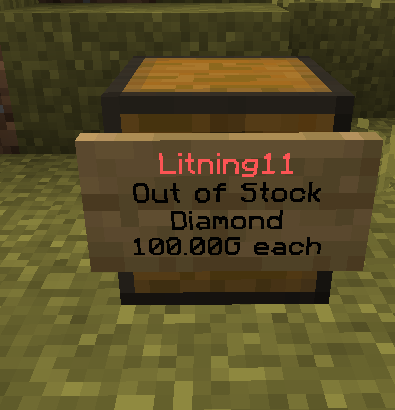
 |
| 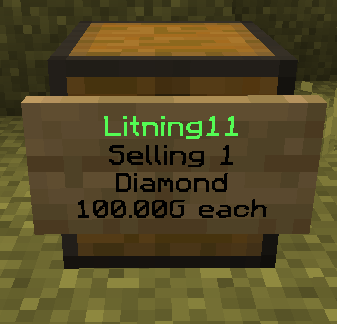 |
| {% endstep %} | |
{% step %}
### Deleting a Shop
Done trading and want to close? To delete a shop, open the control panel by **right-clicking** and select `[REMOVE SHOP]` in chat.
| Shop control panel. |
| -------------------------------------------------------------------------------------------------------------------------------------------------------------------------------------------------------------------------------------------------------- |
|
|
| {% endstep %} | |
{% step %}
### Deleting a Shop
Done trading and want to close? To delete a shop, open the control panel by **right-clicking** and select `[REMOVE SHOP]` in chat.
| Shop control panel. |
| -------------------------------------------------------------------------------------------------------------------------------------------------------------------------------------------------------------------------------------------------------- |
| 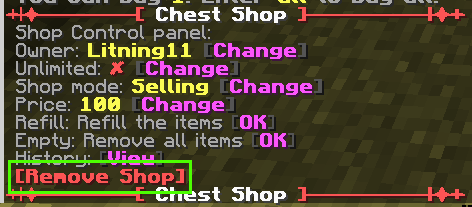 |
| {% endstep %} |
| {% endstepper %} |
***
## Protections
|
| {% endstep %} |
| {% endstepper %} |
***
## Protections

















 Charged Gunpowder
 Creeper Peppercorn
 Treeper Trophy
 Creeper Rocket
 Creeper Bow





 Moral Compass


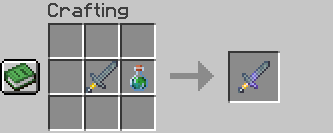
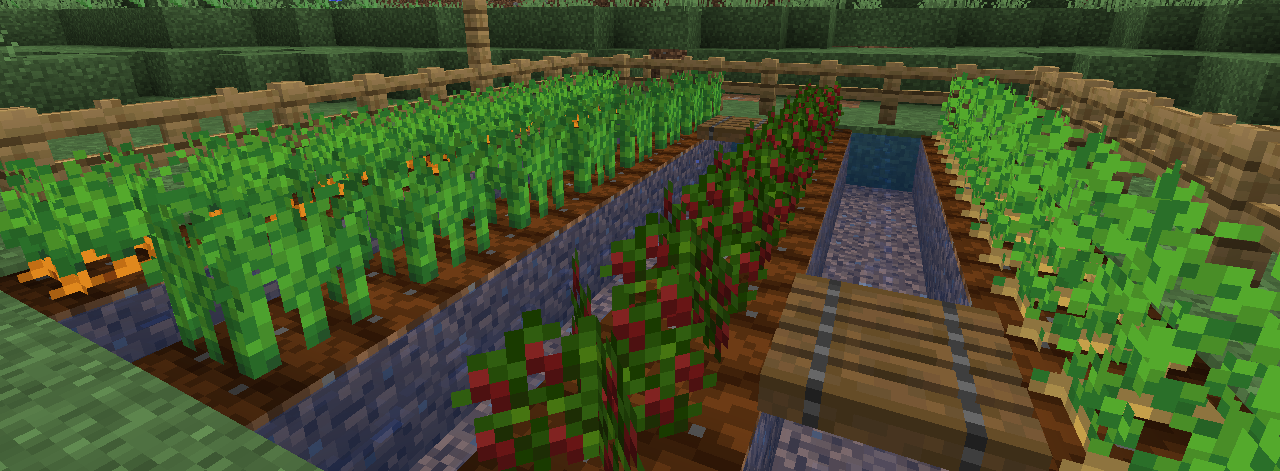
 Bell Pepper
 Broccoli
 Celery
 Chili Pepper
 Cucumber
 Garlic
 Lettuce
 Onion
Onion Peas
Peas
 Soy Beans
 Tomato
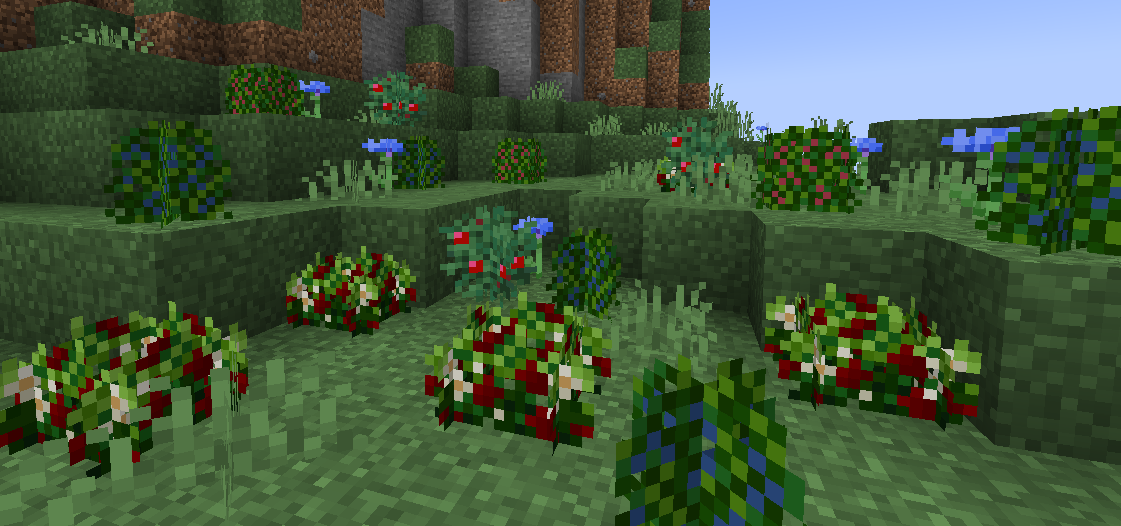
 Blueberry
 Coffee Plants
 Grapes
 Kiwi
Kiwi
 Pineapple
 Raspberry
 Strawberry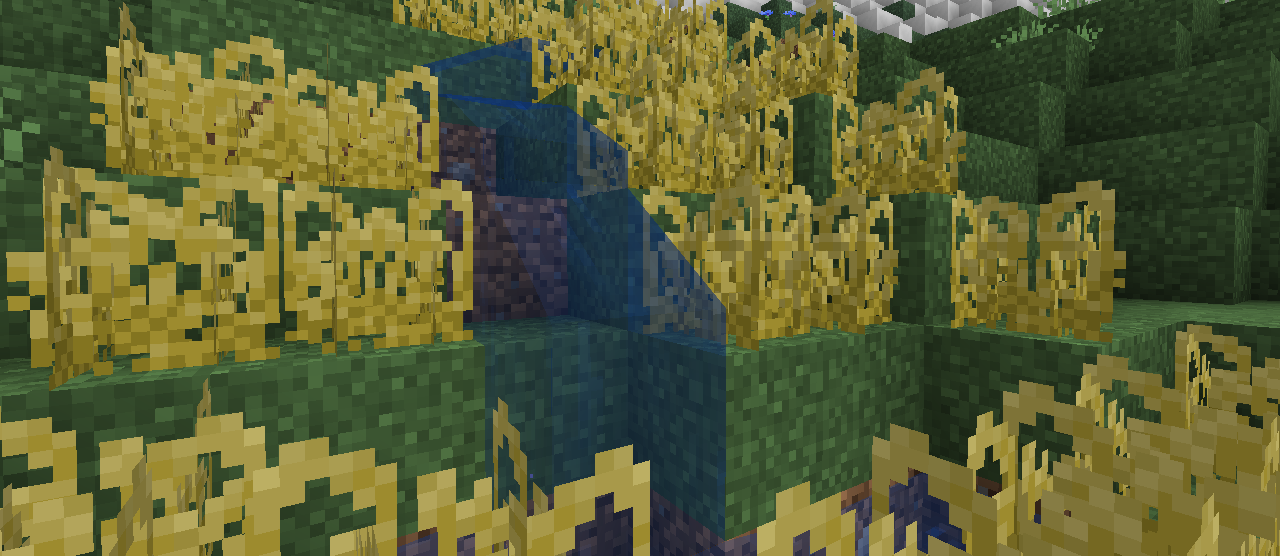
 Corn
Corn Peanuts
 Rice
Rice
 Bell Pepper Seeds
 Blueberry Seeds
 Broccoli Seeds
 Celery Seeds
 Chili Pepper Seeds
 Cucumber Seeds
 Lettuce Seeds
 Pea Seeds
 Soy Bean Seeds
 Tomato Seeds
 Raspberry Seeds
 Strawberry Seeds
 Grape Seeds
 Corn Seeds
 Rice Seeds
 Kiwi Seeds
 Ancient Oak
 Avocado Tree
 Banana Tree
 Lemon Tree
 Mango Tree
 Midas' Jungle Tree
 Midas' Oak Tree
 Olive Tree
 Orange Tree
 Pear Tree
 Onion
Onion Tomato
 Lettuce
 Bell Pepper
 Celery
 Soy Beans
 Cucumber
 Broccoli
 Garlic
 Peas
Peas Chili Pepper
 Pear
Pear Orange
 Strawberry
.png?alt=media&token=f3d298b6-879f-4ec0-bf41-b3523f6c8d02) Blueberry
Blueberry Raspberry
.png?alt=media&token=f17e75d3-b990-4ce3-9cec-55f1ba85092c) Grapes
Grapes Pineapple
 Banana
.png?alt=media&token=396ebb8b-bd26-443b-92a0-06523c6287e0) Cherry
Cherry Lemon
Lemon.png?alt=media&token=3f867e46-5bdd-4513-8dae-795f81027fbf) Avocado
Avocado.png?alt=media&token=bde7e60e-1758-4f45-9107-4c83894589d7) Coffee Bean
Coffee Bean Olive
Olive.png?alt=media&token=1cb73149-beed-4f3a-a400-75c8d2c49dc3) Mango
Mango.png?alt=media&token=6c81a862-b058-4249-96a0-11d48740127b) Golden Mango
Golden Mango
 Rice
Rice Corn
Corn Peanuts
 Drumstick
 Bacon
Bacon Sausage
 Lambchops
 Frog Legs
 Ribs
Ribs Wings
Wings
 Shark
Shark Crab
Crab Lobster
 Shrimp
 Tuna
Tuna Swordfish
 Clam
Clam Squid
Squid
 Butter
 Cooking Oil
 Cut Potatoes
 Dough
Dough Flour
Flour Olive Oil
 Raw Pasta
 Salt
Salt Vinegar
 Cheese
 Chocolate
 Cooked Crab Claw
 Cooked Lobster Tail
 Fruit Jam
 Gelatin
 Gravy
Gravy Peanut Butter
 Pickles
 Pickled Onions
 Smoked Cheese
 Tofu
Tofu Yoghurt
 Slice of Bread
 Toast
Toast Croissant
 Baguette
 Pretzel
 Tortilla

 Butter Pasta
 Mac and Cheese
 Tomato Pasta
 Lasagne
 Pizza
Pizza Pepperoni Pizza
 Veggie Pizza
 Hawaiian Pizza
 Meat Broth
 Vegetable Broth
 Chicken Soup
 Beef Stew
 Vegetable Soup
 Chilli
 Tomato Soup
 Creeper Peppercorn Curry

 Cod Nigiri
 Salmon Nigiri
 Tropical Fish Nigiri
 Pufferfish Nigiri
  Tuna Nigiri
  Swordfish Nigiri
 Makizushi
 Meat Dim Sum
 Fish Dim Sum
 Vegetable Dim Sum
 Grilled Cheese
 Peanut Butter and Jelly Sandwich
 Ham and Cheese Sandwich
 Toast and Butter
 Toast and Jam
 Toast and Honey
 Avocado Toast
 Fish Finger Sandwich
 Hotdog
 Taco
Taco Quesadilla
 Burrito
 Burger
 Caesar Salad
 Cooked Rice
 Crisps
 Fish Fingers
 Fries
Fries Fried Chicken
 Fried Egg
 Fruit Salad
 Guacamole
 Kebab
Kebab Mashed Potatoes
 Nachos
 Poutine
 Salad
Salad Calamari
 Sunday Roast
 Creeper Pepper Poppers

 Tiramisu
 Sweet Roll
 Cheesecake
 Fruit Pie
 Pancakes
 Waffles
 Chocolate Cake
 Fruit Cake
 Berry Cake
 Cotton Candy
 Popcorn
 Donut
Donut Chocolate Donut
 Chocolate Pudding
 Ice Cream
 Hot Chocolate
 Fruit Juice
 Lemonade
 Espresso
 Americano
 Cappuccino
  Latte
Latte Mocha
Mocha Affogato
  Iced Latte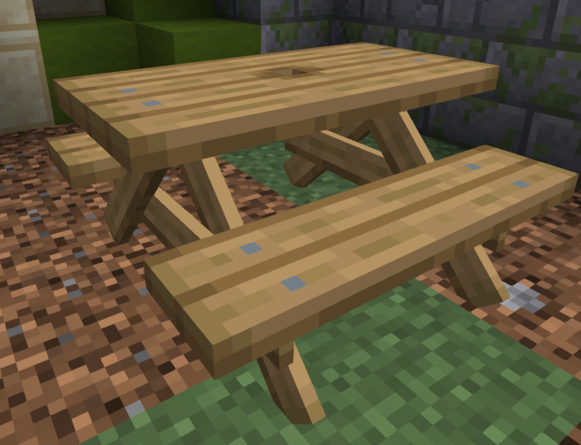
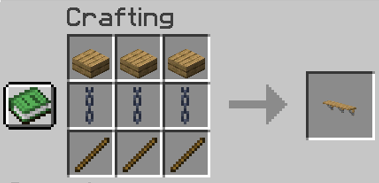 


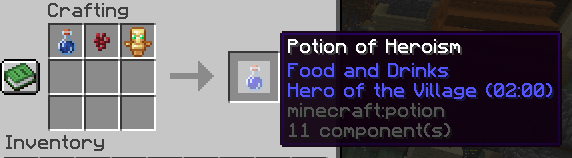


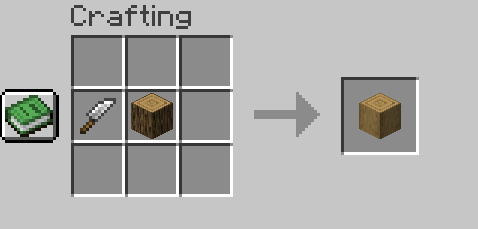

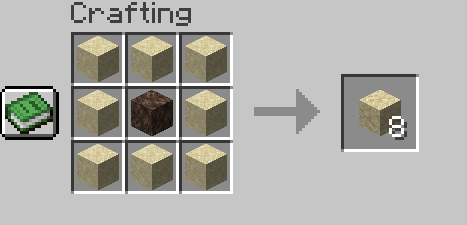
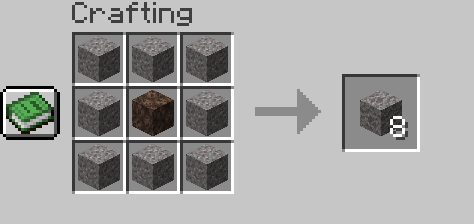
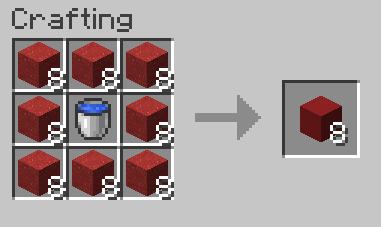

.gif?alt=media&token=9ab3ea52-392c-4560-9d77-0cd8e10624d8)